
How to Fix Orders Not Executed on MT5 iOS App
1. Check Internet Connection
– Make sure Wi-Fi or mobile data is stable.
– Switch network or turn Airplane Mode ON/OFF.
– Make sure Wi-Fi or mobile data is stable.
– Switch network or turn Airplane Mode ON/OFF.
2. Check Market Status
– Orders cannot be executed when the market is closed (weekends, holidays).
– Try placing an order on EURUSD during active market hours.
– Orders cannot be executed when the market is closed (weekends, holidays).
– Try placing an order on EURUSD during active market hours.
3. Confirm Account Login
– Check the connection at the top:
Access Server 1 = connected
No Connection = disconnected
– Re-login if disconnected.
– Check the connection at the top:
Access Server 1 = connected
No Connection = disconnected
– Re-login if disconnected.

4. Check Order Type
– Market Order → Executes instantly if price available
– Pending Order → Executes only when price reaches level
Make sure:
– Pending price is at least 30 point to current price
– Expiry time is valid
5. Check Lot Size & Symbol Rules
– Confirm minimum and maximum lot size
– Some pairs have different maximum lot size
– Confirm minimum and maximum lot size
– Some pairs have different maximum lot size
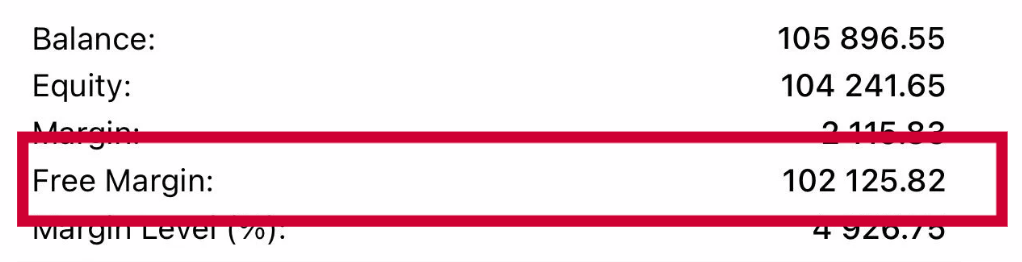
6. Check Free Margin
– Go to Trade tab.
– Review Free Margin.
– If low:
– Reduce lot size
– Close existing trades
– Add funds
– Go to Trade tab.
– Review Free Margin.
– If low:
– Reduce lot size
– Close existing trades
– Add funds
7. Update or Restart App
– Update MT5 from App Store
– Restart iPhone if needed
– Update MT5 from App Store
– Restart iPhone if needed
8. If Still Not Executed
Prepare:
– Screenshot of error message
– MT5 Login ID
– Symbol & time attempted
– Then contact Hirose Customer Support.
Prepare:
– Screenshot of error message
– MT5 Login ID
– Symbol & time attempted
– Then contact Hirose Customer Support.
| Review Error Message | ||
|---|---|---|
| MT5 usually shows a reason at the bottom of the screen. | ||
| Message | Meaning | Solution |
| No prices | No market data | Reconnect internet |
| Trade disabled | Trading not allowed | Contact broker |
| Invalid volume | Wrong lot size | Use broker’s minimum |
| Not enough money | Insufficient margin | Reduce lot or add funds |
| Market closed | Session closed | Wait for market open |