
Server Connection Problems on MT5
(Android Version)
🔍 Common Causes & Solutions
① Unstable Internet Connection
Problem:
Weak Wi-Fi or mobile data prevents MT5 from connecting.
Solution:
– Switch between Wi-Fi and mobile data
– Turn Airplane Mode ON → OFF
– Restart your phone
– Ensure internet is stable
② Wrong Server Selected
Problem:
Logged in to an incorrect trading server.
Solution:
– Open MT5 App
– Tap Settings → Manage Accounts
– Delete the account
– Log in again and select the correct server provided by Hirose.

③ Incorrect Login Details
Problem:
Wrong account number or password.
Solution:
– Re-enter your Login ID and Password carefully
– Ensure you are using the Trading Password, not Investor Password
– Avoid extra spaces when pasting
④ Server Maintenance or Downtime
Problem:
Broker server is temporarily unavailable.
Solution:
– Wait a few minutes and reconnect
– Check Hirose announcements
– Try logging in later
⑤ MT5 App Needs Update
Problem:
Outdated app version causes connection issues.
Solution:
– Go to Google Play Store
– Update MetaTrader 5
– Reopen the app after updating
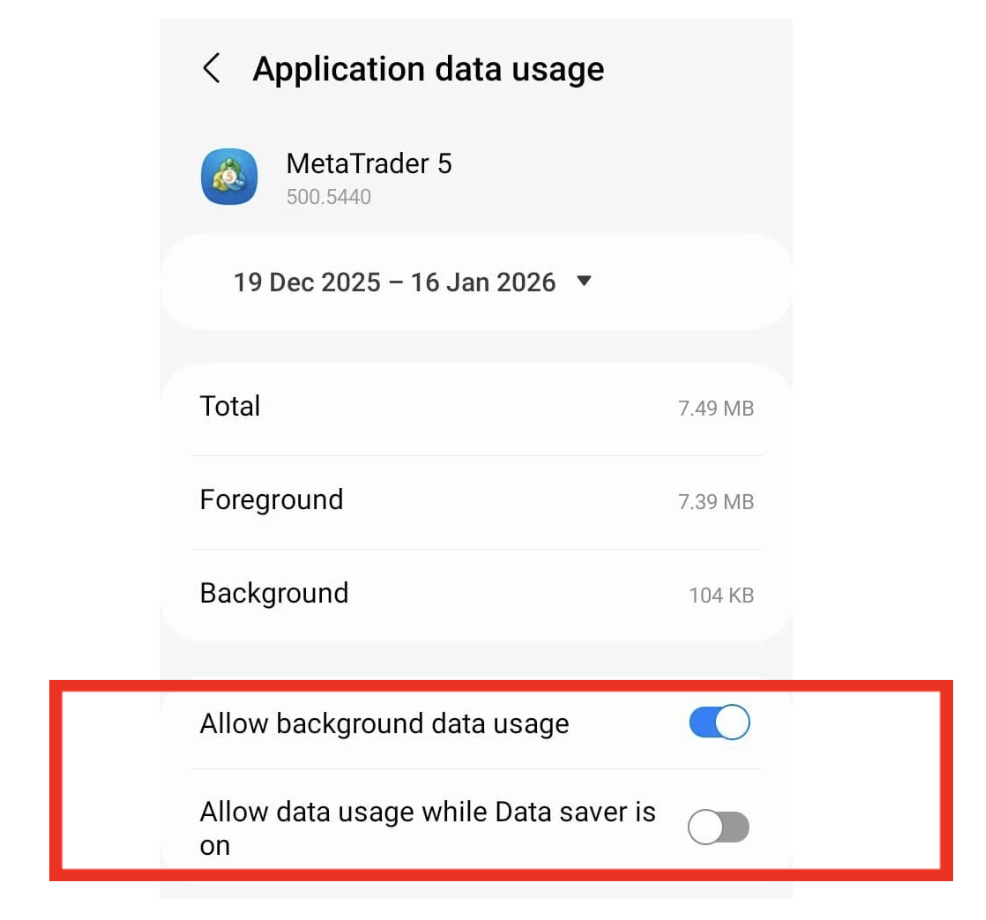
⑥ Background Data Restricted
Problem:
Android system blocks MT5 internet access.
Solution:
– Go to Phone Settings
– Select Apps → MetaTrader 5
– Enable Mobile Data & Wi-Fi
– Allow Background Data
– Disable Battery Saver for MT5
⑦ VPN or Firewall Issues
Problem:
VPN or firewall blocks MT5 server access.
Solution:
– Turn OFF VPN
– Try reconnecting without VPN
– Use a trusted network
– Look at the top-right corner of MT5
– Bars moving = connected
– Red/grey bars = no connection