
MT5 Android: Chart Not Updating
✅ 1. Check Your Internet
– Switch Wi-Fi ↔ mobile data
– Turn Airplane Mode ON ↔ OFF
– Make sure your internet is stable
– Switch Wi-Fi ↔ mobile data
– Turn Airplane Mode ON ↔ OFF
– Make sure your internet is stable
✅ 2. Check Market Hours
– Forex & Gold don’t move on weekends
– Prices won’t update if the market is closed
– Forex & Gold don’t move on weekends
– Prices won’t update if the market is closed
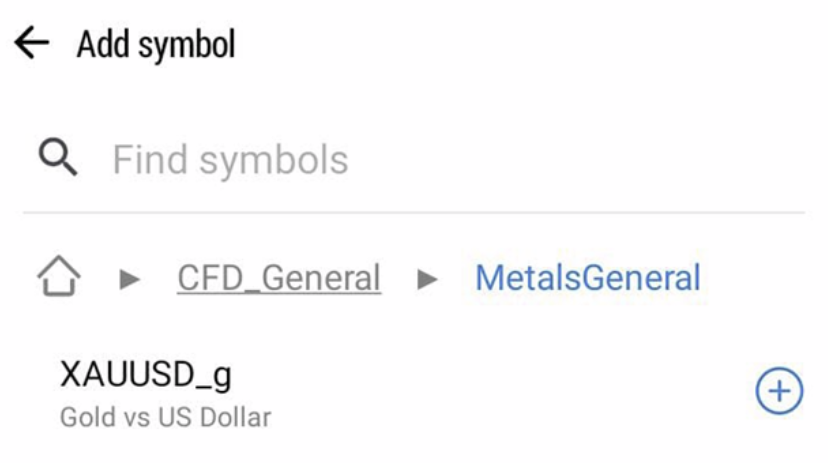
✅ 3. Re-Add the Symbol
– Go to Quotes
– Tap +
– Search and add the symbol again (e.g. XAUUSD)
– Open a new chart
– Go to Quotes
– Tap +
– Search and add the symbol again (e.g. XAUUSD)
– Open a new chart
✅ 4. Restart the App
– Close MT5
– Open it again
– Log in if needed
– Close MT5
– Open it again
– Log in if needed
✅ 5. Update MT5
– Open Play Store
– Update MetaTrader 5
– Open Play Store
– Update MetaTrader 5
💬 Still not working?
Contact Hirose Support and send:
– Screenshot of the chart
We’re happy to help 😊
Contact Hirose Support and send:
– Screenshot of the chart
We’re happy to help 😊