Guidelines for Hedging on Android Version
What Is Hedging?
Hedging is a risk-management strategy where you open two opposite positions on the same trading instrument.
Hedging is a risk-management strategy where you open two opposite positions on the same trading instrument.
📊 Example:
– You Buy Gold (XAUUSD)
– You Sell Gold (XAUUSD)
This helps protect your account when the market moves unpredictably.
– You Buy Gold (XAUUSD)
– You Sell Gold (XAUUSD)
This helps protect your account when the market moves unpredictably.
⚠️ Before You Start
Make sure:
✅ Your trading account supports hedging (not netting)
✅ You are using MT5 on Android
✅ You understand that hedging reduces risk, but does not eliminate losses
Make sure:
✅ Your trading account supports hedging (not netting)
✅ You are using MT5 on Android
✅ You understand that hedging reduces risk, but does not eliminate losses
📱 Step-by-Step: How to Hedge on MT5 (Android)
Step 1: Open the MT5 App
– Launch MetaTrader 5 on your Android phone
– Log in to your trading account

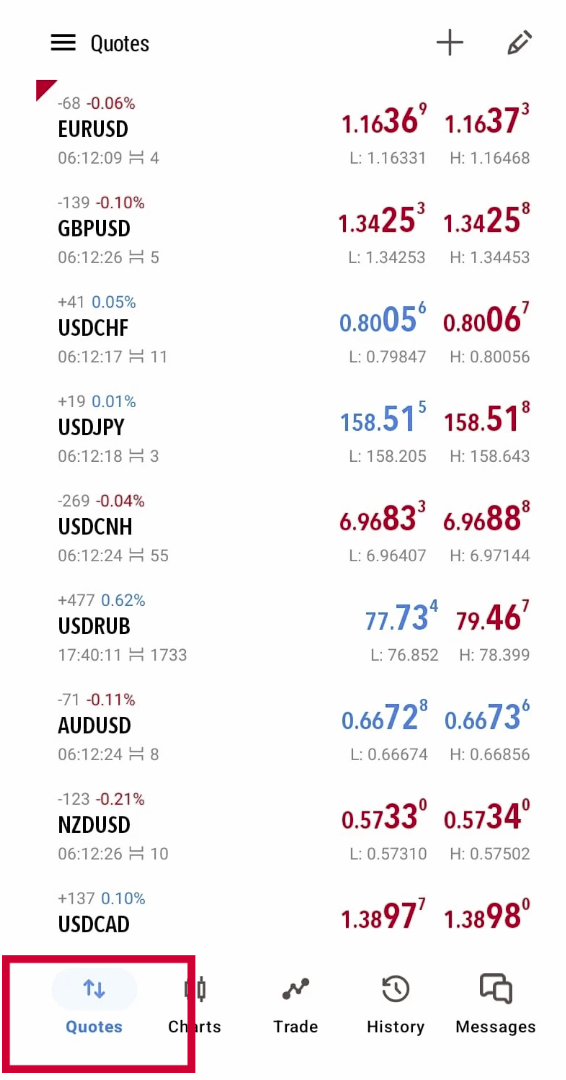
Step 2: Select the Trading Instrument
– Tap Quotes
– Choose the symbol you want to hedge
(Example: XAUUSD/EURUSD)
– Tap Quotes
– Choose the symbol you want to hedge
(Example: XAUUSD/EURUSD)
Step 3: Open the First Trade
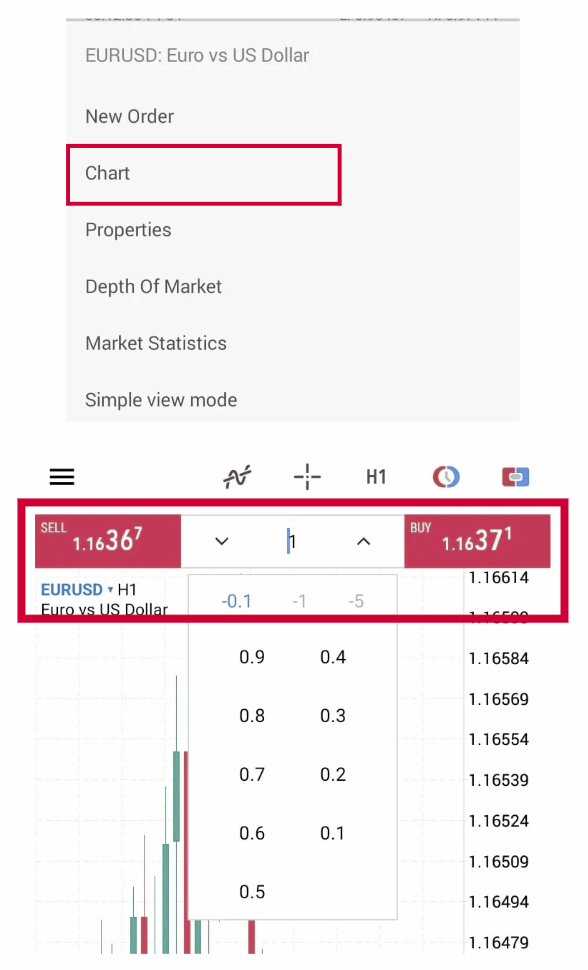
– Tap on Chart
– Select Trade
– Set your lot size
– Tap Buy or Sell to open the position
– Tap on Chart
– Select Trade
– Set your lot size
– Tap Buy or Sell to open the position
Step 4: Open the Opposite Trade (Hedge)
– Tap the same symbol again
– Select Trade
– Choose the opposite order type
– If your first trade was Buy, now choose Sell
– Use the same or smaller lot size
– Tap Sell or Buy
✅ You now have a hedged position
– Tap the same symbol again
– Select Trade
– Choose the opposite order type
– If your first trade was Buy, now choose Sell
– Use the same or smaller lot size
– Tap Sell or Buy
✅ You now have a hedged position
📊 How to Check Your Hedge
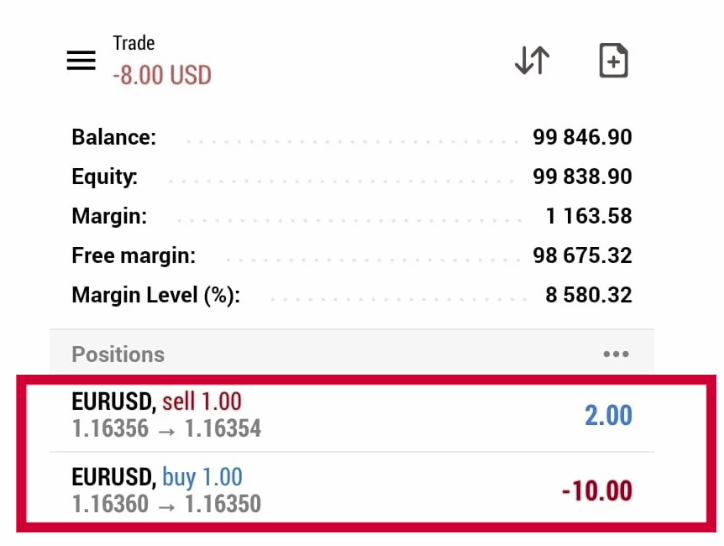
– Go to the Trade tab
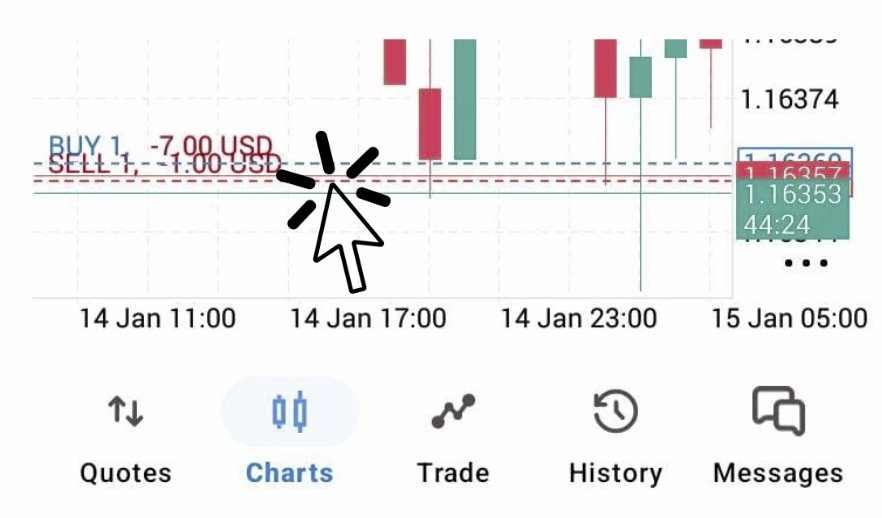
– You will see two open positions:
– One Buy
– One Sell
– Each position has its own profit or loss
– Go to the Trade tab
– You will see two open positions:
– One Buy
– One Sell
– Each position has its own profit or loss