
How to Change Language Settings on MT5 (iOS)
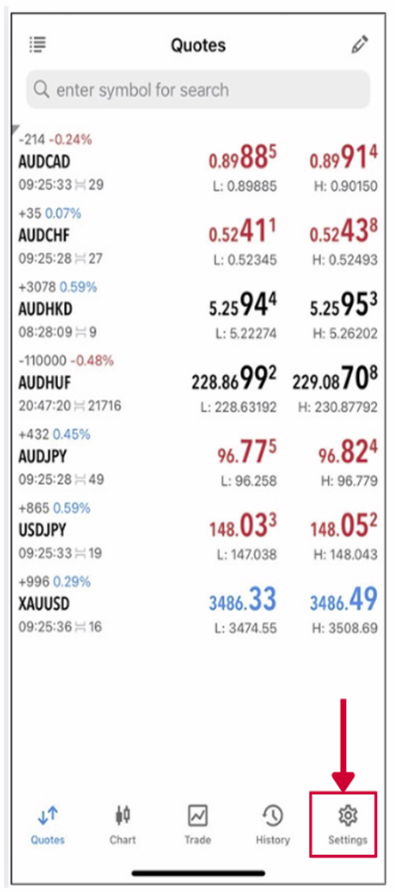
Step 1: Tap the “Settings” on the bottom navigation bar.
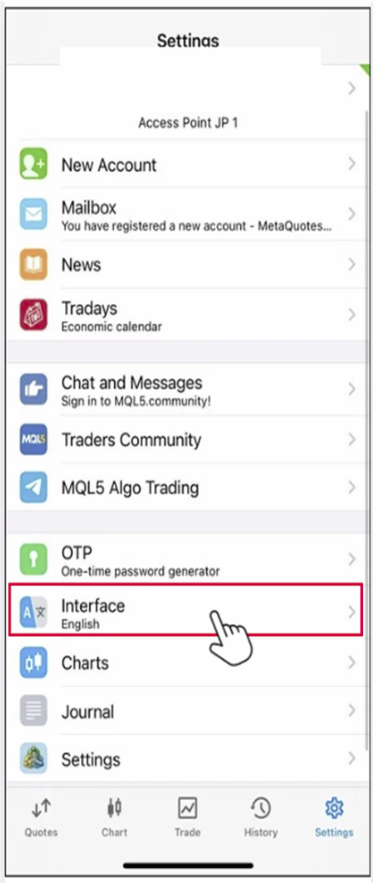
Step 2: Tap the “Interface”.
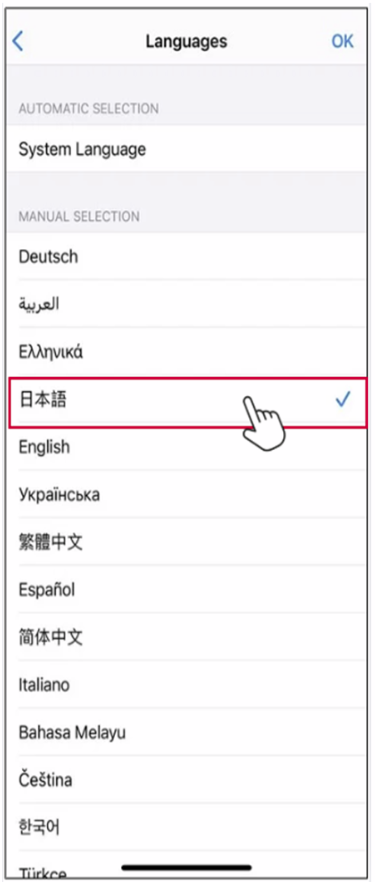
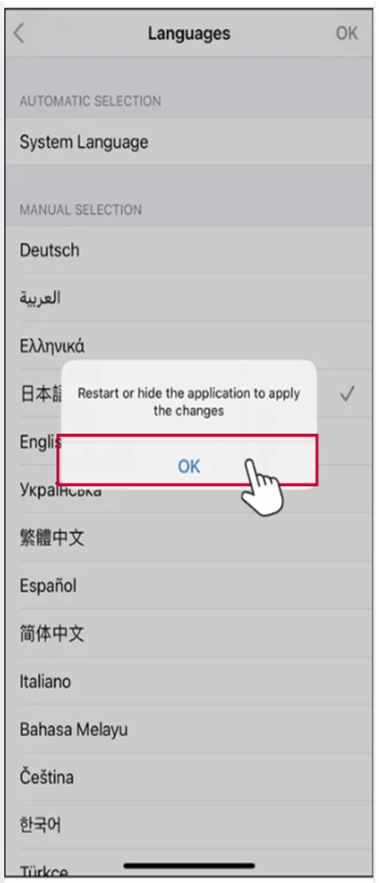
Step 3: Select your preferred language from the list.
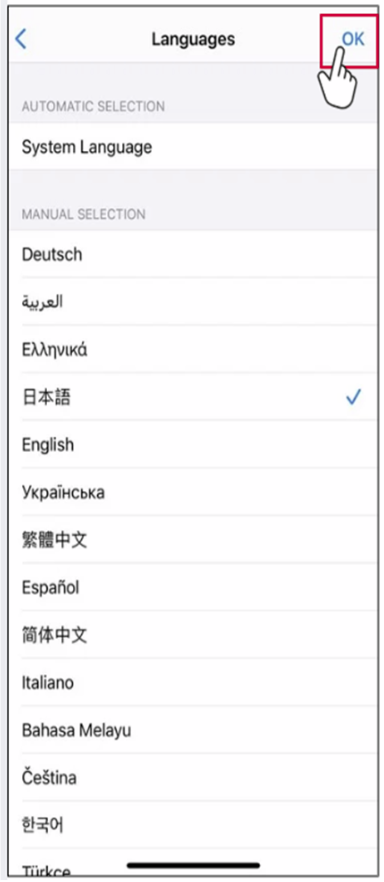
Step 4: Tap “OK” in the top right corner.
Step 5: When the messages appears, tap “OK”
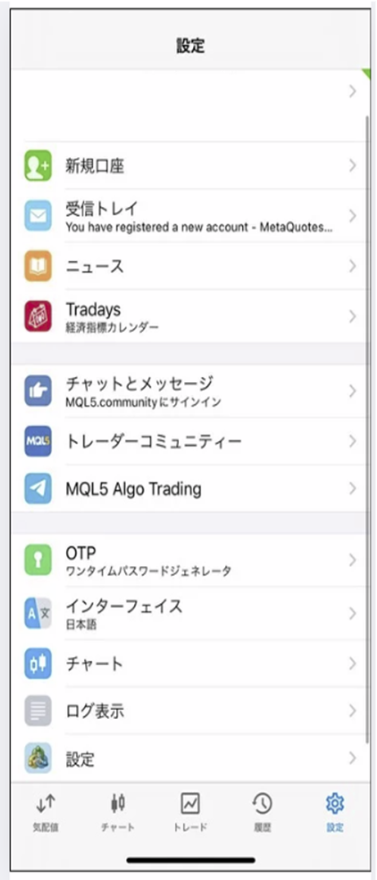
Step 6: After the restart, MT5 will be displayed in the selected language.
How to Change the Timezone on the MT5
Note:
Unfortunately, the time zone cannot be changed on the MT5 platform.
The time displayed in MT5 is based on your broker’s server time, and there is no setting that allows users to change it to a custom time zone.
Unfortunately, the time zone cannot be changed on the MT5 platform.
The time displayed in MT5 is based on your broker’s server time, and there is no setting that allows users to change it to a custom time zone.