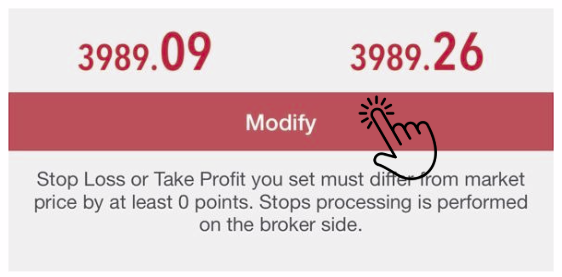
How to Set SL/TP on MT5 (iOS Version)
✅ Part 1 – Set SL/TP When Opening a New Order
- Step 1 – Open MT5
- – Tap the MetaTrader 5 app
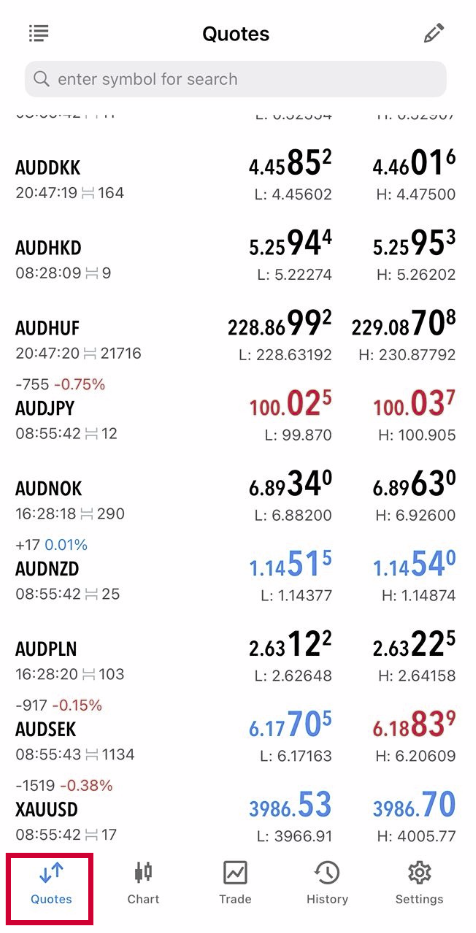
Step 2 – Go to Quotes
- – Tap Quotes tab (bottom left)
- – Choose the instrument (e.g., XAUUSD/EURUSD)
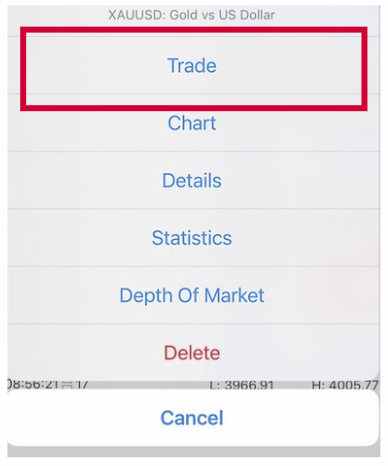
Step 3 – Tap “Trade”
- – Tap the pair → Trade
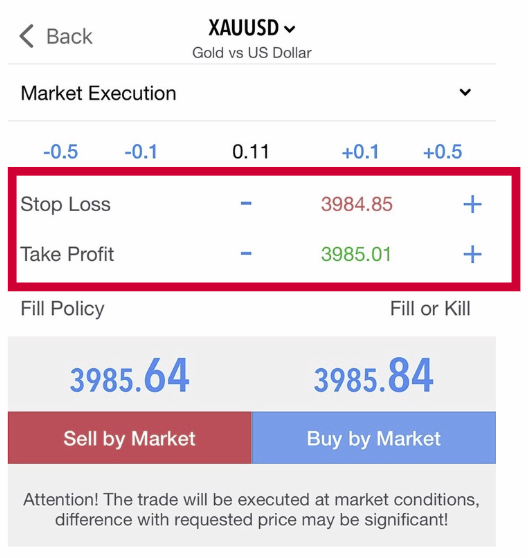
Step 4 – Enter Order Details
- You will see boxes for:
- – Stop Loss (SL)
- – Take Profit (TP)
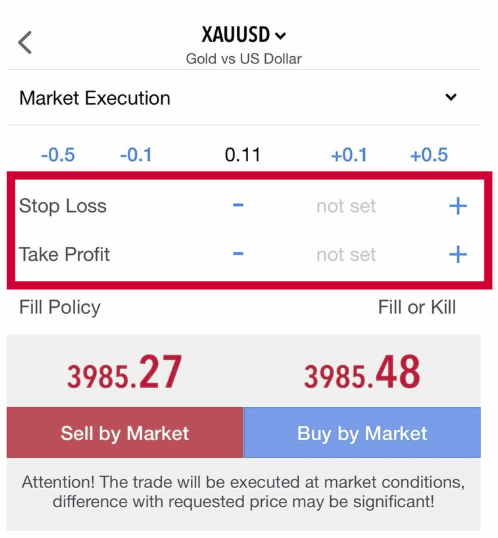
Step 5 – Input SL/TP
- – Enter price level for SL (loss limit)
- – Enter price level for TP (profit target)
💡 Tip: Tap the +/- icons next to SL/TP for quick price steps.
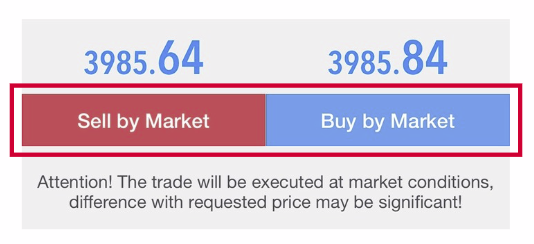
Step 6 – Place Order
- – Tap Sell by Market or Buy by Market to execute
✅ Your SL/TP is now attached to the new trade.
✅ Part 2 – Add or Modify SL/TP for Active Trades
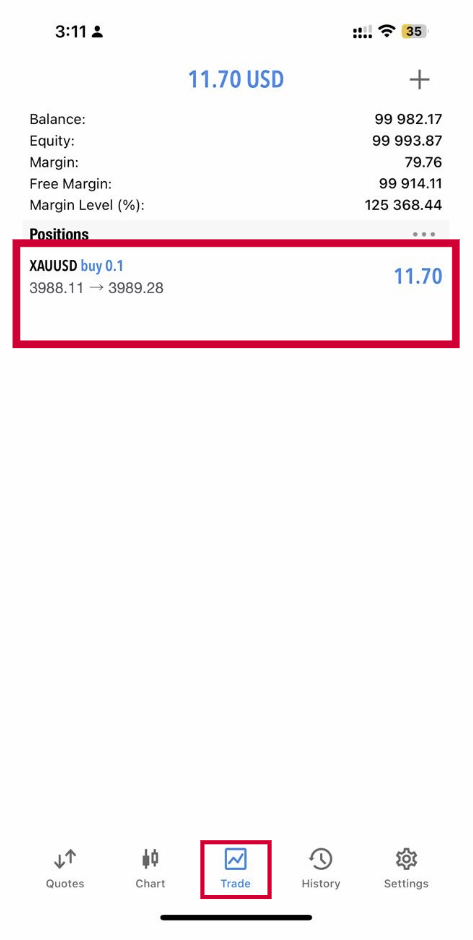
Step 1 – Go to Trade Tab
Step 1 – Go to Trade Tab
- – Tap Trade (bottom menu)
- – You’ll see open positions
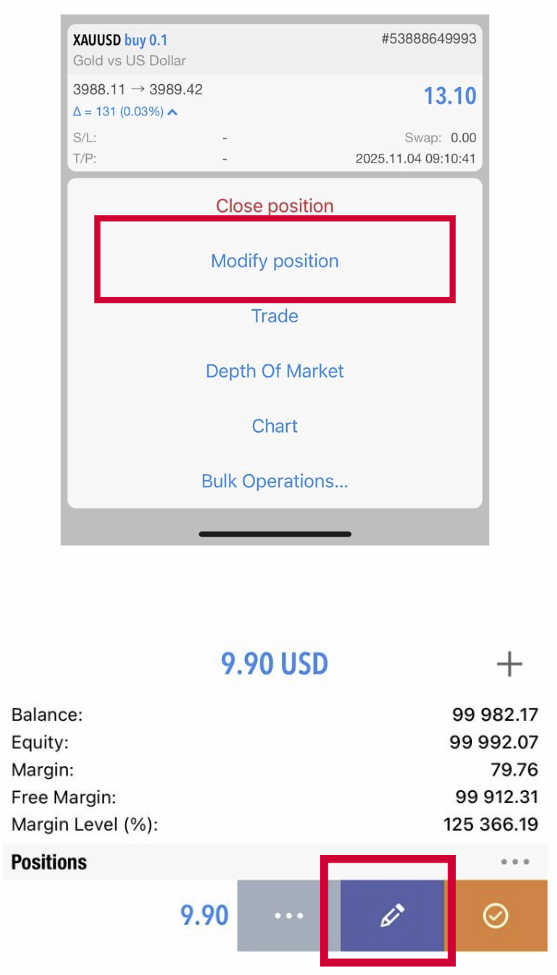
Step 2 – Choose Position
- – Tap & hold on the open trade
(or swipe left depending on device)
Step 3 – Select Modify
- – Tap Modify
Step 4 – Edit SL/TP
- – Enter Stop Loss price
- – Enter Take Profit price
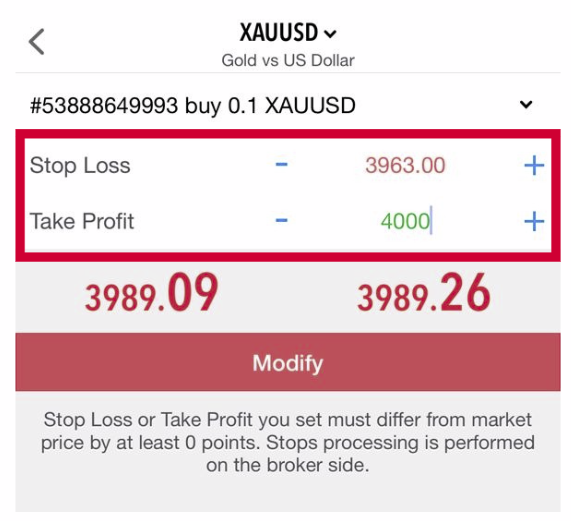
Step 5 – Confirm
- – Tap Modify
✅ SL/TP updated successfully.