The Depth of Market (DOM) displays bids and asks for a particular instrument at the best prices (closest to the market) at the moment. The DOM window also shows the volume of each order.
To open the Depth of Market window of a financial instrument:
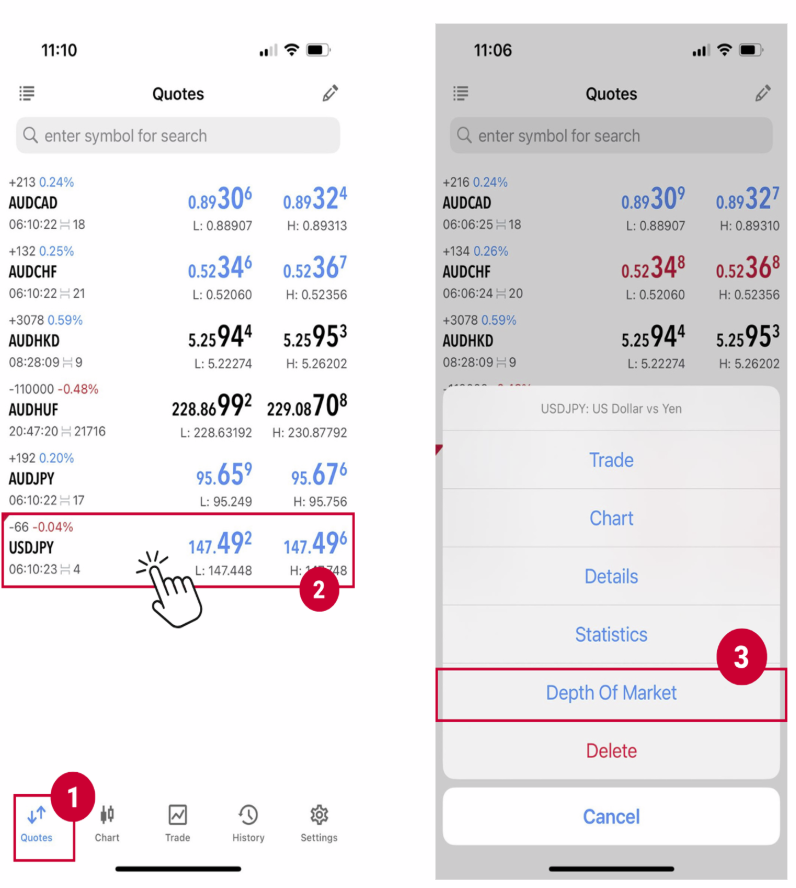
(1) Access ‘Quotes’ screen, (2) tap to the financial instrument you want to place an order
(3) choose the click ‘Depth of Market’ in the popped-up menu
(1) Access ‘Quotes’ screen, (2) tap to the financial instrument you want to place an order
(3) choose the click ‘Depth of Market’ in the popped-up menu
*Please note that not all symbols are available for Depth of Market.
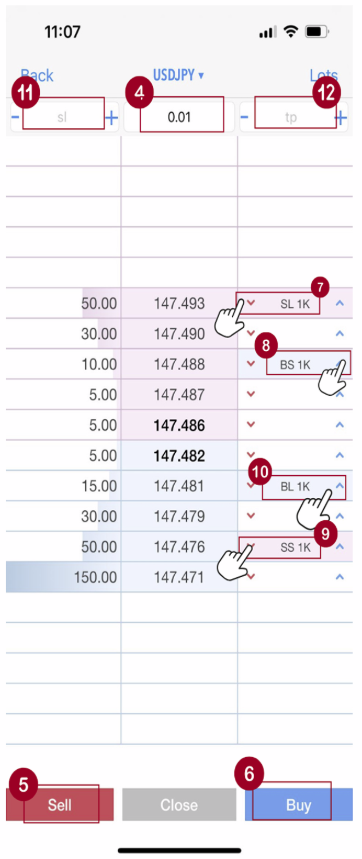
(4) For both Market Execution and Pending Order, set the volume of order (e.g. 0.01 lot).
To place a Market Execution order, tap (5) “SELL” or (6) “BUY” to make a Market Execution order at the set volume (e.g. 0.1 lot).
Click the arrows to place a Pending Order (like Buy Stop, Sell Limit, etc.).
Above the price: places a (7) Sell Limit or (8) Buy Stop order.
Below the price: places a (9) Sell Stop or (10) Buy Limit order.
You can also set (11) Stop Loss and (12) Take Profit levels near the volume setting.
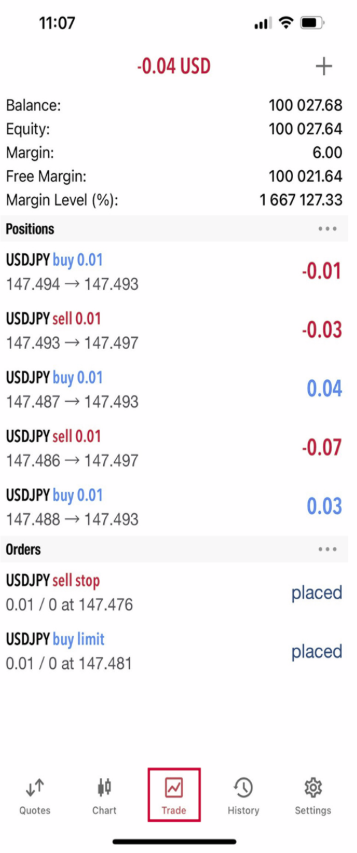
Once placed, your order will appear in the Trade screen.