Viewing Profit & Loss on MT5
(iOS Version)
✅ Step 1 – Open the MT5 App
– Launch the MetaTrader 5 (MT5) app on your iPhone/iPad.
– Ensure you are logged in to your trading account.
– Launch the MetaTrader 5 (MT5) app on your iPhone/iPad.
– Ensure you are logged in to your trading account.

Viewing Profit & Loss for OPEN Trades
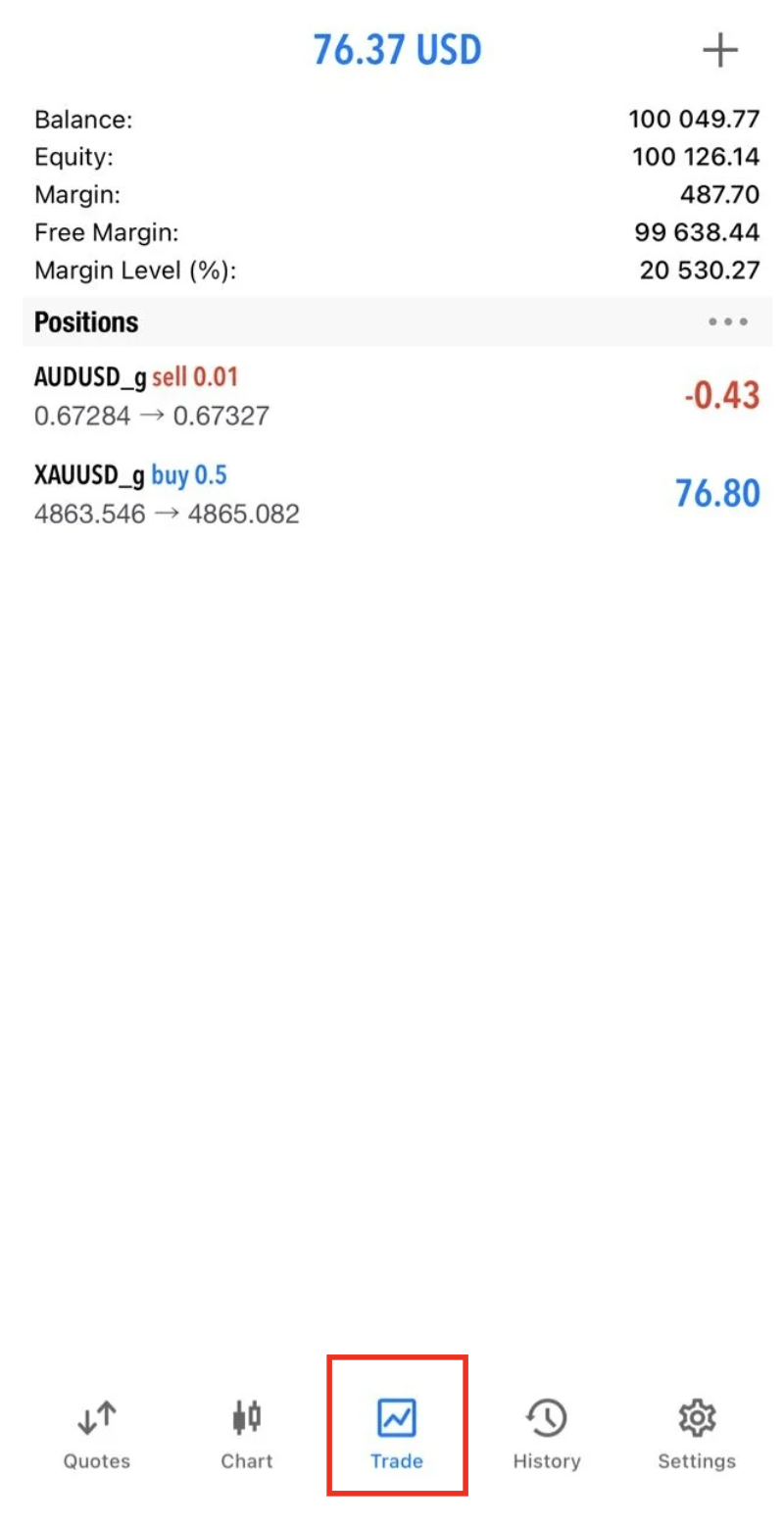
✅ Step 2 – Go to the Trade Tab
– Tap “Trade” at the bottom of the screen.
– You will see:
– Open positions
– Account balance, equity, and margin
✅ Step 3 – Check Floating Profit & Loss
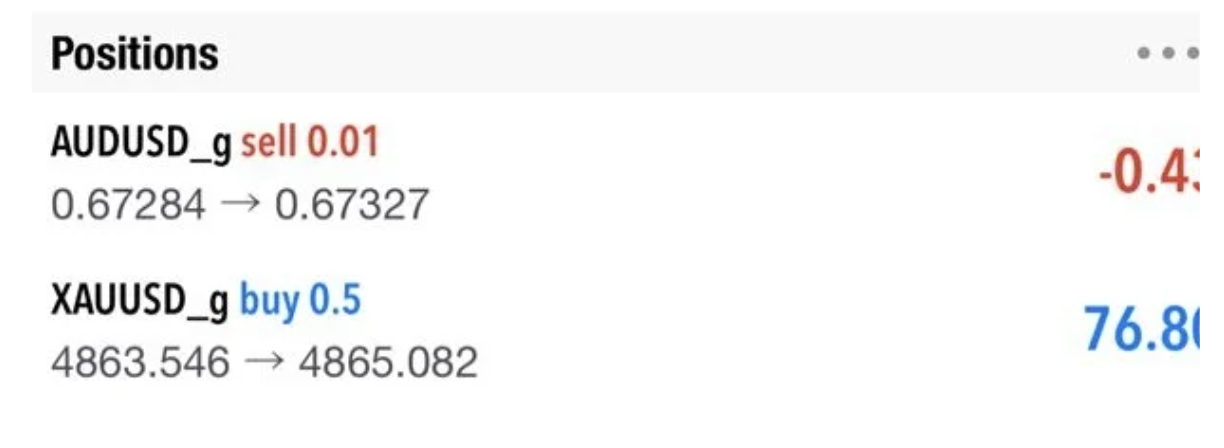
– Under each open trade, you will see:
– Profit (positive number = profit)
– Loss (negative number = loss)
– This is your floating P/L, which changes in real time as prices move.
– Under each open trade, you will see:
– Profit (positive number = profit)
– Loss (negative number = loss)
– This is your floating P/L, which changes in real time as prices move.
Viewing Profit & Loss for CLOSED Trades
✅ Step 4: Open Order History
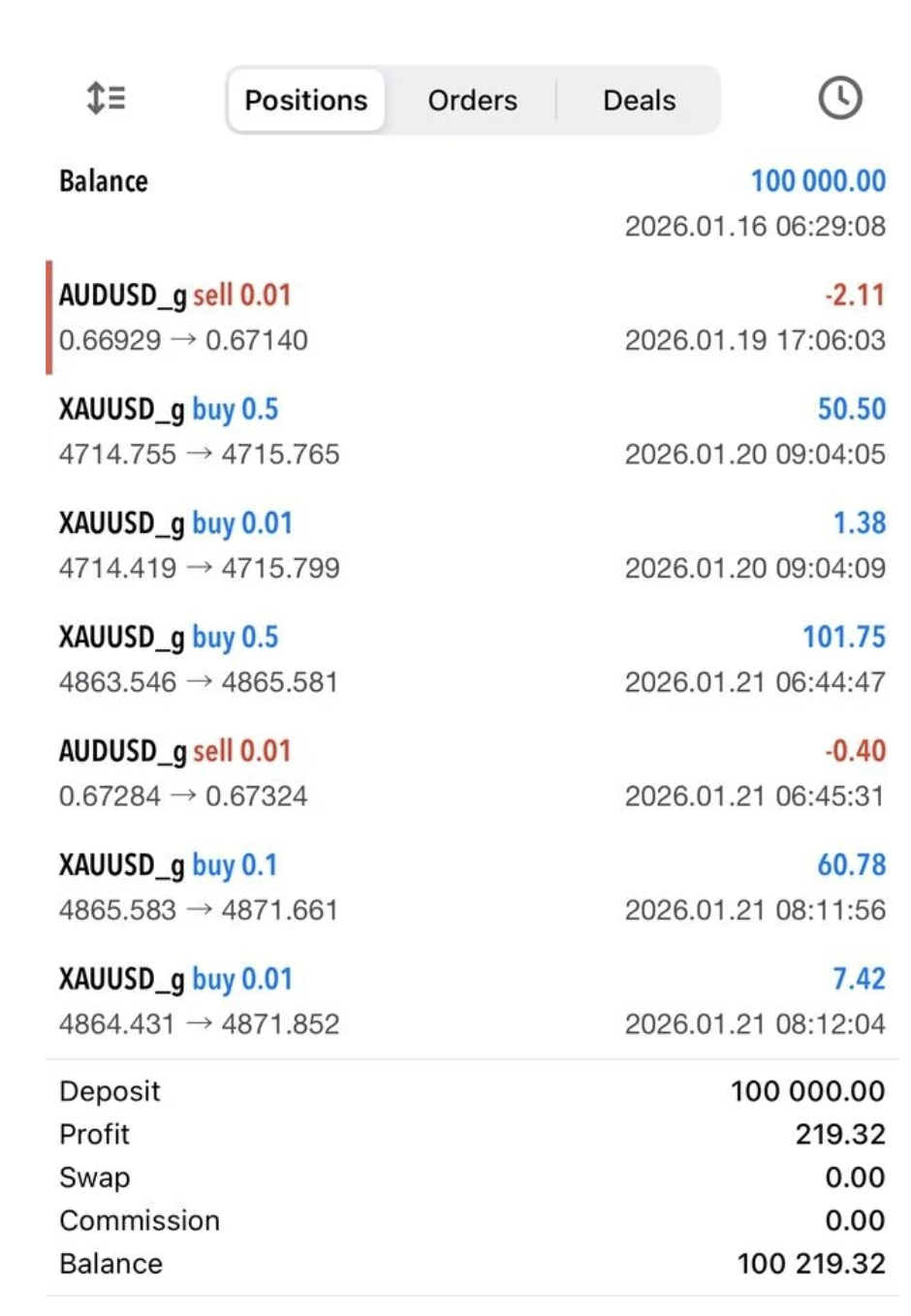
– Tap “History” at the bottom of the screen.
– This shows all closed trades.

✅ Step 5 – Review Closed Trade P/L
– Each closed order displays:
– Profit (green) or Loss (red)
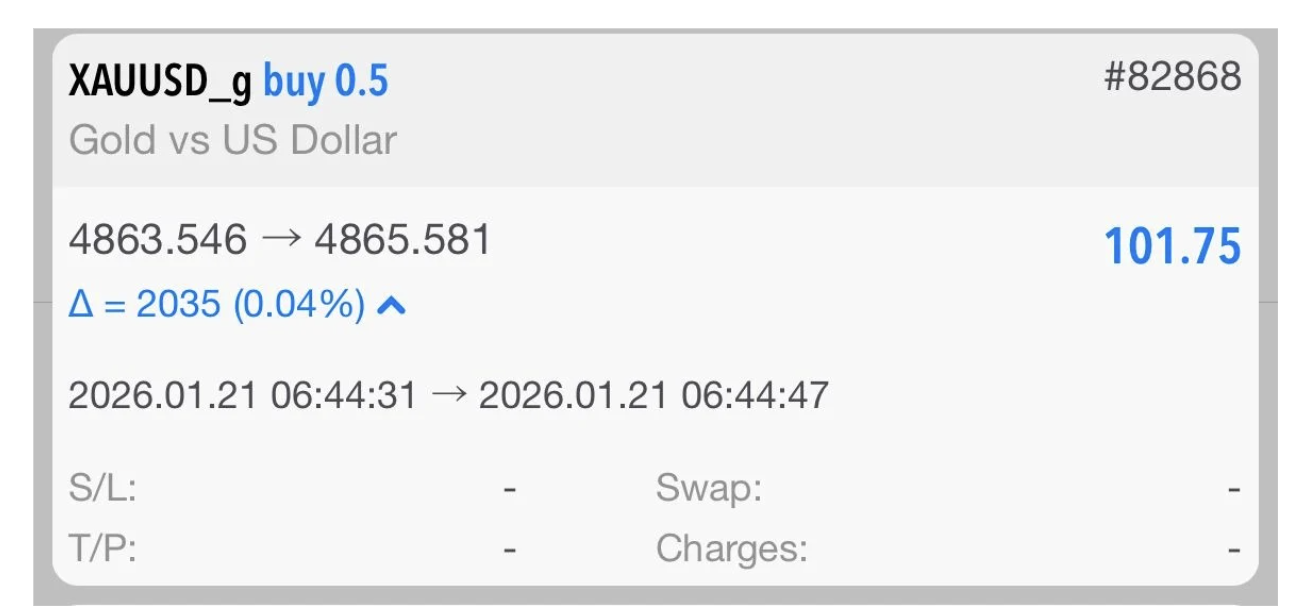
– Tap on any trade to see full details:
– Open price
– Close price
– Lot size
– Total profit or loss