Create a Live Account
1. Create a live account from this link: https://my.hiroseag.com/register
2. Fill up your details as below format.
Email
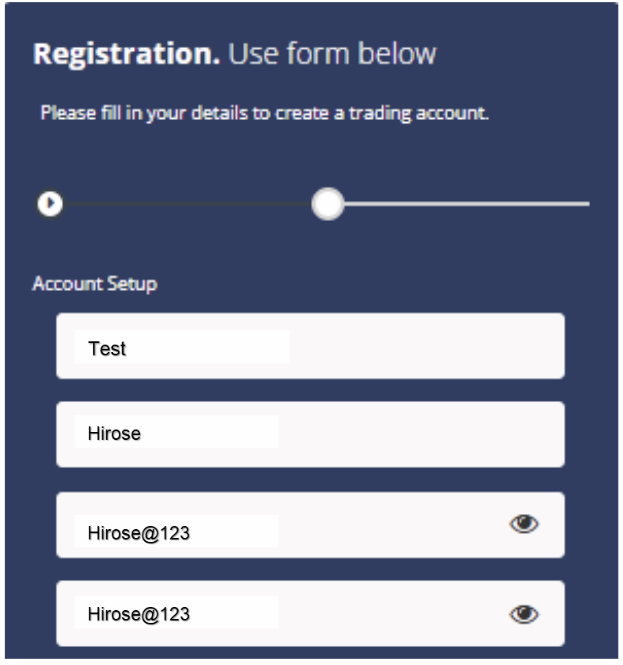
First Name
- Your first name.
Last Name
- Your last name.
Password
- Minimum 8 characters
- Must include numbers, symbols, and uppercase letters
- Each email address can only be registered once
3. Account Type Explanation
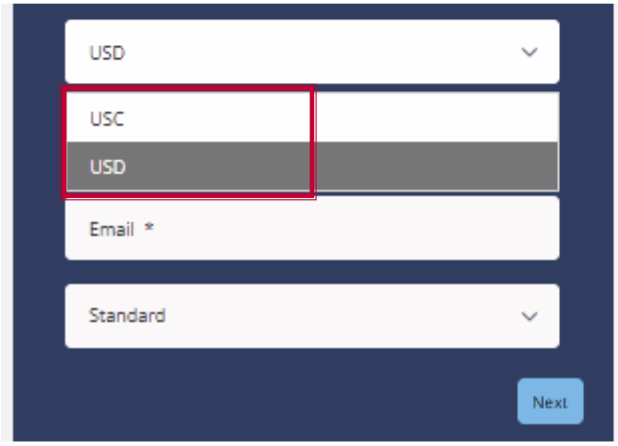
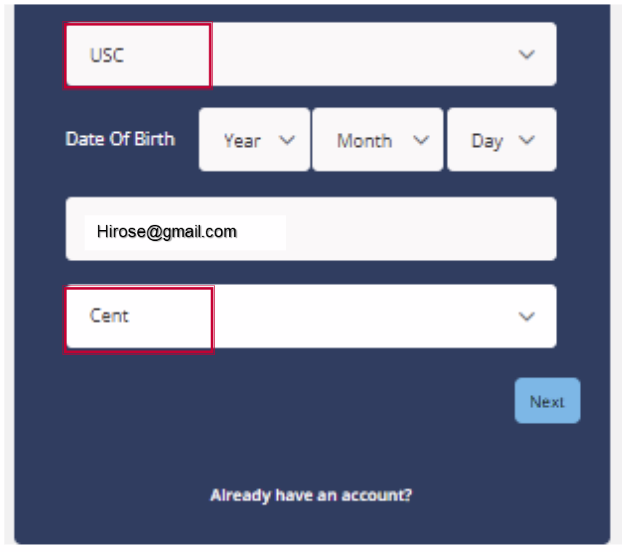
- Currency → USD ($)
- Currency → USC (Cent Account: 1/100 of the standard account unit)
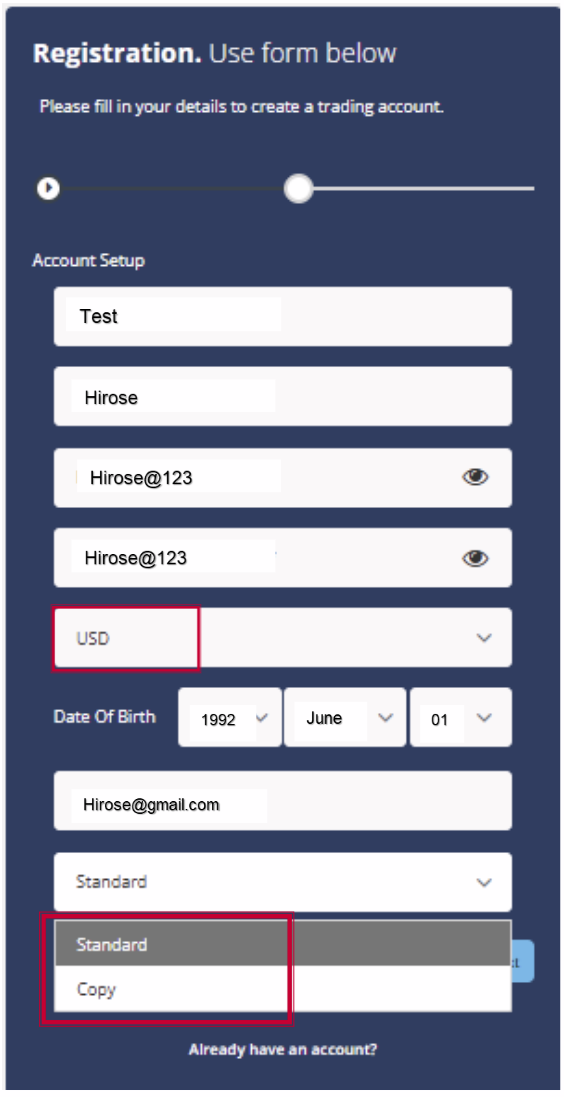
① If you select USD.
- Standard
A regular USD account for standard trading. - Copy
An account used for Social Trading (copy trading only).
② If you select USC
- Cent Account
A cent account where 1 USD = 100 cents.
Allows smaller trades compared to the standard USD account.
3. Fill up your contact information with your country code.
4. Check the consent button after reading the Term and Conditions.
5. Click Submit.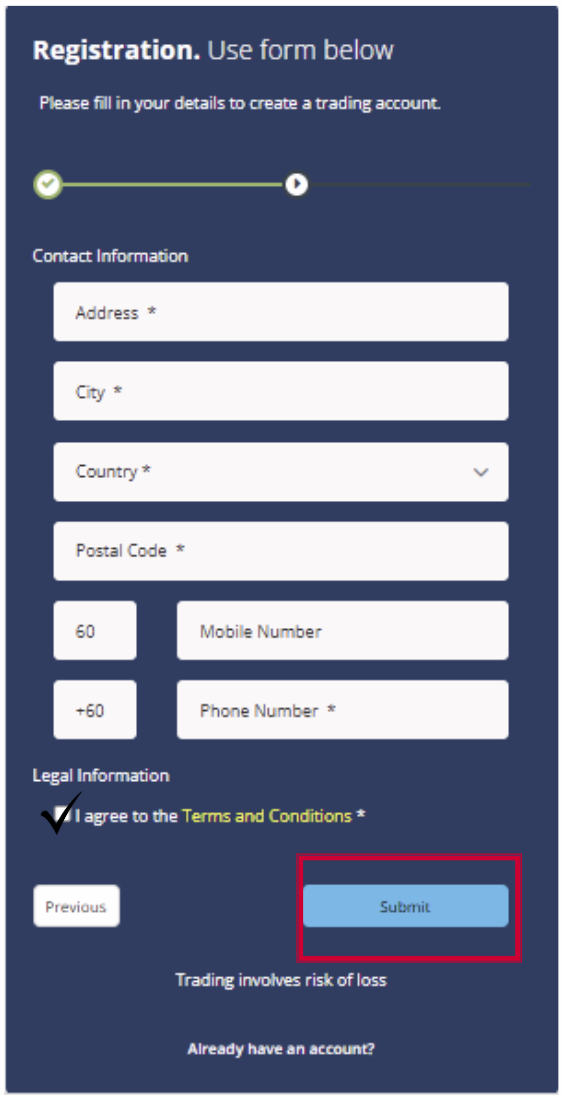
4. Check the consent button after reading the Term and Conditions.
5. Click Submit.
6. You will received your live account details via email.
7. Please install the MT5 platform to log in.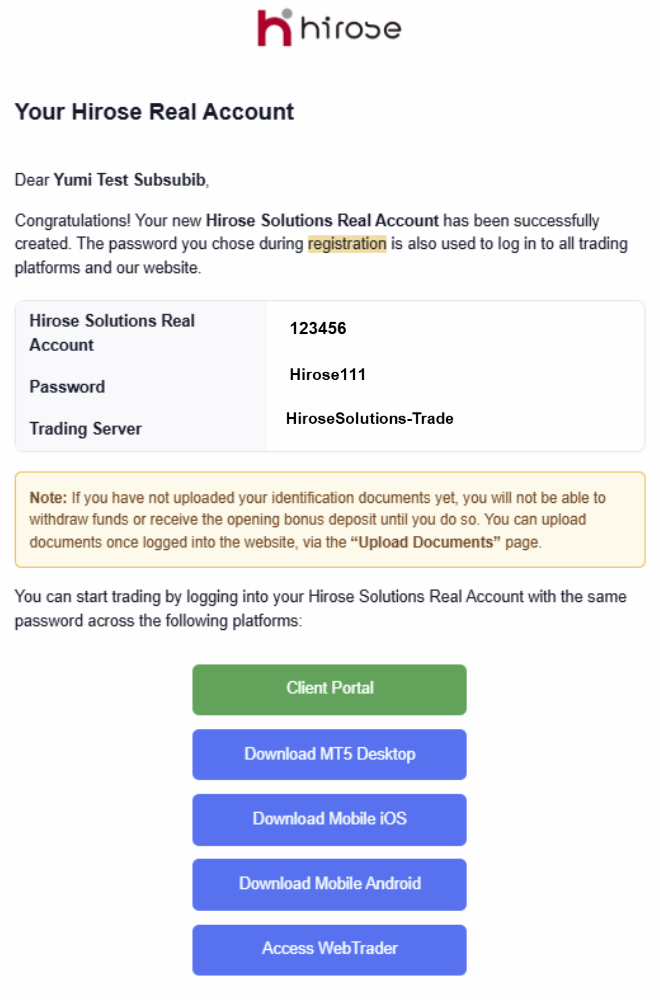
7. Please install the MT5 platform to log in.
5. For iOS version, click ‘Download Mobile iOS’.

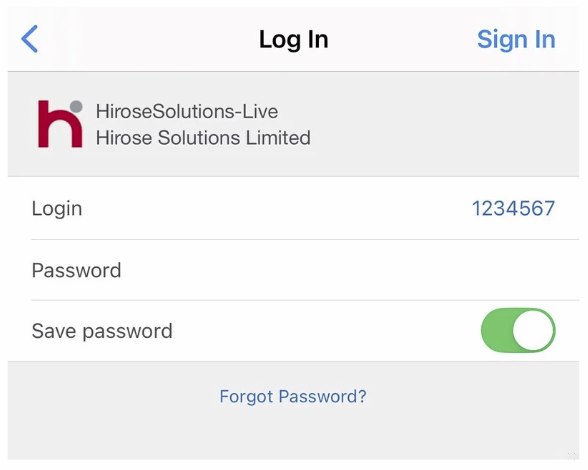
6. Launch the MT5 platform and go to Account → Find broker ‘Hirose Solution Limited’
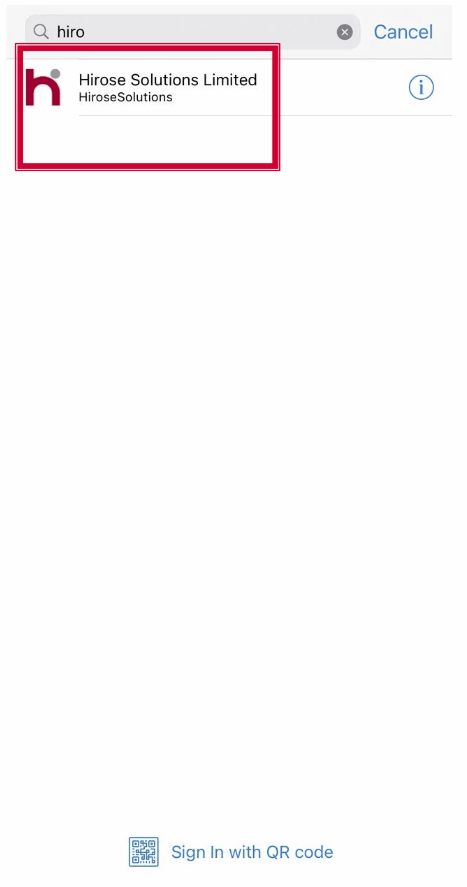
7. Enter your login details and click OK