
How to Hedge a Trade on MT5 iOS
What is Hedging?
Hedging means opening a Buy and Sell on the same symbol at the same time to:
– Reduce floating losses
– Lock profit
– Pause market exposure during high volatility
Hedging means opening a Buy and Sell on the same symbol at the same time to:
– Reduce floating losses
– Lock profit
– Pause market exposure during high volatility
1. Open the MT5 App
– Launch the MT5 app
– Log in to your trading account.
– Launch the MT5 app
– Log in to your trading account.

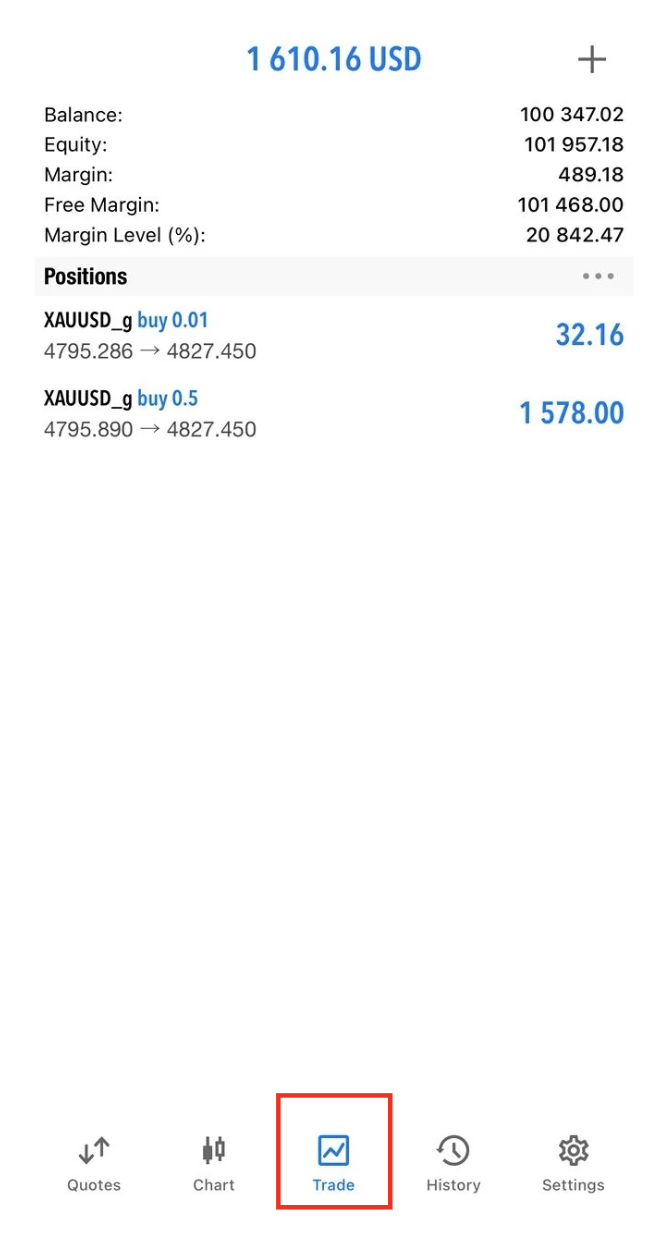
2. Check You Have an Open Position
– Tap Trade at the bottom menu.
– Make sure you have an active Buy or Sell position.
– Tap Trade at the bottom menu.
– Make sure you have an active Buy or Sell position.
3. Open the Opposite Trade (Hedge)
Method: Place Opposite Order
1. Tap Quotes (bottom menu).
2. Find the same symbol as your open trade. 3. Tap the symbol.
4. Tap Trade.
5. Choose the opposite order type:
– If your open trade is Buy → choose Sell
– If your open trade is Sell → choose Buy
6. Enter the same or smaller lot size.
7. Tap Sell by Market or Buy by Market.
Method: Place Opposite Order
1. Tap Quotes (bottom menu).
2. Find the same symbol as your open trade. 3. Tap the symbol.
4. Tap Trade.
5. Choose the opposite order type:
– If your open trade is Buy → choose Sell
– If your open trade is Sell → choose Buy
6. Enter the same or smaller lot size.
7. Tap Sell by Market or Buy by Market.
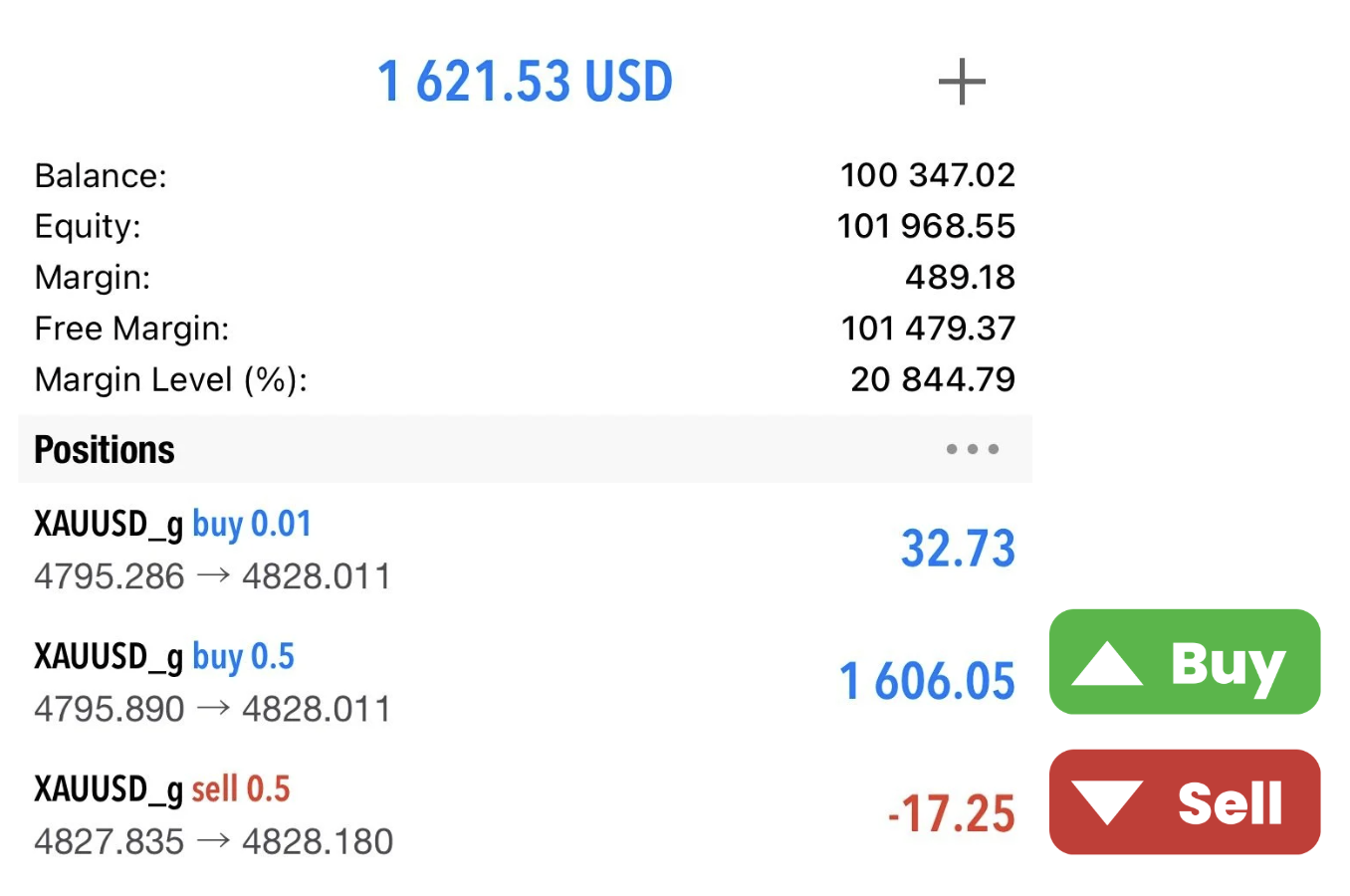
4. Confirm Hedge
Go back to the Trade tab:
– You will now see two positions on the same symbol:
– One Buy
– One Sell
– Your floating profit/loss is now locked (spread still applies).
Go back to the Trade tab:
– You will now see two positions on the same symbol:
– One Buy
– One Sell
– Your floating profit/loss is now locked (spread still applies).
5. Managing a Hedge
To Release the Hedge
– Close one side of the hedge when the market moves in your favor.
To Fully Exit
– Close both positions.
To Release the Hedge
– Close one side of the hedge when the market moves in your favor.
To Fully Exit
– Close both positions.
Tips
– Use smaller lots when hedging to reduce margin usage.
– Hedging locks loss but does not remove risk.
– Always consider swap costs on both positions.
– Use smaller lots when hedging to reduce margin usage.
– Hedging locks loss but does not remove risk.
– Always consider swap costs on both positions.