
How to Set Sound & Alerts on MT5 Android Platform
✅ Part 1 – Enable Push Notifications on MT5
- Step 1 – Open MT5 App
- – Tap the MetaTrader 5 icon

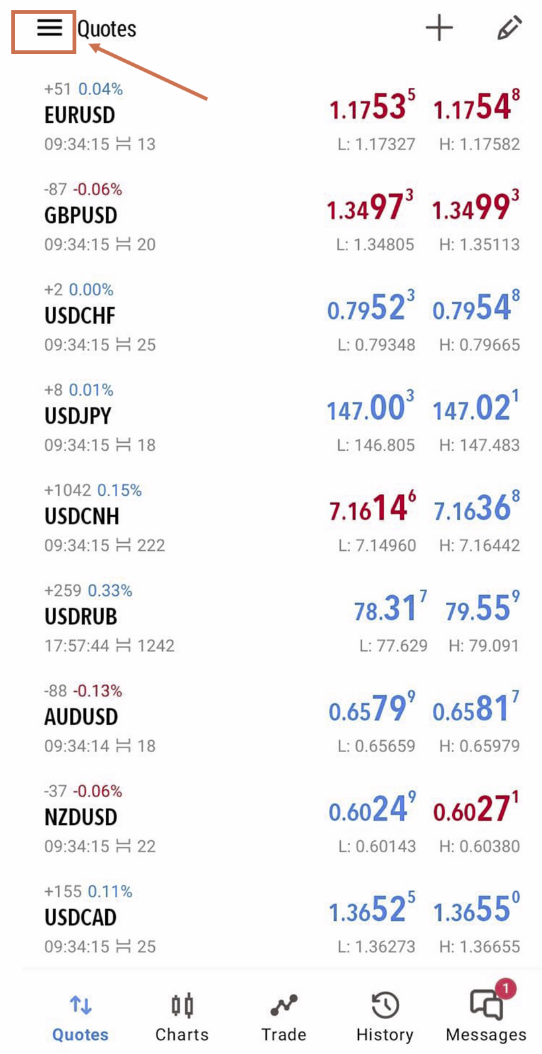
Step 2 – Go to Menu
- -Tap ☰ Menu (top left corner)
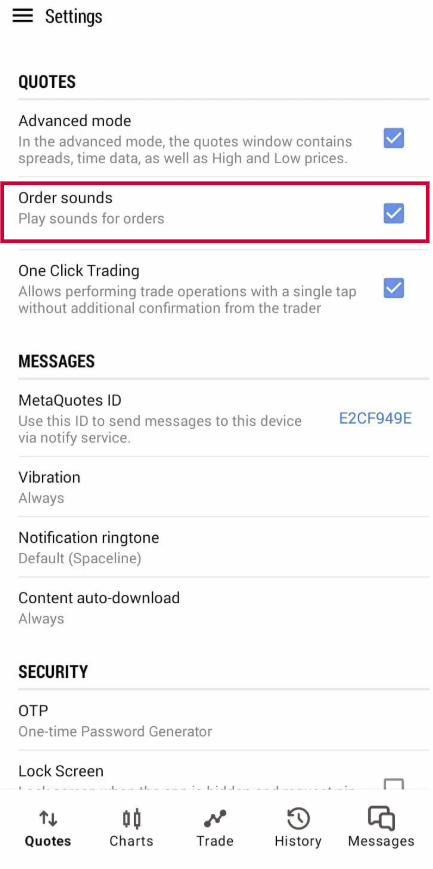
Step 3 – Enable Notifications
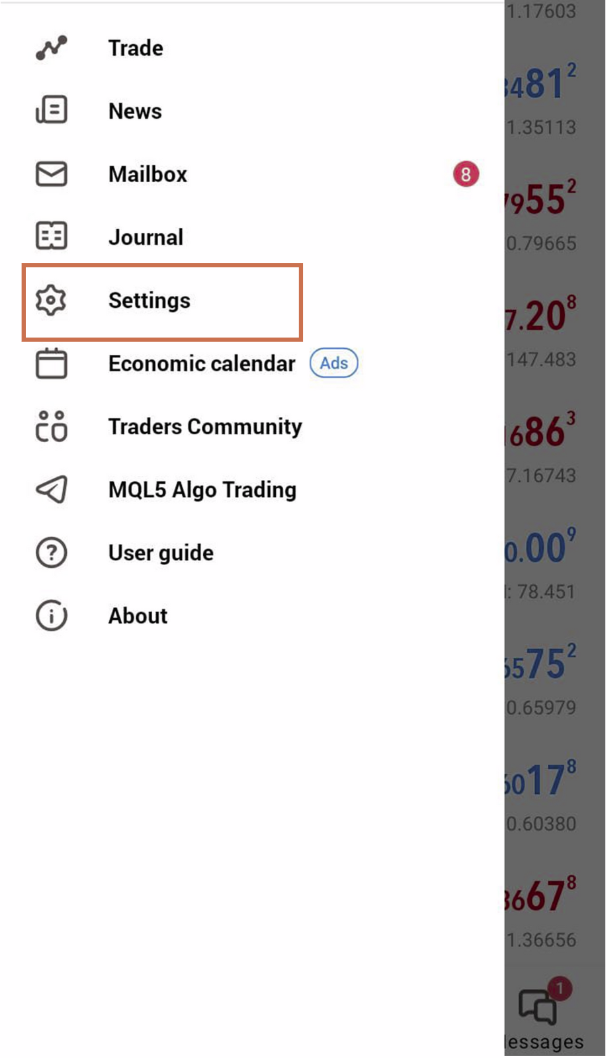
- – Tap Settings
- – Turn ON:
- – ✅ Order Sound
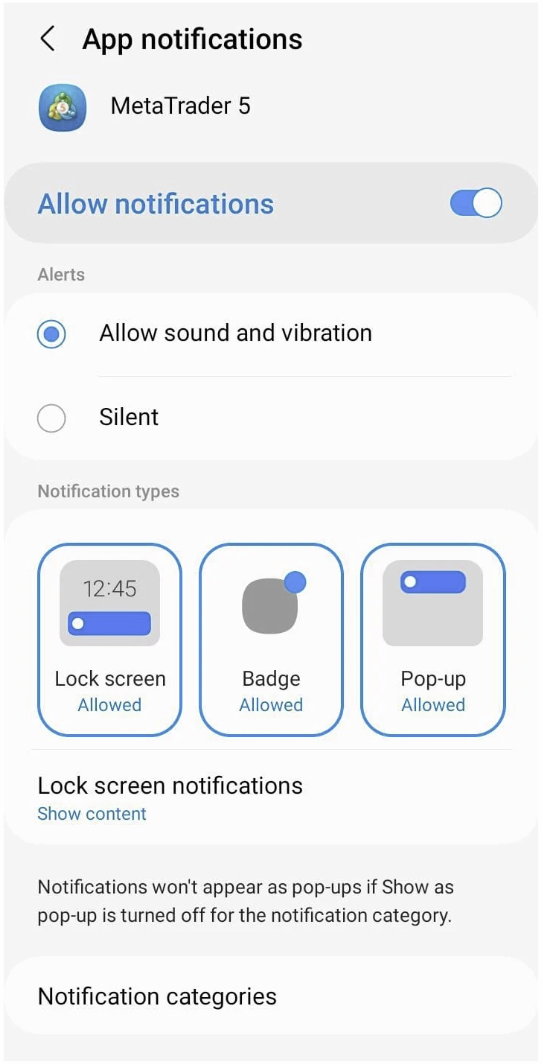
Step 4 – Allow Notifications in Android Settings
- – Go to Phone Settings → Apps → MT5 → Notifications
- – Ensure:
- – ✅ Allow Notifications
- – ✅ Allow Sound and vibration
- – ✅ Show Pop-ups & Badge.
- – ✅ Allow on Lock Screen
✅ Part 2 – Create Price Alert
Note: The Android version of MT5 does not support price alerts directly on the app. However, you can still receive push notifications from your PC MT5 platform to your Android by linking the devices using MetaQuotes ID.
- 1. Open the MT5 app on your Android phone.
- 2. Tap the menu (three lines) in the top-left corner
- 3. Go to Settings.
- 4. Make sure “Notifications” is turned ON.
Step 2: Find Your MetaQuotes ID
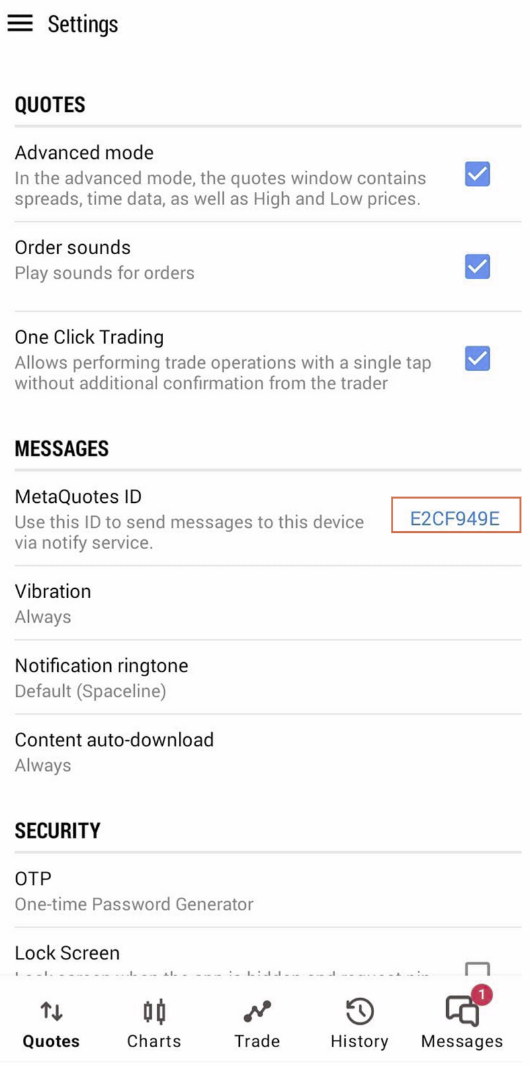
1. In the same Settings menu, scroll down to find your MetaQuotes ID.
2. Copy or note down this ID – you’ll need it to receive alerts from your computer.
2. Copy or note down this ID – you’ll need it to receive alerts from your computer.
Step 3: Link MT5 PC to Your Android
1. Open MT5 on your PC.
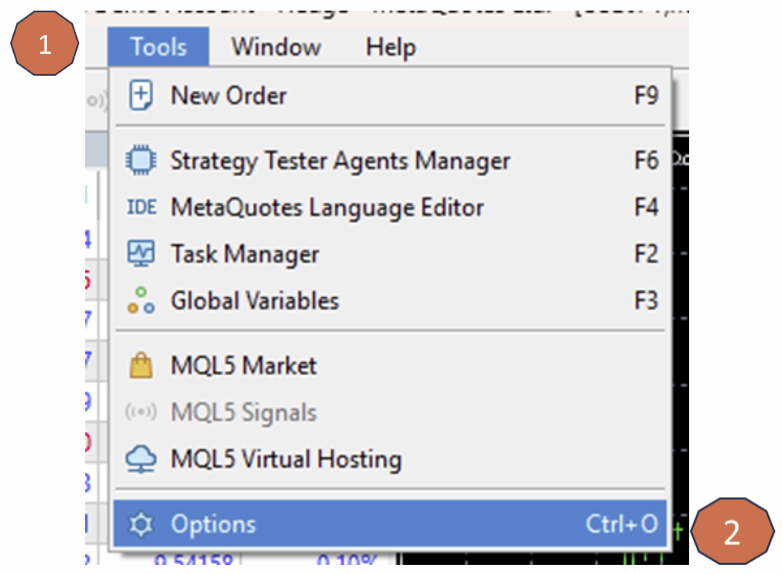
2. Go to Tools > Options > Notifications.
2. Go to Tools > Options > Notifications.
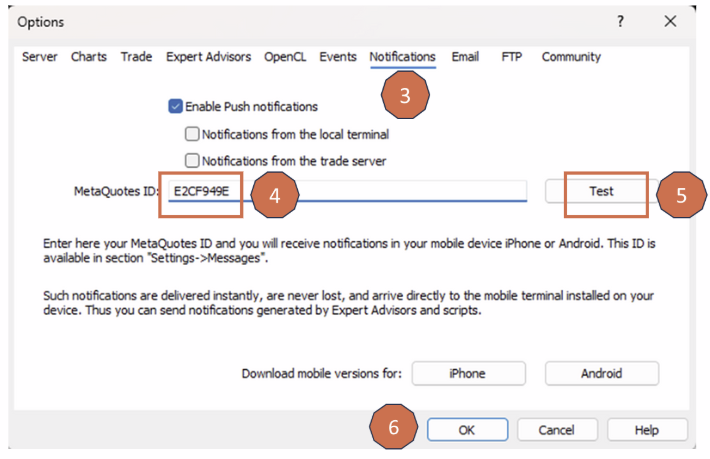
3. Check ✅ “Enable Push Notifications”.
4. Enter the MetaQuotes ID you got from your phone.
5. Click Test to send a sample notification.
6. Click OK to save.
4. Enter the MetaQuotes ID you got from your phone.
5. Click Test to send a sample notification.
6. Click OK to save.
Step 4: Set Price Alerts (from MT5 PC)
MT5 Android does not currently support price alerts directly in the app.
But you can set price alerts from MT5 PC, and receive them on your Android via push notifications.
But you can set price alerts from MT5 PC, and receive them on your Android via push notifications.
Extra Tips:
-Make sure MT5 has notification permissions enabled in your Android system settings.
-Your MetaQuotes ID acts like an address – alerts will be sent to it.
-Make sure MT5 has notification permissions enabled in your Android system settings.
-Your MetaQuotes ID acts like an address – alerts will be sent to it.