✅ Pending Order Definition & Types
In MetaTrader 5 (MT5), pending orders allow traders to set buy or sell orders at a specified price, which will be executed automatically once the market reaches that price.
There are several types of pending orders, including Buy Limit, Sell Limit, Buy Stop, Sell Stop, Buy Stop Limit and Sell Stop Limit― each suited to different trading strategies:
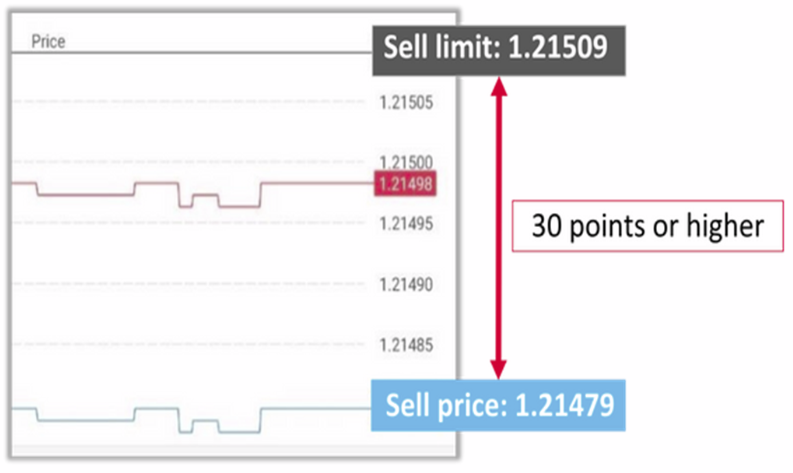
1) Buy Limit: A Buy Limit order is placed below the current market price and is triggered when the price drops to the specified level. The order price must be at least 30 points lower than the current market price.
Example: If the current Buy price for EUR/USD is 1.20411, the Buy Limit price should be set at 1.20381 or lower.
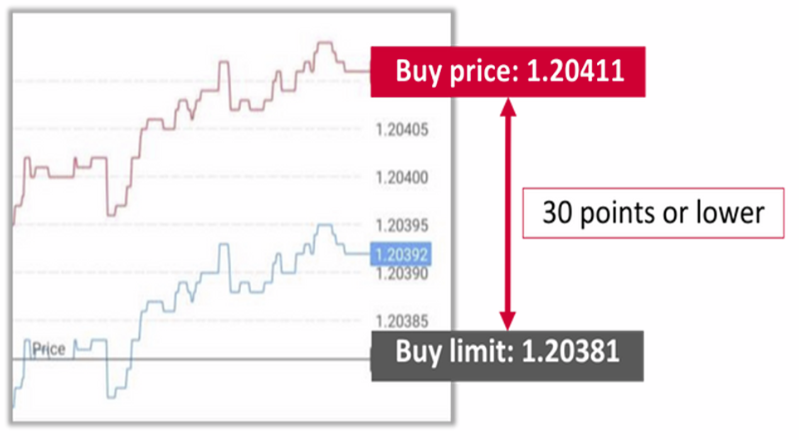
Example: If the current Sell price for EUR/USD is 1.21479, the Sell Limit price should be 1.21509 or higher.
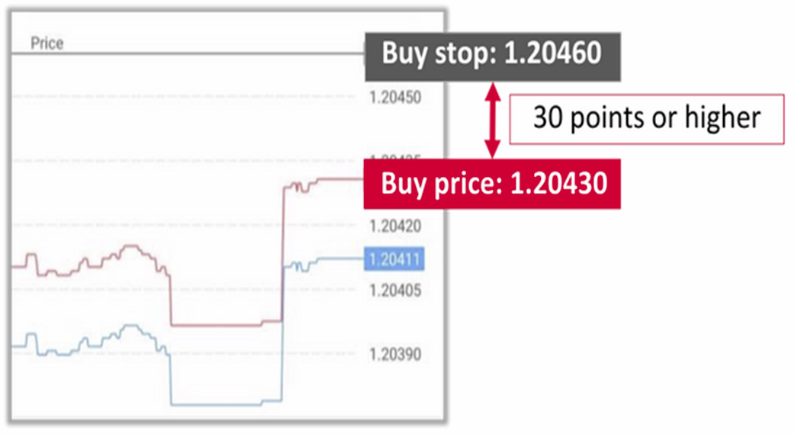
Example: If the current Buy price for EUR/USD is 1.20430, the Buy Stop price should be set at 1.20460 or higher.
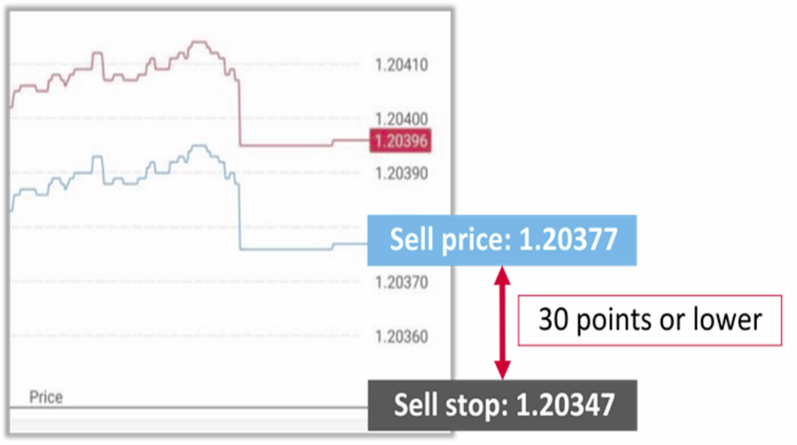
Example: If the current Sell price for EUR/USD is 1.20377, the Sell Stop price should be set at 1.20347 or lower.
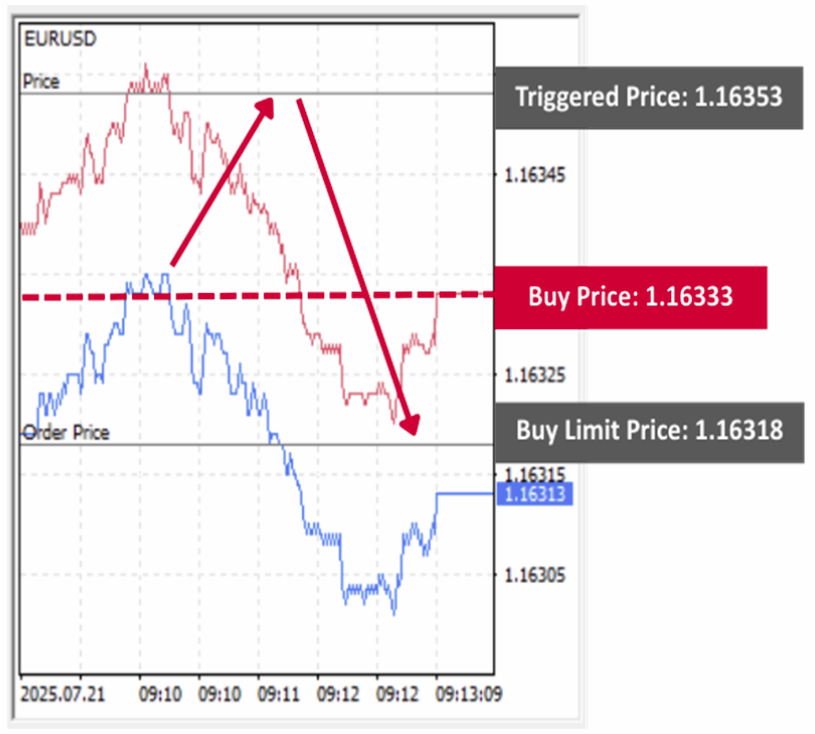
Example: Suppose you place a Buy Stop Limit order with a Stop Price of 1.16353 and a Buy Limit Price of 1.16318.
When the price reaches 1.16353, your order becomes a limit order to buy at 1.16318. It will only be executed if the market can fill your order at 1.16318 or lower.
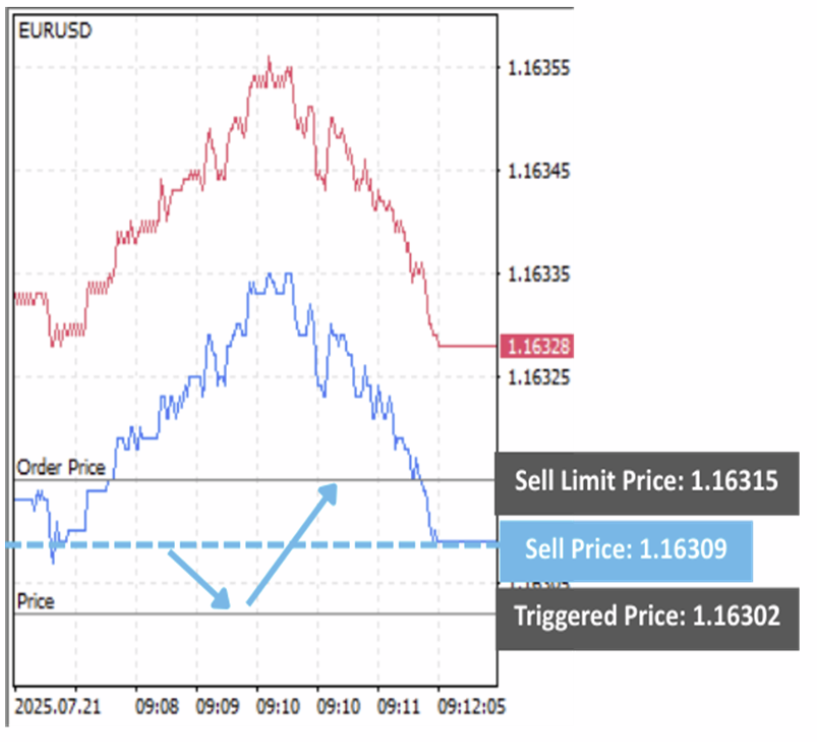
Example: Suppose you place a Sell Stop Limit order with a Stop Price of 1.16302 and a Sell Limit Price of 1.16315.
When the price reaches 1.16302, your order becomes a limit order to sell at 1.16315. It will only be executed if the market can fill your order at 1.16315 or higher.
✅ How to Place a Pending Orders
How to Display from the Quotes Screen
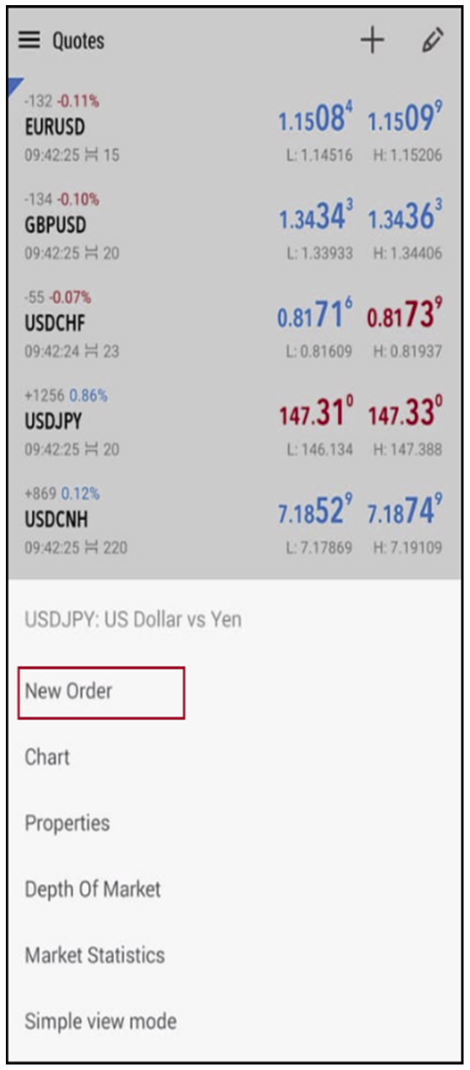
Tap the instrument you want to trade on the quotes screen, then select “New Order” from the displayed menu.
How to Display from the Trade Screen
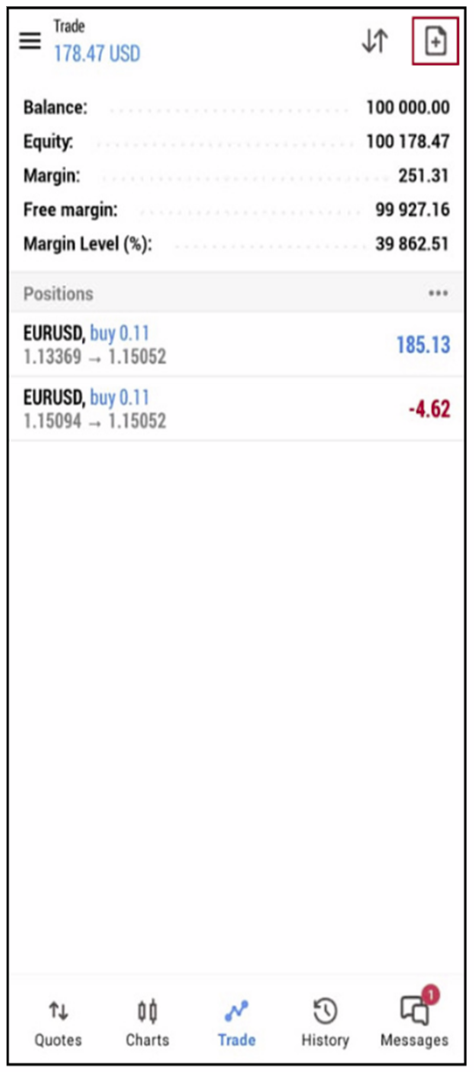
Tap the “+” icon in the top right corner of the trade screen.
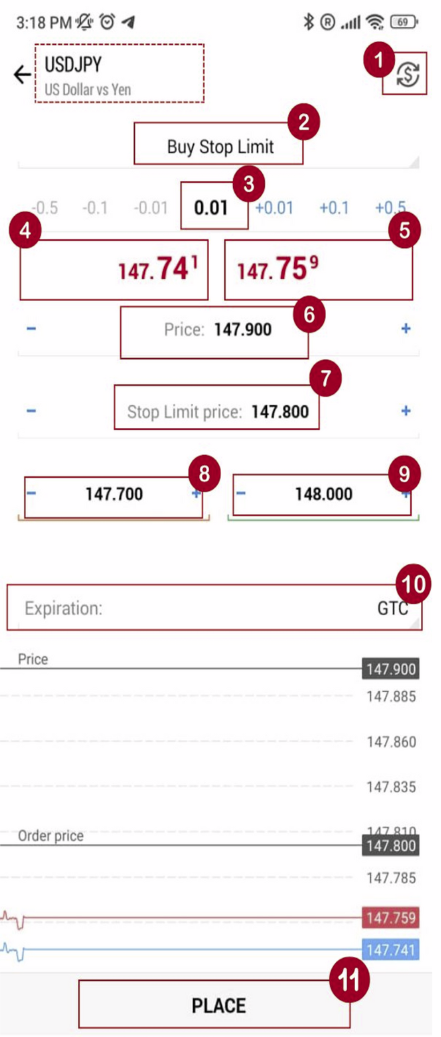
(1) Symbol – Defaults to the active chart. However, you can choose any available pair to place a trade on.
(2) Type – Choose whether you want to place a trade at Market (Market Execution) or different Pending order types. In this case, Choose Pending Order
(3) Volume – Choose size lot you want to purchase.
(4) Bid / (5) Ask Prices – The active market Bid price and Ask price.
(6) Set the Open price for the Pending order:
Buy Limit / Sell Stop: The open price must be lower than the current market price by at least 30 points.
– Buy Limit: Enter a price that is lower than the current Ask price by at least 30 points.
– Sell Stop: Enter a price that’s lower than the current Bid price by at least 30 points.
Buy Stop/Sell Limit: The open price must be higher than the current market price by at least 30 points.
– Buy Stop: Enter a price that is higher than the current Ask price by at least 30 points.
– Sell Limit: Enter a price that’s lower than the current Bid price by at least 30 points.
(7) Stop Limit Price – this field is active only for Stop Limit orders. When the Stop Limit order triggers, a limit order will be placed at the price specified in it.
– Buy Stop Limit: Select Buy Stop Limit and specify a stop price (Price) (6) higher than the current and set up the Stop Limit price (7). Once the stop price is achieved, a buy limit order will be placed.
– Sell Stop Limit: Select Sell Stop Limit and specify a stop price (Price) (6) lower than the current and set up the Stop Limit price (7). Once the trigger price is achieved, a sell limit order will be placed.
(8) Stop Loss – Price level at which you want to exit the trade if in loss (optional)
(9) Take Profit – Price level at which you want to exit the trade if in profit (optional)
(10) Expiration – Set the expiration time for pending orders
– Good Till Canceled (GTC): The order will remain in the queue until it is manually canceled.
– Today: The order will be valid only during the current trading day.
– Specified: The order will remain valid until the chosen date and time.
(choose the specific date and time)
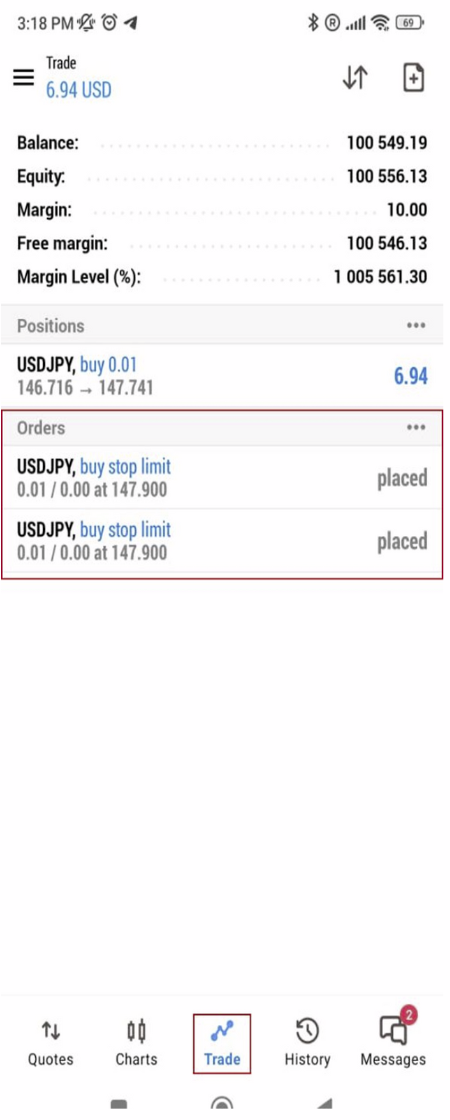
(11) Tap “Place” to place a pending order