✅ What is market order?
A market order in Forex is an order to buy or sell a currency pair immediately at the best price available in the market.
✅ How to Display the Order Screen
How to Display from the Quotes Screen
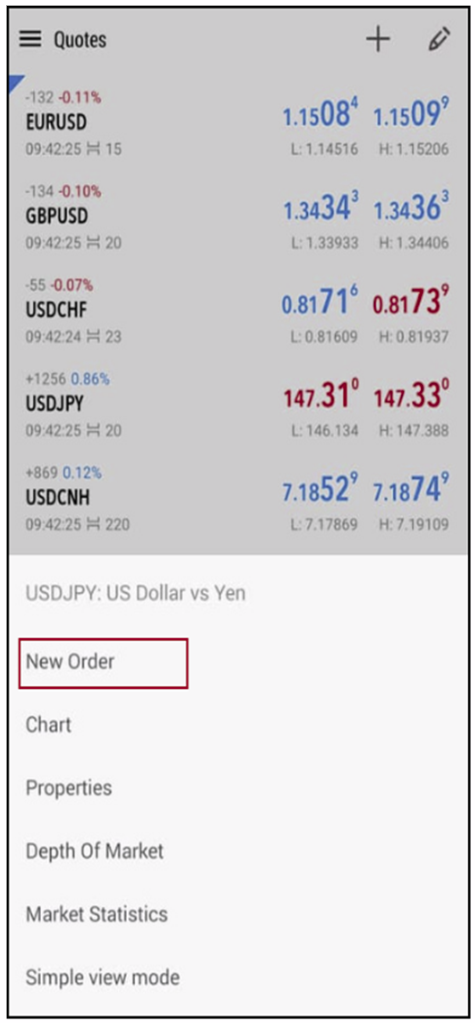
Tap the instrument you want to trade on the quotes screen, then select “New Order” from the displayed menu.
Tap the instrument you want to trade on the quotes screen, then select “New Order” from the displayed menu.
How to Display from the Trade Screen
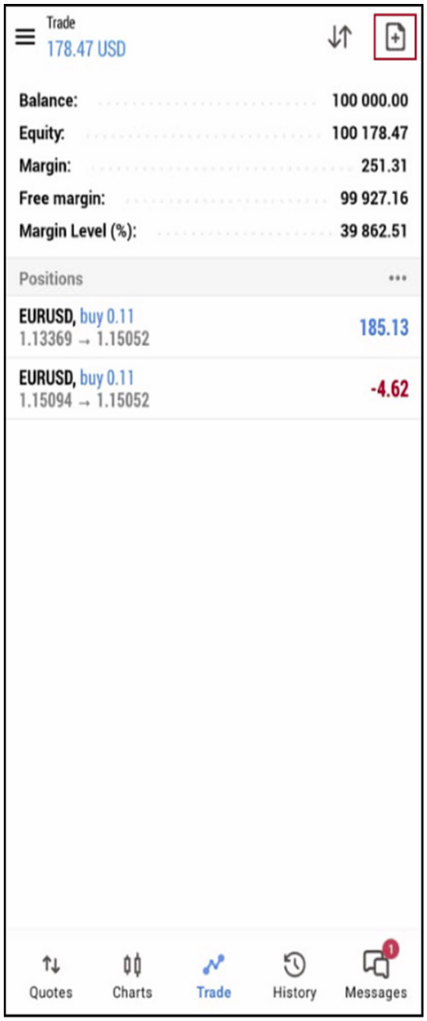
Tap the “+” icon in the top right corner of the trade screen.
Tap the “+” icon in the top right corner of the trade screen.
✅ How to Place a Market Order
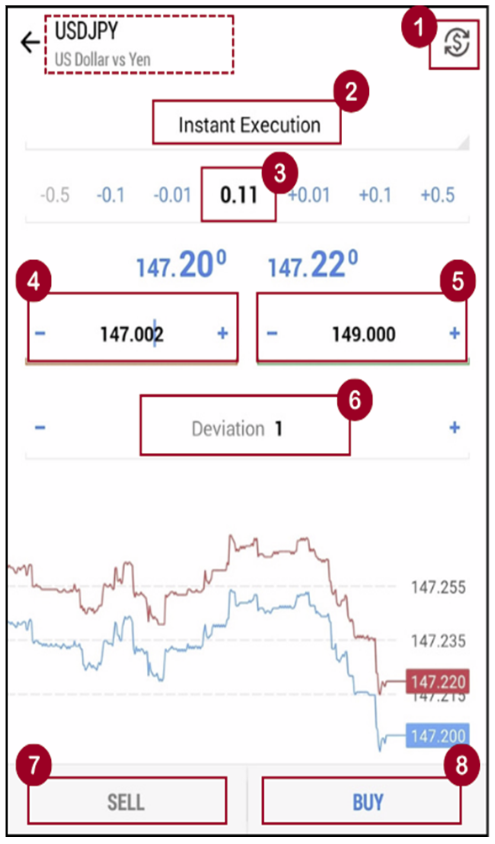
To place a market order, set the following items on the order screen.
(1) Trading symbol (tap the “$” mark in the upper right corner to change available pair to place a trade on)
(2) Select “Instant Execution”
(3) Specify the trade the lot size you want to purchase
(4) Specify the stop loss order level (optional)
(5) Specify the take profit order level (optional)
(6) Specify the deviation (optional)
(2) Select “Instant Execution”
(3) Specify the trade the lot size you want to purchase
(4) Specify the stop loss order level (optional)
(5) Specify the take profit order level (optional)
(6) Specify the deviation (optional)
Once the settings are complete, tap (7) “SELL” or (8) “BUY” at the bottom of the screen at any desired timing to place the market order.
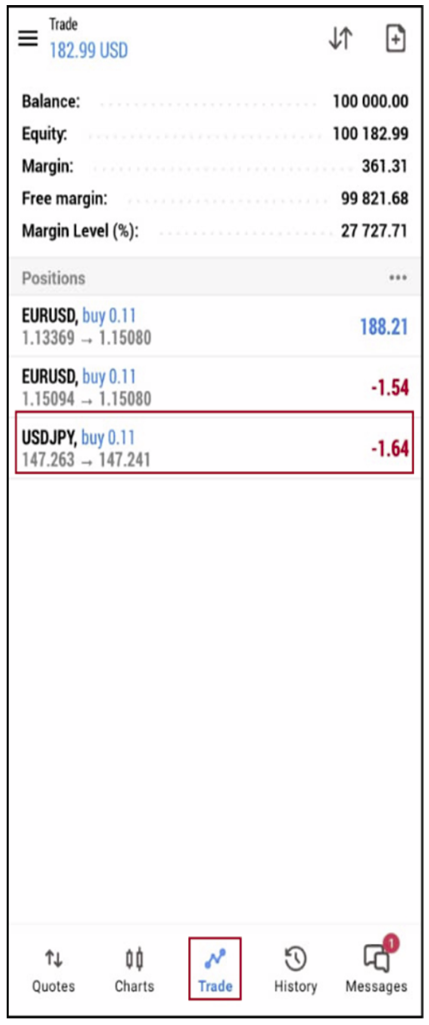
The new order will be added to the Trade screen