
Market Watch Panel – MT5 Android
The Market Watch shows the list of available trading instruments (e.g. currency pairs, gold, indices) along with their real-time bid and ask prices. This is where you can:
- – Check price movements
- – Open charts
- – Place new orders
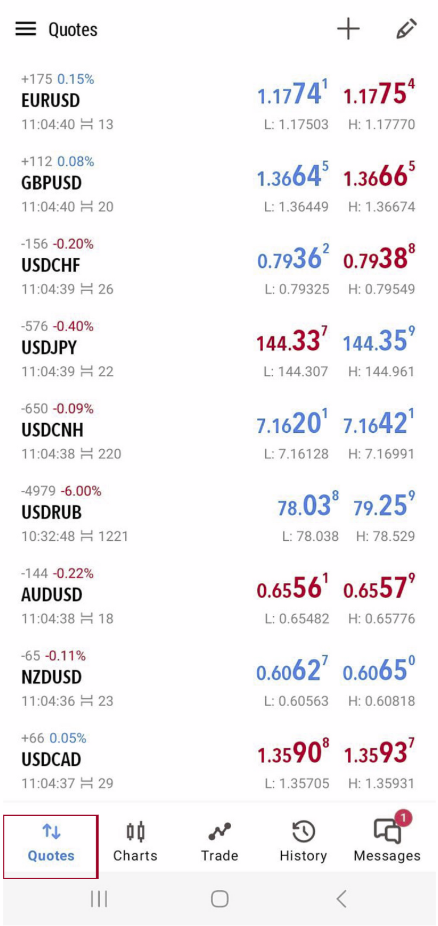
How to Access Market Watch on MT5 Android:
- 1. Open your MT5 app
- 2. Tap the “Quotes” tab at the bottom left corner
→ This is the Market Watch screen!
How to Add More Symbols (e.g., XAU/USD, EUR/USD): On the Quotes screen, tap the “+” icon (usually top right)
Browse or search through available groups:
Forex
Indexes
Metals
Nasdaq
Tap the “+” next to any symbol you want to add
It will now appear in your Quotes list
Forex
Indexes
Metals
Nasdaq
Tap the “+” next to any symbol you want to add
It will now appear in your Quotes list
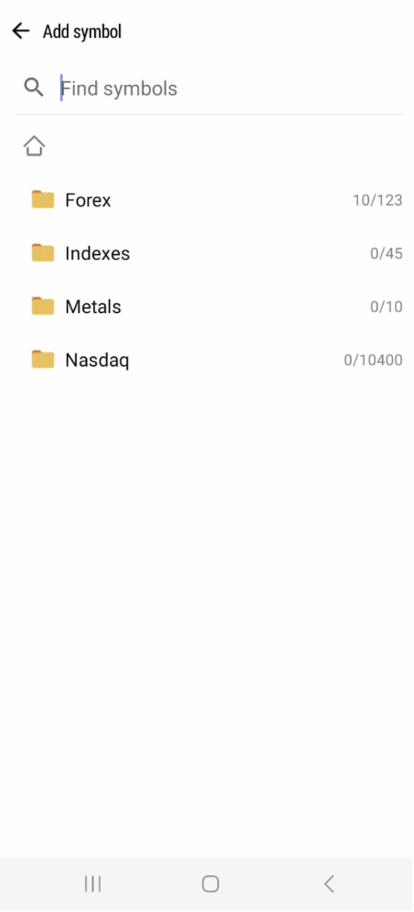
Browse or search through available groups:
Forex
Indexes
Metals
Nasdaq
Tap the “+” next to any symbol you want to add
It will now appear in your Quotes list
Forex
Indexes
Metals
Nasdaq
Tap the “+” next to any symbol you want to add
It will now appear in your Quotes list
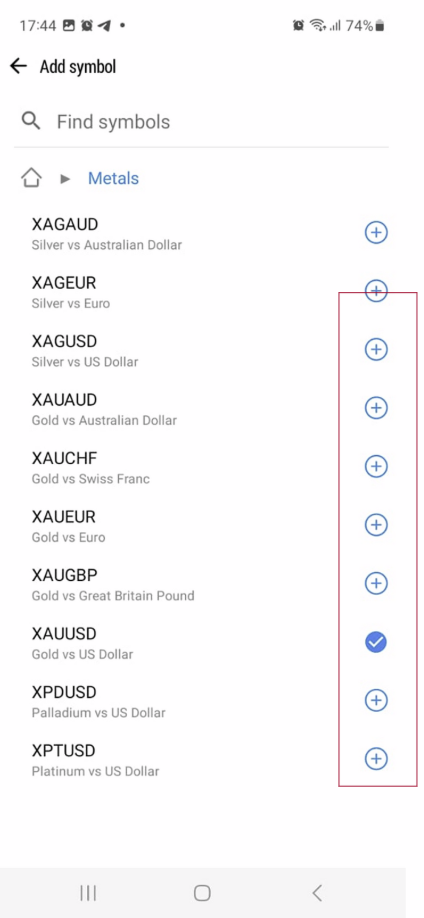
Browse or search through available groups:
Tap the “+” next to any symbol you want to add
It will now appear in your Quotes list
Tap the “+” next to any symbol you want to add
It will now appear in your Quotes list