
MT5 Android User Interface
When you open the MT5 app on Android, you’ll see several main tabs at the bottom:
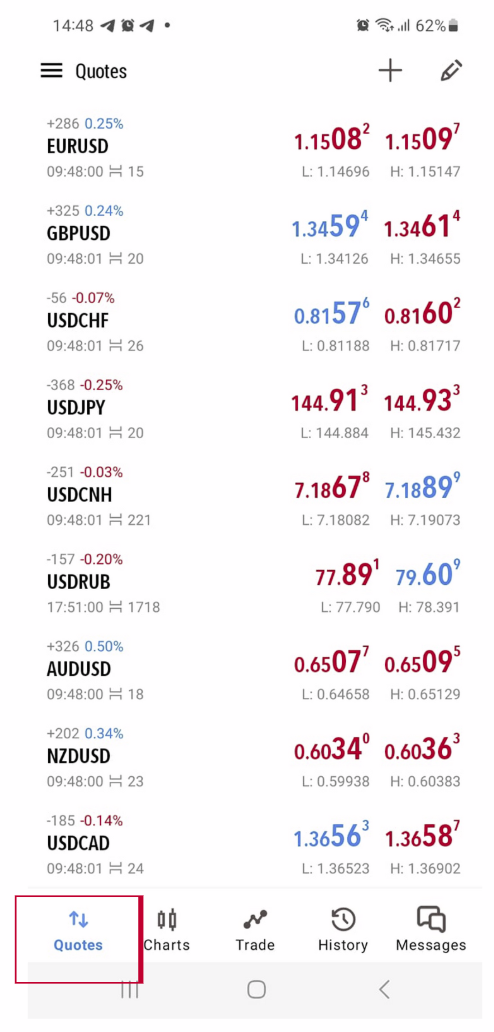
Quotes
→ Shows real-time Bid/Ask prices for currency pairs, gold, crypto, etc.
→ Tap a symbol to open options (New Order, Chart, or Properties)
→ Shows real-time Bid/Ask prices for currency pairs, gold, crypto, etc.
→ Tap a symbol to open options (New Order, Chart, or Properties)
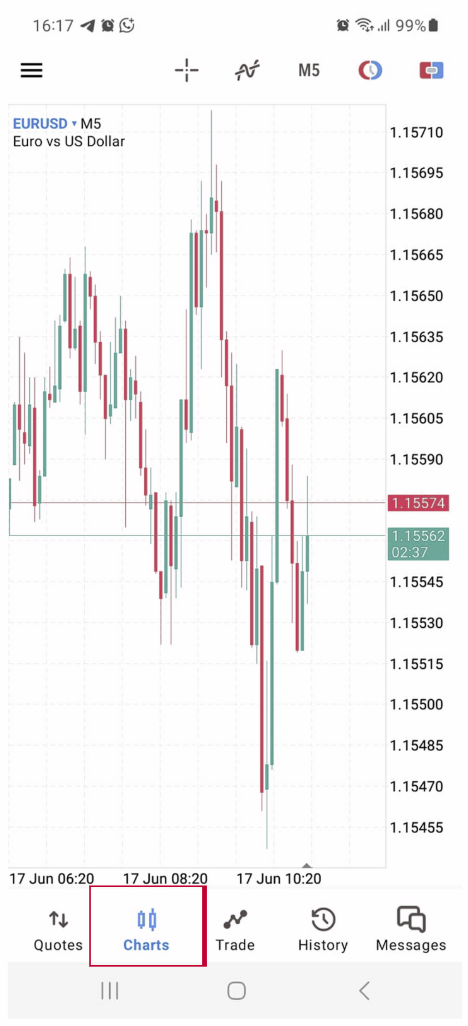
Chart
→ Displays the selected instrument’s chart (candlestick, bar, or line).
→ Pinch to zoom in/out.
→ Tap the screen to add indicators or draw lines.
→ Displays the selected instrument’s chart (candlestick, bar, or line).
→ Pinch to zoom in/out.
→ Tap the screen to add indicators or draw lines.
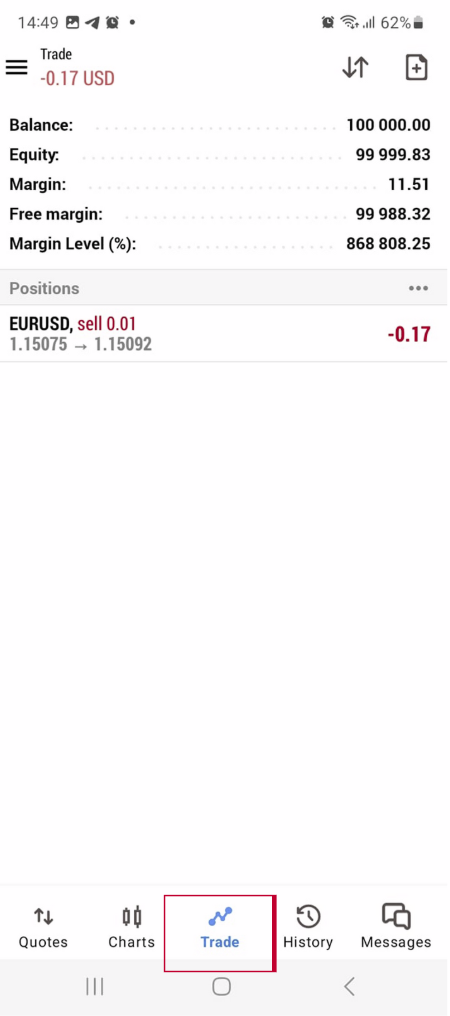
Trade
→ Shows your open positions, pending orders, account balance, equity, and margin.
→ Shows your open positions, pending orders, account balance, equity, and margin.
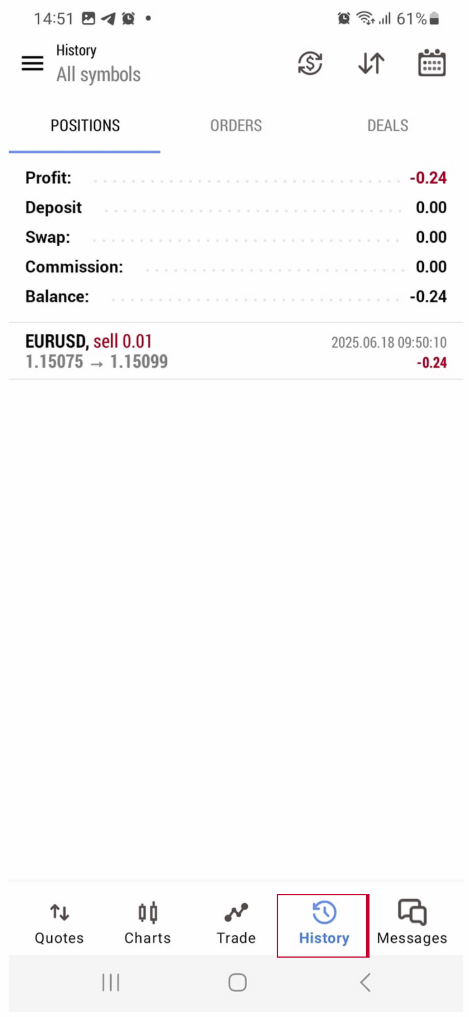
History
→ Shows past trade results: profit/loss, deposits, and withdrawals.
→ Shows past trade results: profit/loss, deposits, and withdrawals.
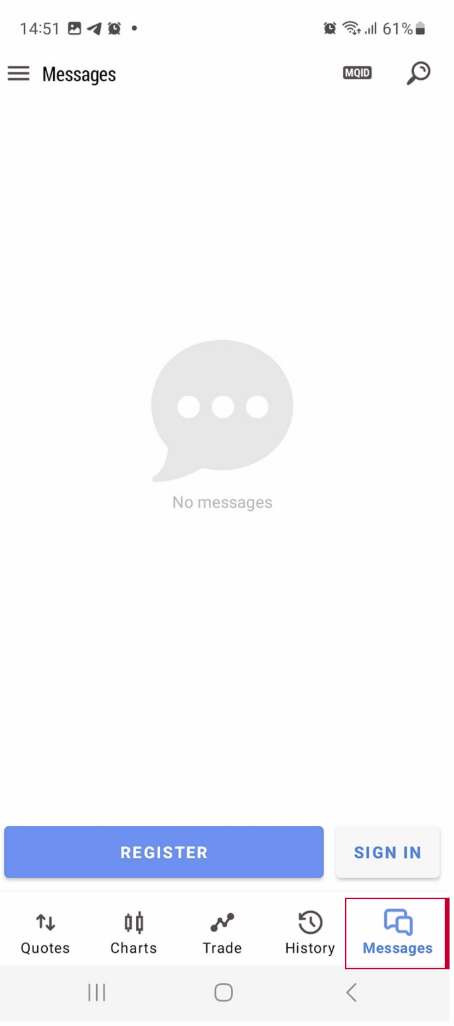
Message
→ Access settings, login info, and alerts.
→ Access settings, login info, and alerts.