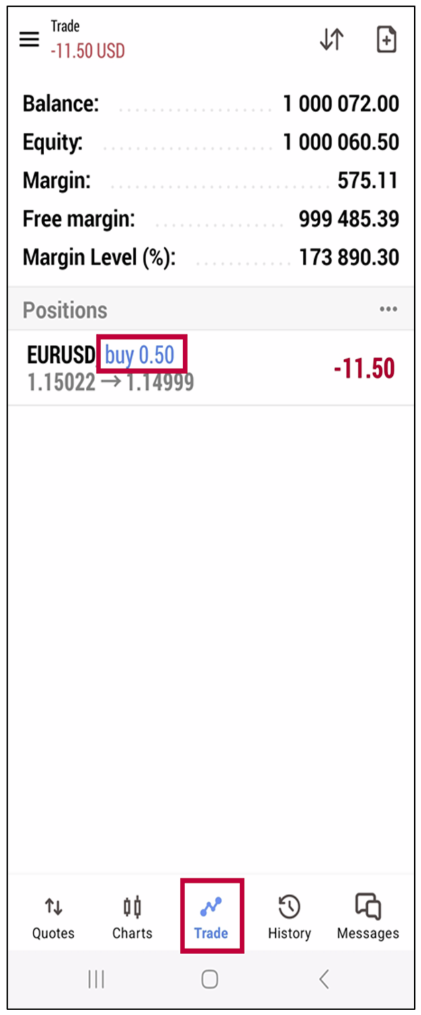
How to Partially Close a Position in MetaTrader 5 Android App
Partial closing allows you to close only a portion of an open position, letting the rest stay active in the market. This is useful for securing profits while maintaining exposure.
1. Open the MT5 App and Go to the “Trade” Tab
- • Launch the MetaTrader 5 app on your Android device.
- • Tap the “Trade” tab at the bottom to see your current open positions.
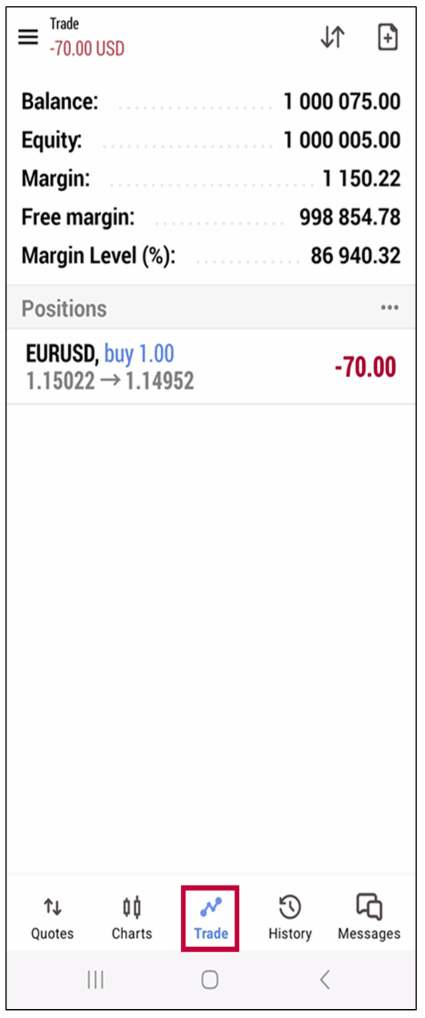
2. Long-Press the Position You Want to Partially Close
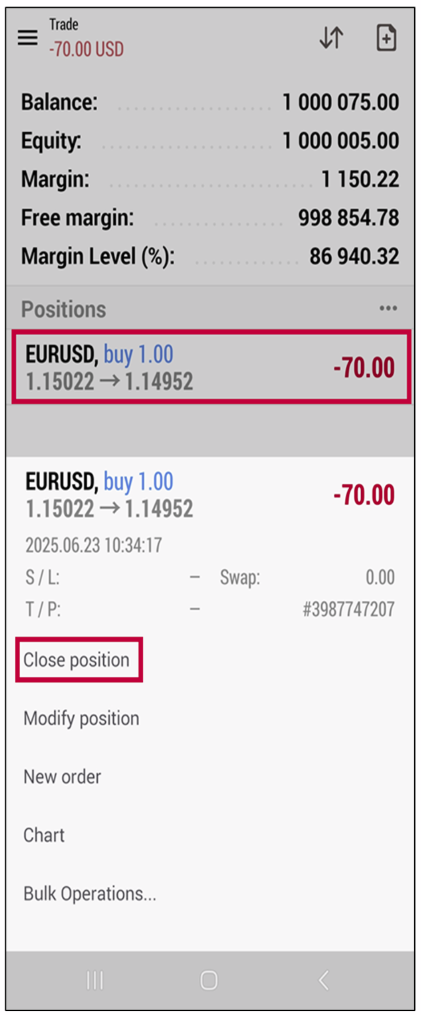
- • Locate the position you want to partially close.
- • Long-press (tap and hold) the position to open the action menu.
- • Tap “Close Position” from the menu.
3. Adjust the Volume to Close
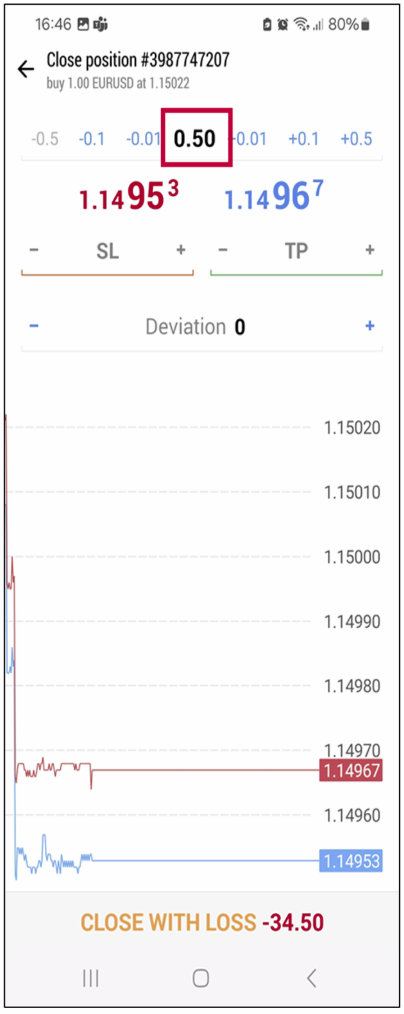
- • On the close order screen, you will see a “Volume” field at the top.
- • By default, it shows the full position size (e.g., 1.00 lot).
- • Tap the volume field and enter a smaller value for example, enter 0.50 to close half.
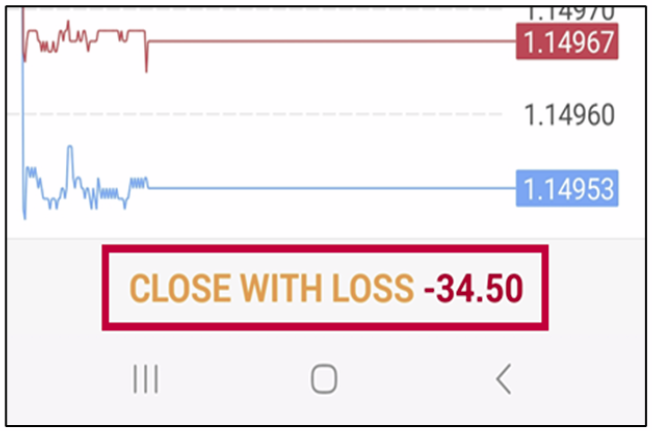
4. Tap the “Close with Profit/Loss” Button
- • Once the reduced volume is set, tap the “Close with Profit” or “Close with Loss” button depending on current P/L status.
- • The app will execute a partial close of the specified volume.
5. Confirm in the Trade Tab
- • After the partial close, the remaining position will still be visible in the “Trade” tab.
- • The lot size shown will now reflect the reduced amount (e.g., 0.50 lot if 0.50 was closed from 1.00).