How to Close a Position in MetaTrader 5 Android App
This guide explains how to close an open position using a market order on the MT5 Android mobile app.
1. Open the MT5 App and Go to the “Trade” Tab
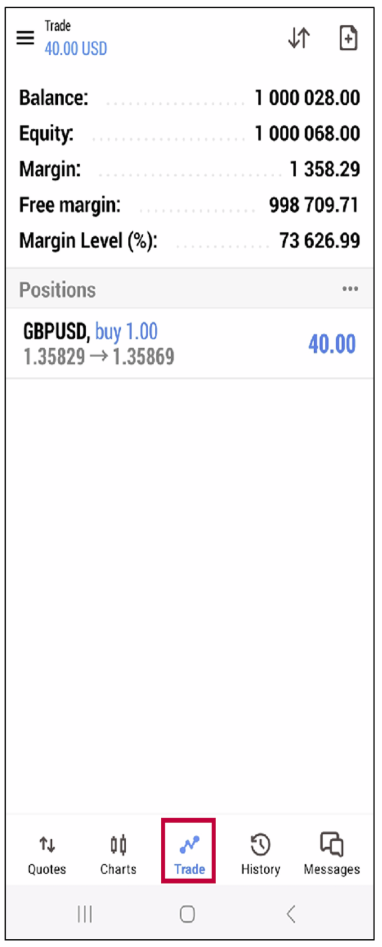
- • Launch the MetaTrader 5 app on your Android device.
- • Tap the “Trade” tab at the bottom of the screen.
- • This will display your current account balance and all open positions.
2. Long-Press on the Position You Want to Close
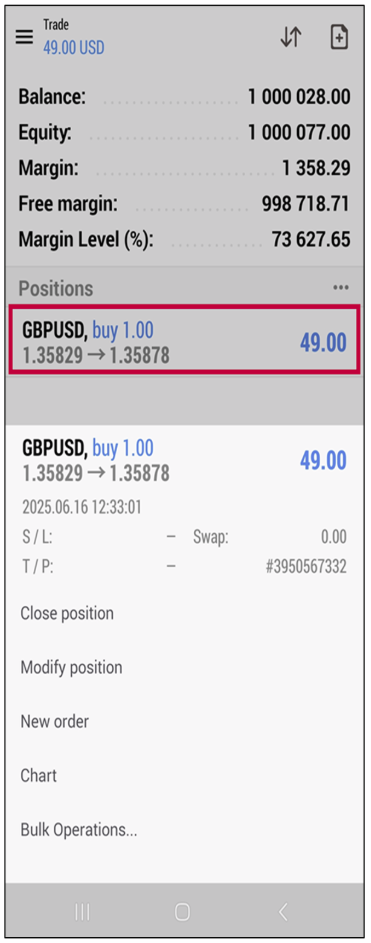
- • In the “Trade” tab, locate the position you want to close (e.g., EURUSD Buy 1.00).
- • Long-press (tap and hold) on the position until a context menu appears.
This menu will display several options such as:
Close Position Modify Position
New order
Chart
Bulk Operations
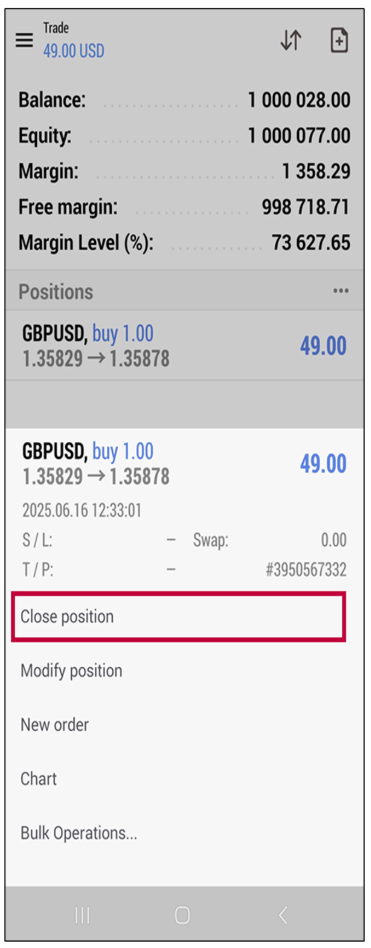
3. Select “Close Position”
- • In the pop-up menu, tap “Close position”.
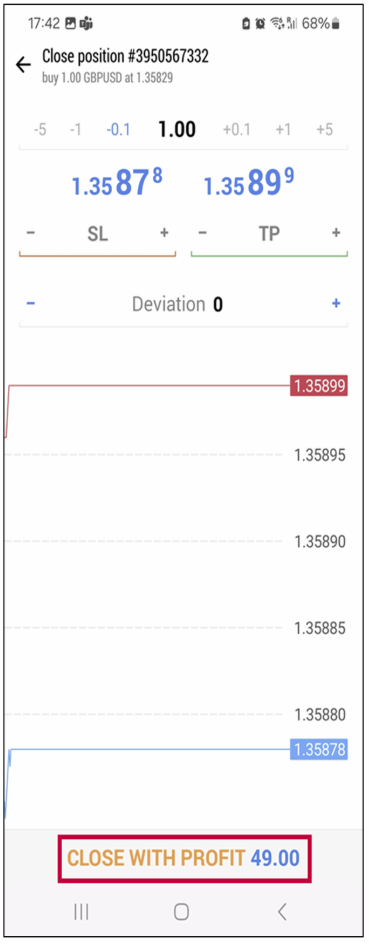
- • This will bring up a trade execution screen with real-time bid/ask prices.
4. Tap the “Close” Button to Execute the Order
- • After selecting “Close Position”, a new screen will appear showing:
Symbol (e.g., EURUSD)
Trade Volume
Current market bid/ask price
Floating Profit/Loss (P/L) - • Simply tap the “Close with Profit” or “Close with Loss” button (depending on the current P/L) to execute the market close.
5. Confirm the Position Is Closed
- • After tapping the “Close” button, the position will be closed at the current market price.
- • The closed position will disappear from the “Trade” tab.
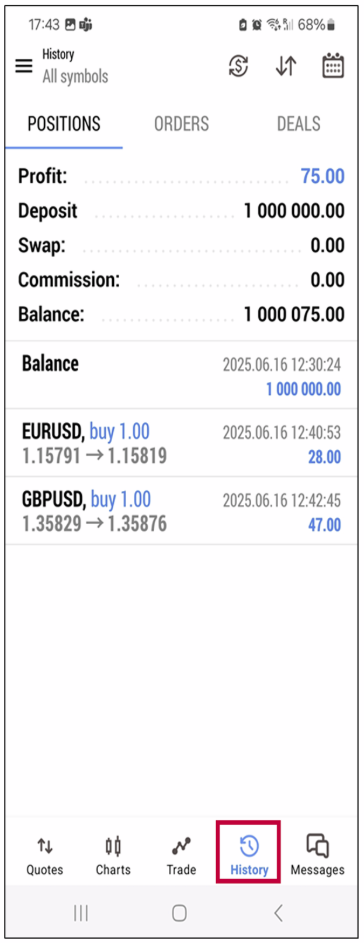
- • You can verify the closed trade in the “History” tab.