How to Make a Withdrawal via Wire Transfer
 Withdrawals must be made using the same method used for your deposit.
Withdrawals to a third-party bank account, including accounts belonging to family or friends, are not accepted.
Currency conversion fees may apply if the withdrawal currency differs from your Wallet currency.
Hirose does not charge any additional withdrawal fee. However, intermediary or receiving banks may apply handling, transfer, or currency conversion fees.
From the left-hand menu, click My Wallet, then choose Withdraw Funds
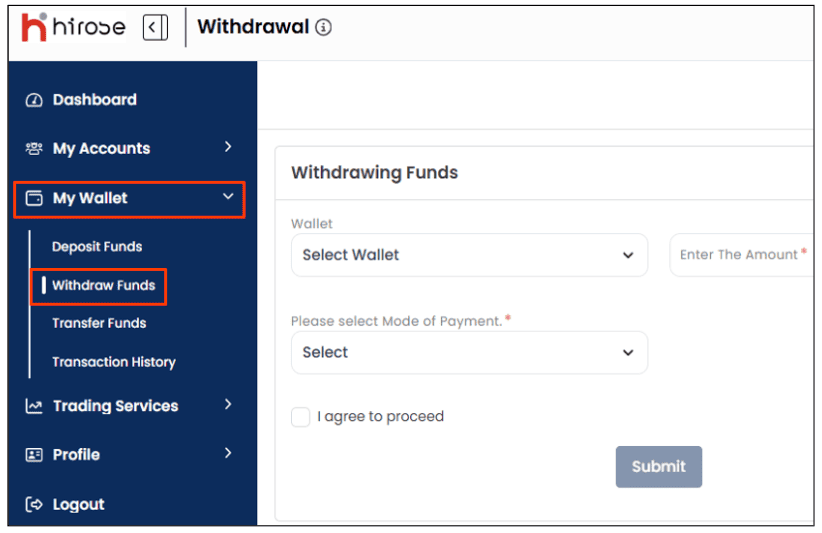
Under Withdrawing Funds, enter the exact amount you want to withdraw and select Bank Account (International Bank Transfer)
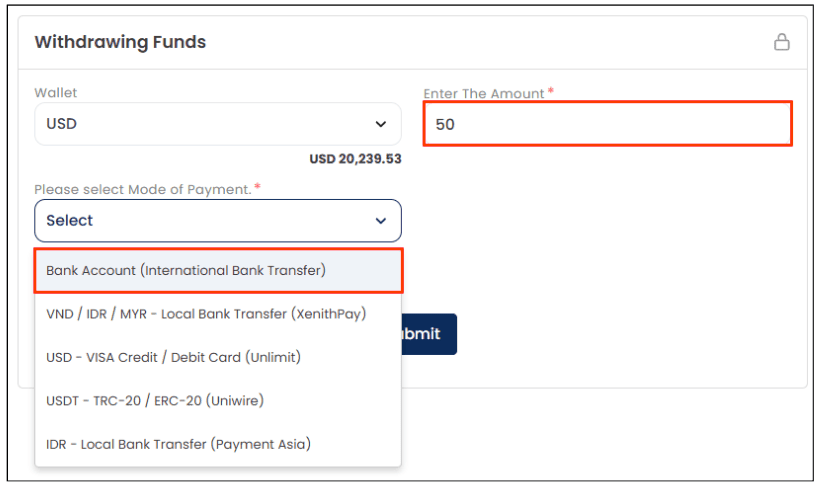
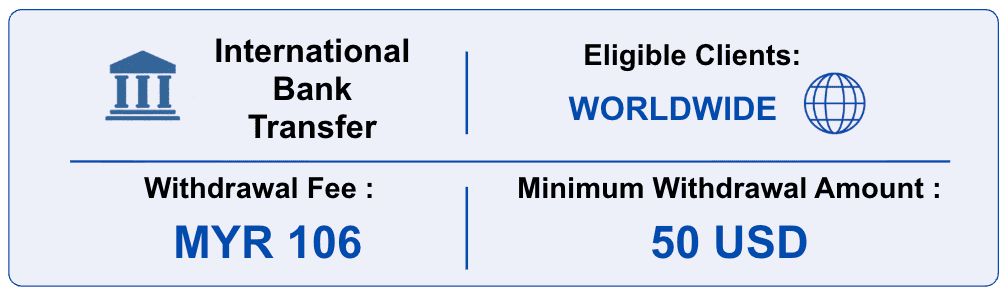
*Bank Transfer Fee: MYR 106 (approx. USD 26)
Hirose does not charge an additional withdrawal fee. However, bank transfer and intermediary bank charges may apply.
For your first withdrawal, click Add Bank Account to enter the required bank account information.
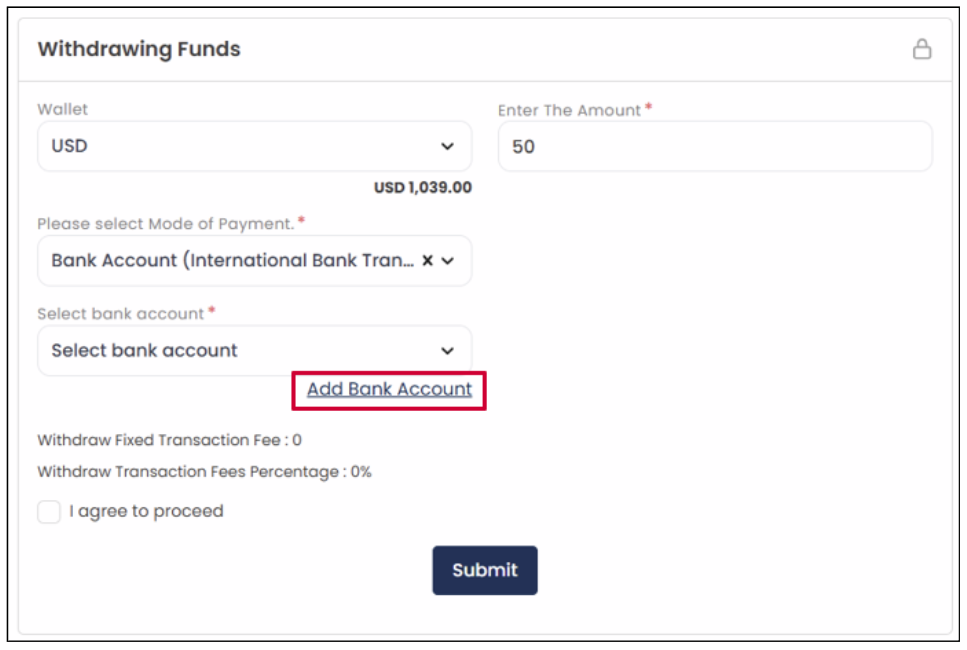
If your bank account details are already registered, review them and proceed to Step 5.
On the right side, enter the required bank account information below
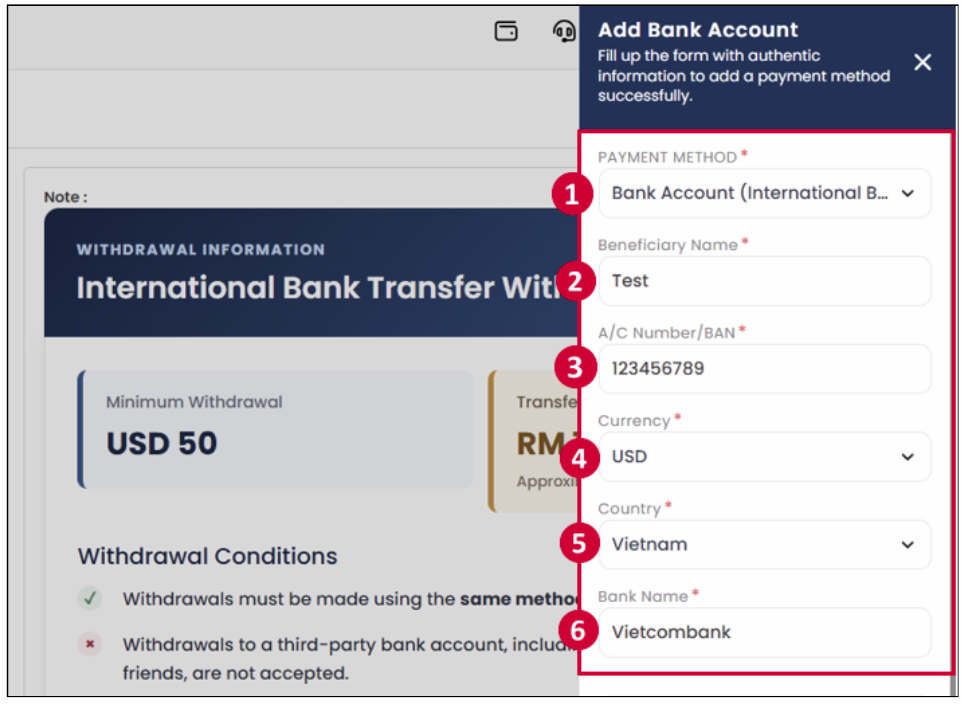
Note: All fields below are mandatory. Please make sure to complete every item accurately.
| Field Name | Description / Instructions | |
|---|---|---|
| PAYMENT METHOD | 1 | Bank Account (International Bank Transfer) |
| Beneficiary Name | 2 | Full name of the person who owns the bank account. |
| A/C Number / BAN | 3 | Your bank account number. |
| Currency | 4 | USD |
| Country | 5 | Country where the account holder lives. |
| Bank Name | 6 | Name of the bank where the account is held. |
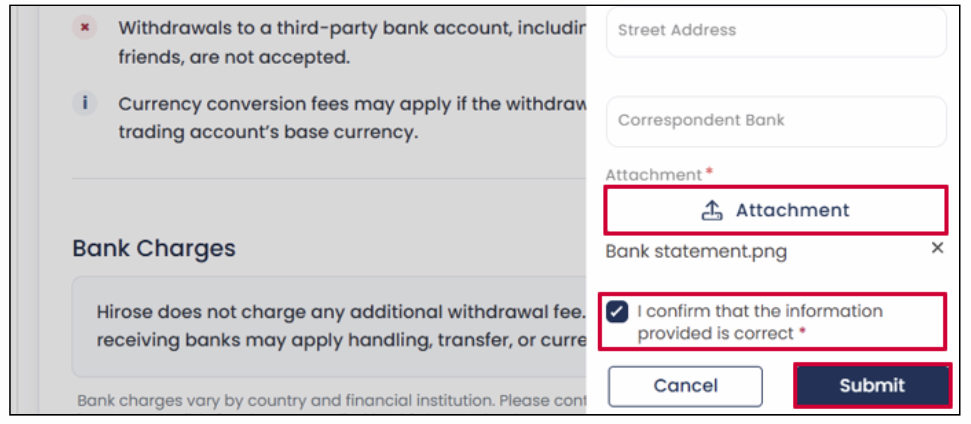
On the right side, croll down to click Attachment and upload bank statement or account confirmation letter issued within the last 3 months.
After uploading succesfully, select the checkbox “I confirmed that the information provided is correct” to acknowledge that all entered information is accurate, then click Submit.
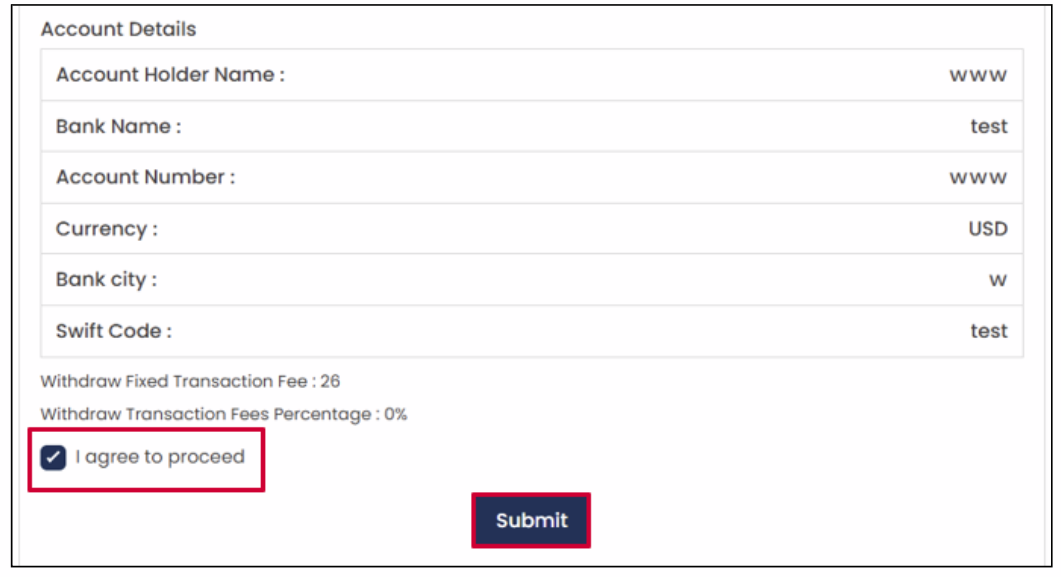
Check the “I agree to proceed” checkbox to confirm the withdrawal details and applicable fees, then click Submit.
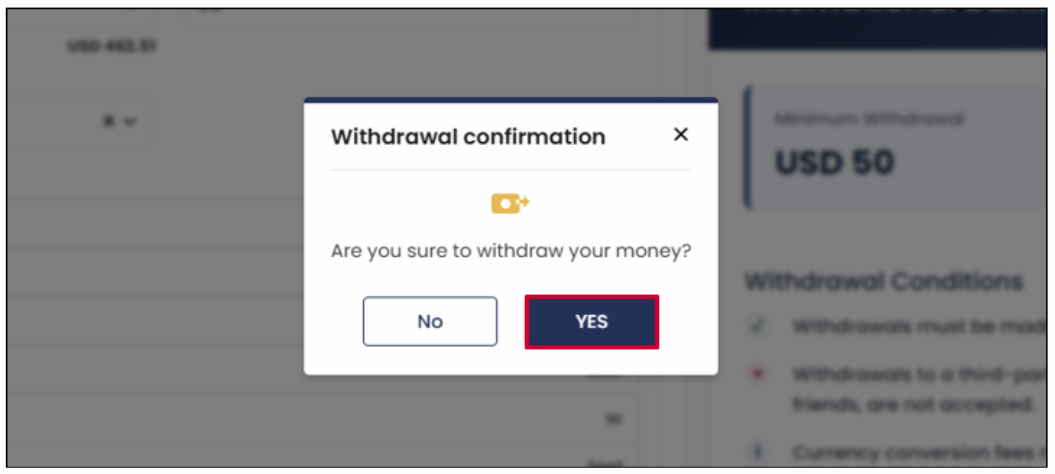
The Withdrawal Confirmation window will appear.
Click YES to confirm and submit the withdrawal request.
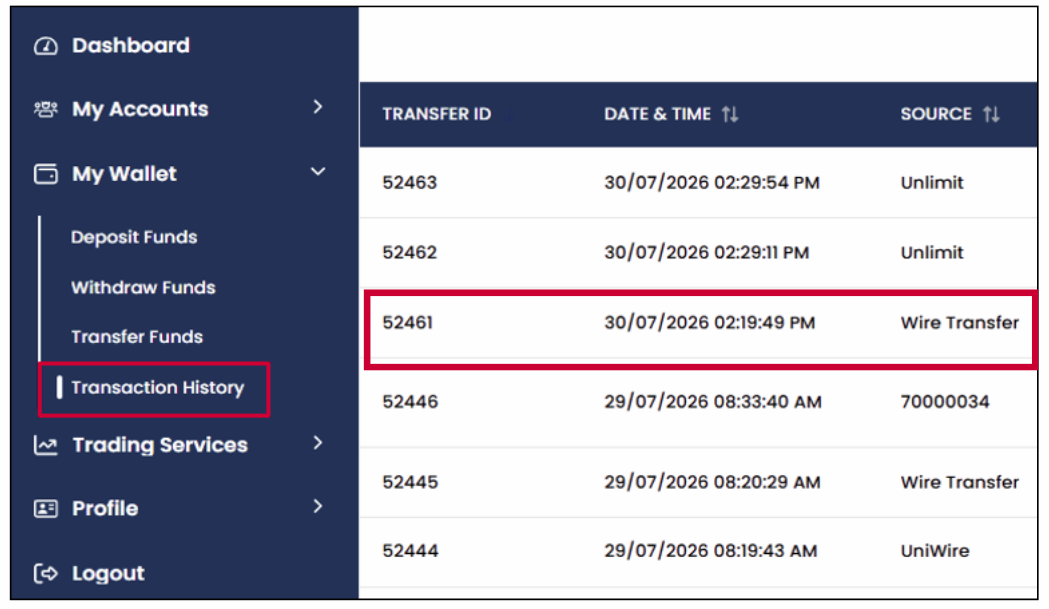
You can check the result of your withdrawal from the Transaction History section.
A notification will also be sent to your registered email address.