
How to Make a Withdrawal via USDT
( Uniwire)
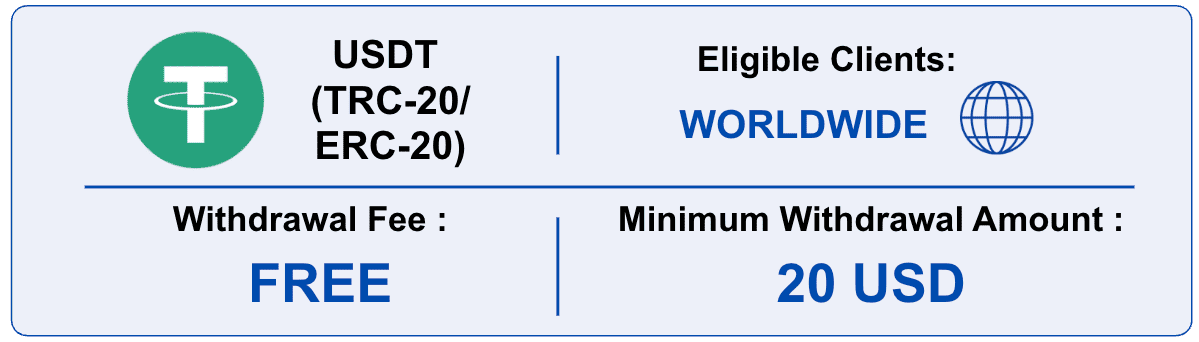
Minimum Withdrawal Amount: 20 USD (equivalent in USDT)
Withdrawals to third-party wallets are not allowed.
If the registered information differs from the uploaded document, the withdrawal request will be cancelled.
(If you need to update your wallet information, please re-upload a document showing both your network and wallet ownership.)
Withdrawals will be processed to the registered wallet address only.
Please ensure that your wallet details are accurate.
Hirose is not responsible for any loss caused by incorrect or incomplete wallet information.
Requests will be processed based on the submitted time:
Same-day Processing
• Requests submitted between 00:00–08:00 GMT (07:00–15:00 Vietnam Time)
Actual processing time may vary depending on system status and network conditions.
Next Business Day Processing
• Requests submitted after 08:00 GMT (15:00 Vietnam Time) or before 00:00 GMT (07:00 Vietnam Time)
• Processing will begin after 00:00 GMT (07:00 Vietnam Time) on the next business day.
Delays may occur due to system load or blockchain conditions.
If the base currency of your wallet differs from USDT, conversion fees may apply.
Blockchain/network fees, if applicable, are separate and may vary.
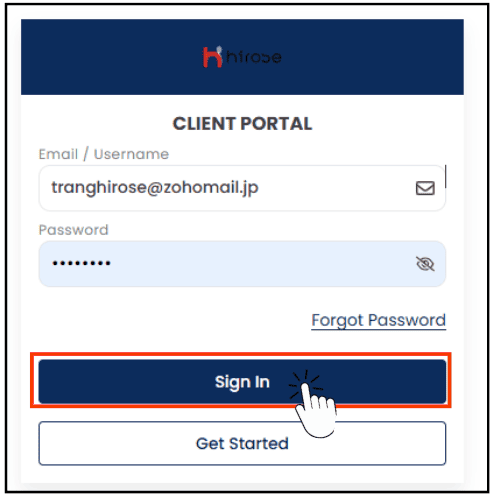
Step 1: Log in to the Client Portal
Enter your Email and Password (the same ones you used during registration).
Click 
Click the
 icon button to open the left-hand menu.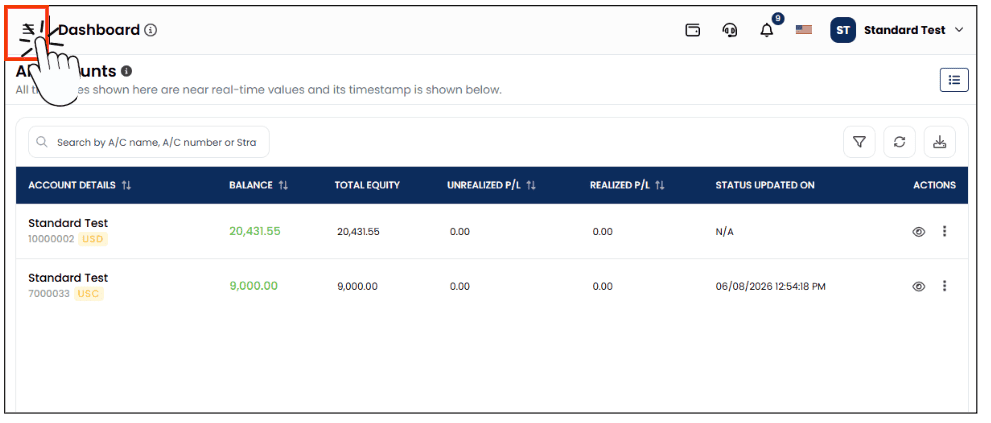
From the left-hand menu, click [My Wallet], then click the [Withdraw Funds] button located below your balance.
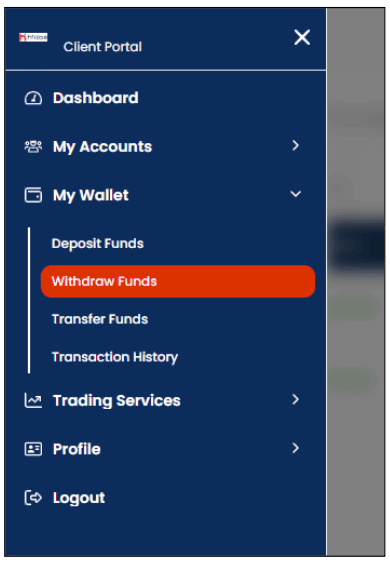
You will be redirected to the Withdrawal page. On this page, you can access all available withdrawal methods.
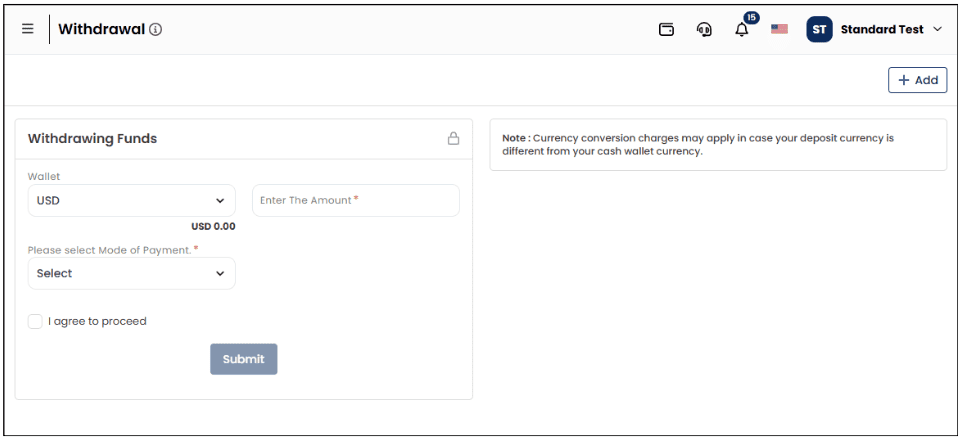
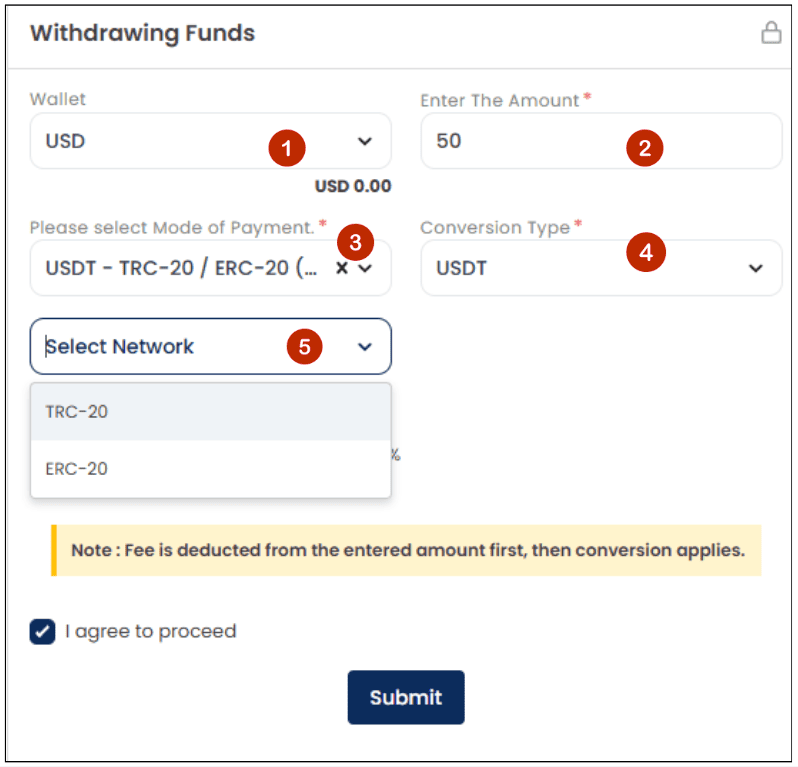
Step 5: Start the Withdrawal Process
- Wallet: Select USD
- Enter your withdrawal amount
- Select the Mode of Payment: USDT (TRC-20/ERC-20)
- Conversion Type: Select USDT.
- Network: Select TRC-20 or ERC-20, depending on your crypto wallet type.
Step 6: The Wallet Address field will appear in the form.
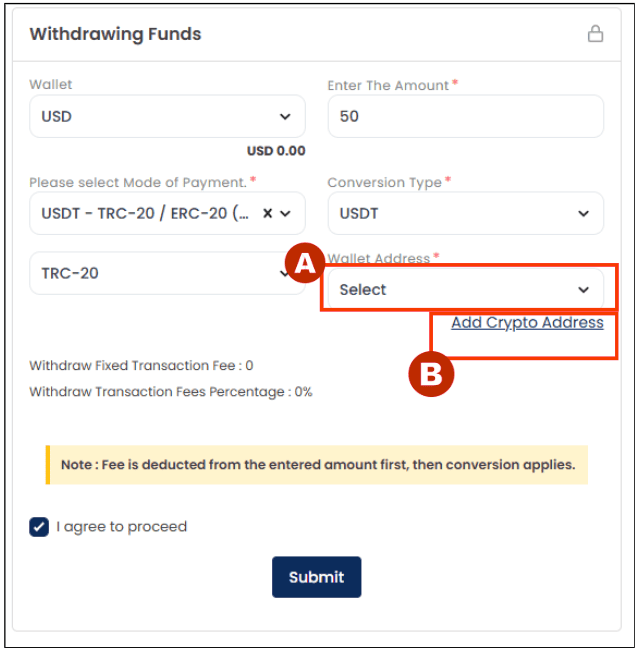
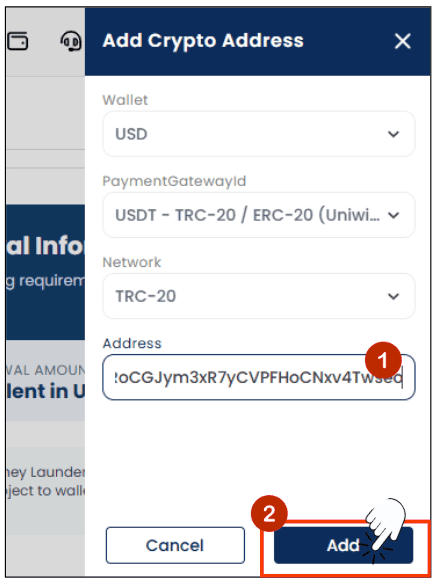
Step 7: Add your Crypto Address:
The Add Crypto Address panel will slide in from the right. Please fill in the required information to proceed with your withdrawal
- Address: Input your Crypto Address
- Click [Add] button
First withdrawal: Verification is mandatory
Important: The wallet address you register must normally be the same wallet address used for your USDT deposit. A different wallet address may require additional verification or may not be accepted.
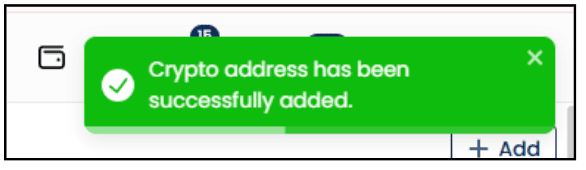
Step 8: Your new Crypto Address has been added to the dropdown list. Select your Wallet Address to proceed to next step.
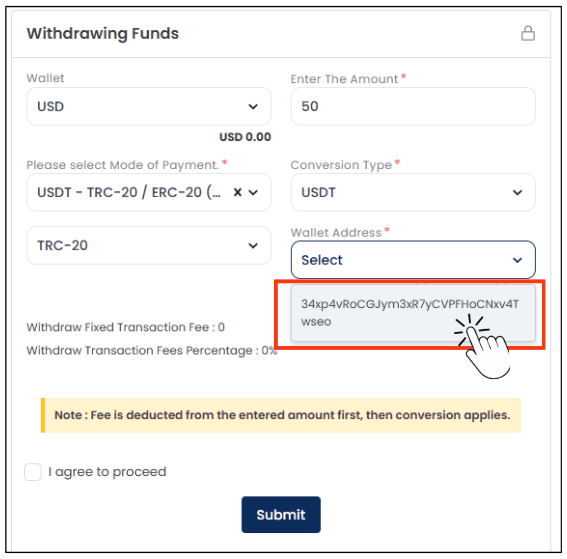
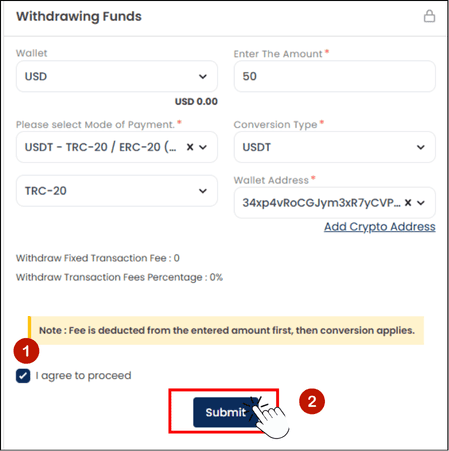
Step 9: Complete the Withdrawal Funds form
- Tick the box
 to “I agree to proceed”
 - Click [Submit] button
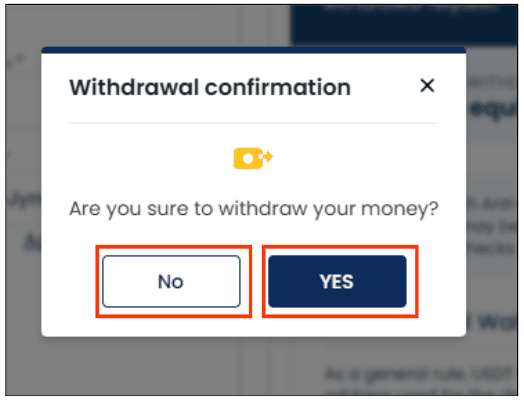
Step 10: Confirm Your Withdrawal Request
The Withdrawal Confirmation window will appear. Please review and confirm your withdrawal request.
- If you wish to proceed with the withdrawal, click the [YES] button.
- If you would like to make changes to your request or are not ready to proceed, click the [NO] button to return to Step 9.
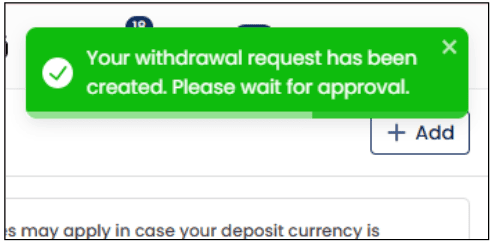
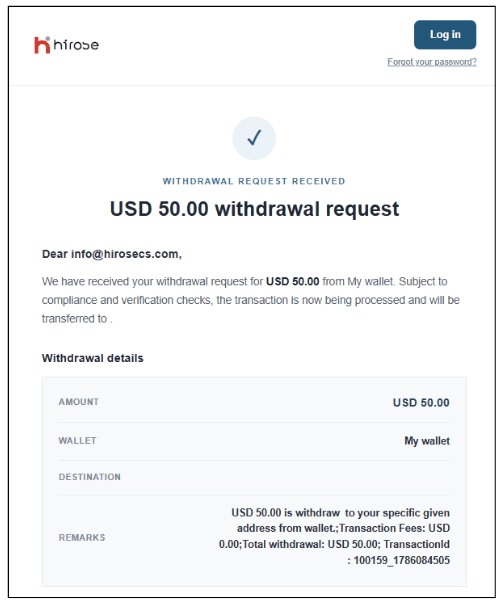
A confirmation email will also be sent to your registered email address.
Please wait for the Hirose team to process your request.
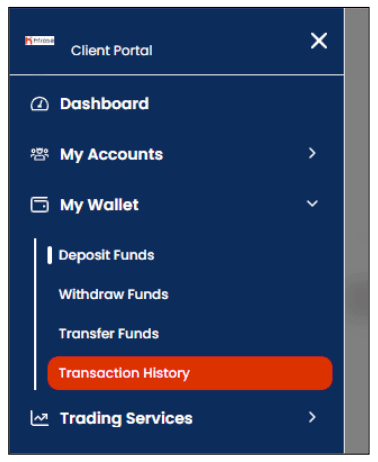
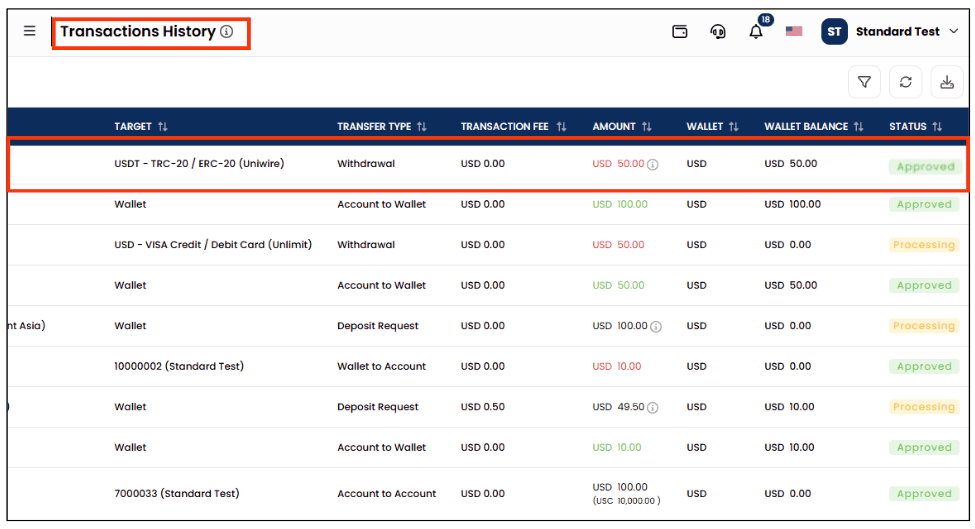
STEP 12: You can check the result of your withdrawal from the [My Wallet] > [Transaction History] section.
A notification will also be sent to your registered email address.
Important Rules for USDT Withdrawals
To comply with Anti-Money Laundering (AML) regulations and international financial standards, the following rules apply to all USDT (cryptocurrency) withdrawals.
Please read carefully before submitting your withdrawal request.
1. Withdrawal Destination Wallet
- As a general rule, USDT withdrawals are processed only to the same wallet address that was used for deposit.
- If a withdrawal request specifies a wallet address different from the original deposit address, the request will be cancelled or placed on pending status.
- This measure is implemented to prevent unauthorized transfers and misuse of funds.
2. Wallet Verification (KYC / Ownership Confirmation)
When deemed necessary, we may request additional verification before processing a withdrawal, including but not limited to:
- A screenshot clearly showing the USDT wallet address to receive the funds
- Proof of wallet ownership (name, account details, etc.)
- Identity verification documents (KYC)
Withdrawals will not be processed until the required verification is completed.
https://hiroseag.com/help-center/withdrawal/how-to-make-a-withdrawal-via-usdt-uniwire/kyc-documents
3. Matching Account Name and Wallet Ownership
- The name of the trading account holder must match the name of the USDT wallet owner.
- If the names do not match, or if reasonable proof cannot be provided, USDT withdrawals will not be permitted.
4. Use of Exchange Wallets (e.g. Binance)
- Some exchanges generate changing or temporary USDT deposit addresses.
- In such cases, it may be technically impossible to withdraw to the same address.
- As a result, withdrawals may be rejected, placed on hold, or handled on a case-by-case basis.
- We are currently working on improving our procedures for such cases.
5. Risk Assessment and Additional Compliance Checks
We may conduct wallet risk assessments using external blockchain analytics tools.
If a wallet is assessed as high risk, we may take actions including:
- Rejection of the withdrawal
- Refund of funds
- Restriction or closure of the trading account
6. Cancellation of Withdrawal Requests
A withdrawal request will be cancelled if:
- The withdrawal wallet address does not match the deposit address
- Required documents or information are not provided
- The request does not meet our compliance or AML standards
7. Our Commitment
As a financial service provider, we believe that strict compliance with legal and international AML/CFT standards is essential to protect both our clients and the integrity of our services.