How to Make a Withdrawal via Payment Asia
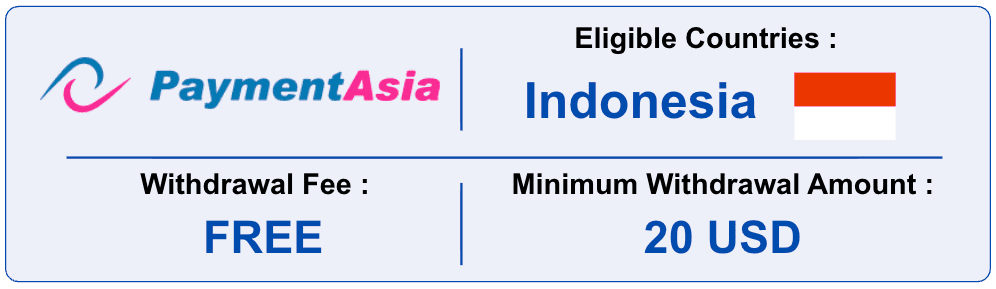
Requests are generally processed within 1 business day of receipt.
You will withdraw funds using the same method you used when making your deposit.
You cannot withdraw funds on behalf of a third party such as a family member or acquaintance.
If the base currency on your trading account differs from the currency you are requesting to be withdrawn, you will also be liable for any conversion fee.
Hirose does not charge additional fees for withdrawals. However, you should be aware that additional fees may occur at some banking institutions. Hirose is not responsible for any additional bank charges. Fees will vary by country and bank, so please check directly with your bank.
If you deposit via VND Internet Banking/Momo/Zalopay/VietQR, we only offer withdrawal via VND Internet Banking and the number of banks you can withdraw from will be limited. Please refer to the list below for more details.
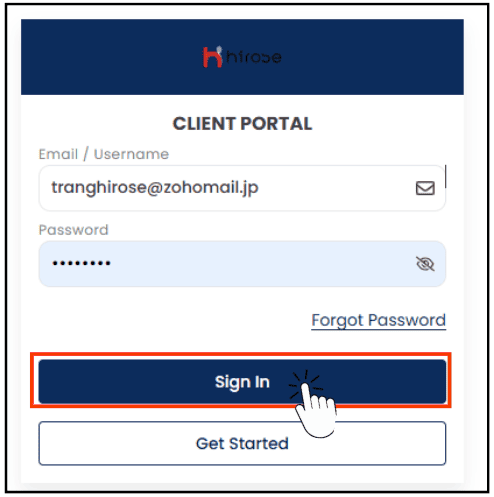
Step 1: Log in to the Client Portal
Enter your Email and Password (the same ones you used during registration).
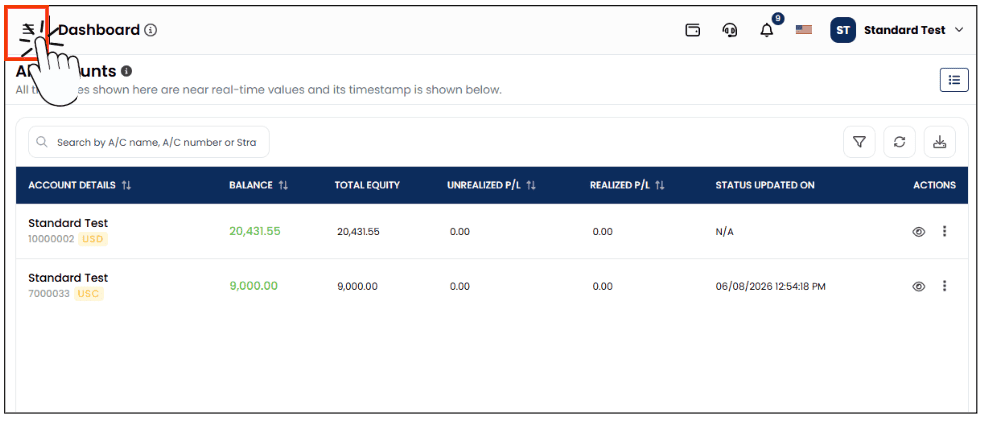
Click 
Click the
 icon button to open the left-hand menu.
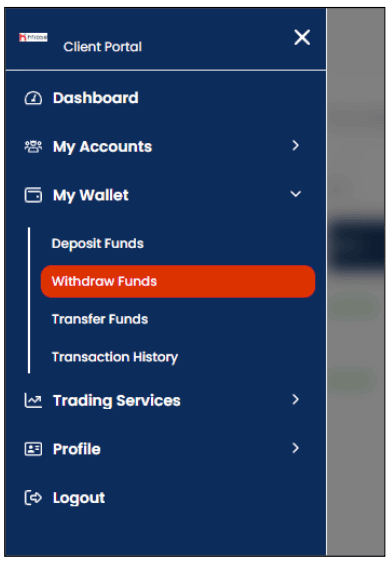
From the left-hand menu, click [My Wallet], then click the [Withdraw Funds] button located below your balance.
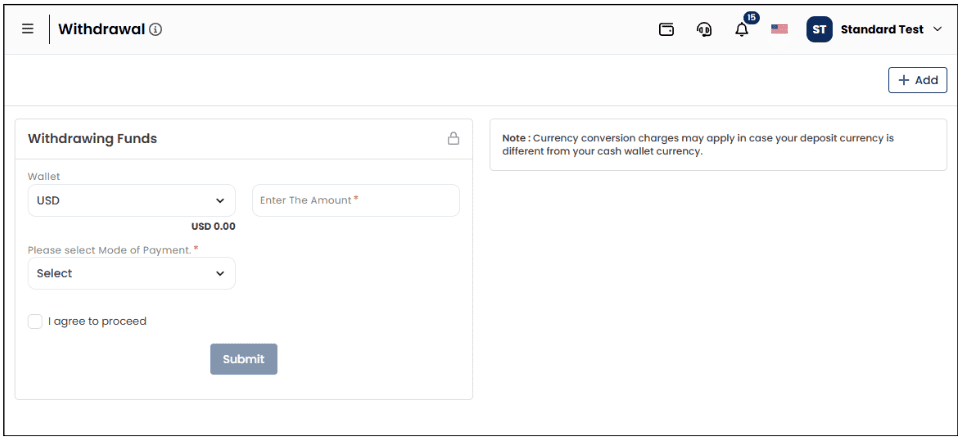
You will be redirected to the Withdrawal page. On this page, you can access all available withdrawal methods.
Step 5: Start the Withdrawal Process
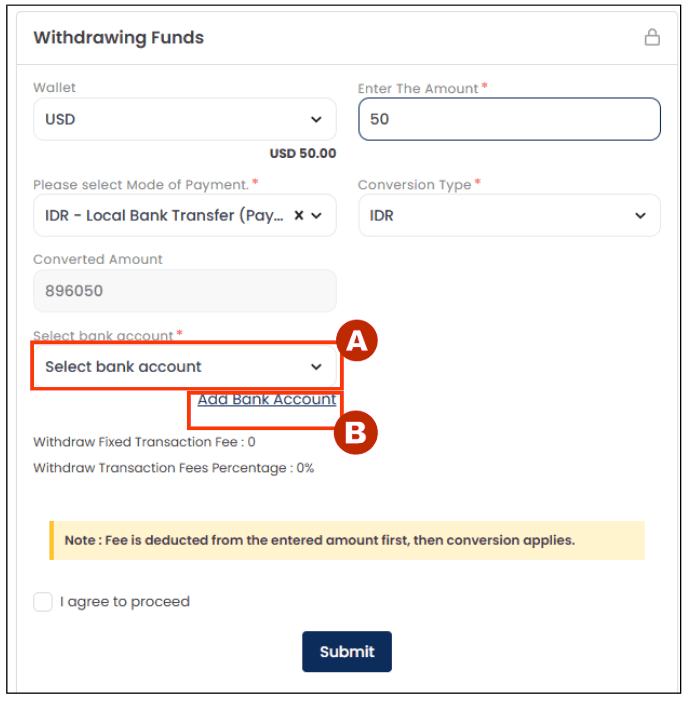
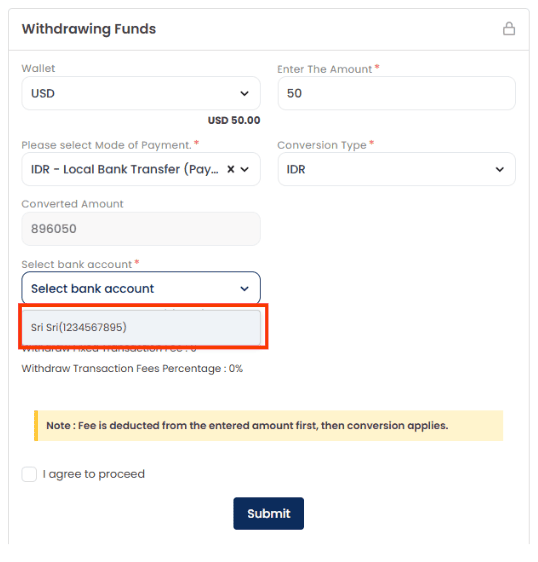
- Wallet: Select USD
- Enter your withdrawal amount
- Select the Mode of Payment: IDR-Local Bank Transfer (Payment Asia)
- Conversion Type: Select IDR
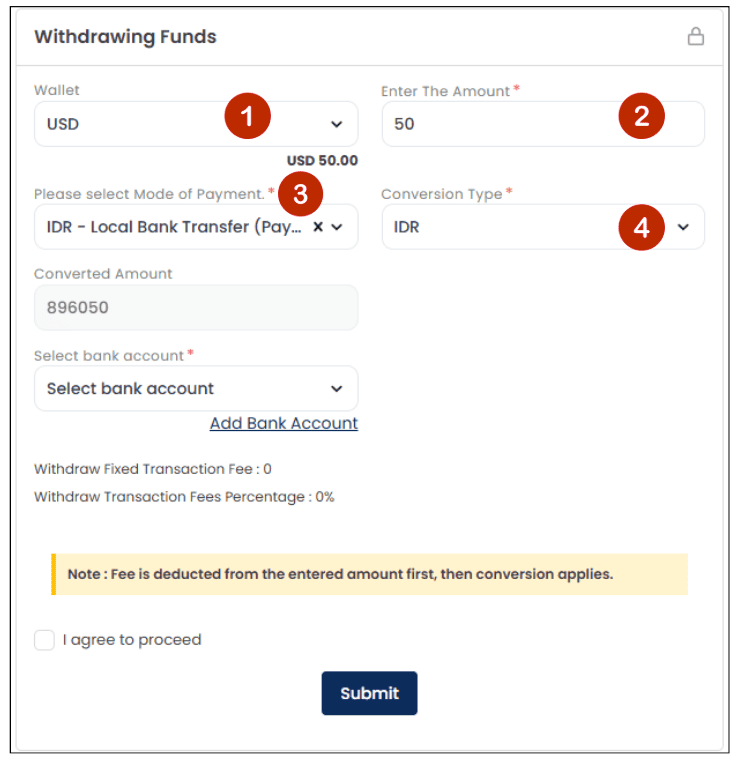
Step 6: The Sellect Bank Account field will appear in the form.
Step 7: Add your Bank Account
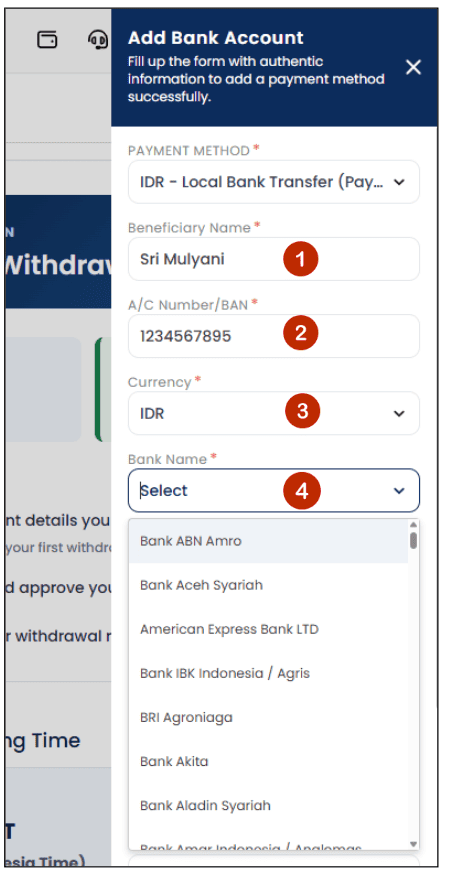
The Add Bank Account panel will slide in from the right. Please fill in the required information to proceed with your withdrawal.
- Beneficiary Name: Enter your full name as it appears on your bank account.
- A/C Number/ BAN: Input your Account Number
- Currency: Select IDR
- Bank Name: Please select your bank name from the dropdown list
Step 8: Add your Bank Account (Continue)
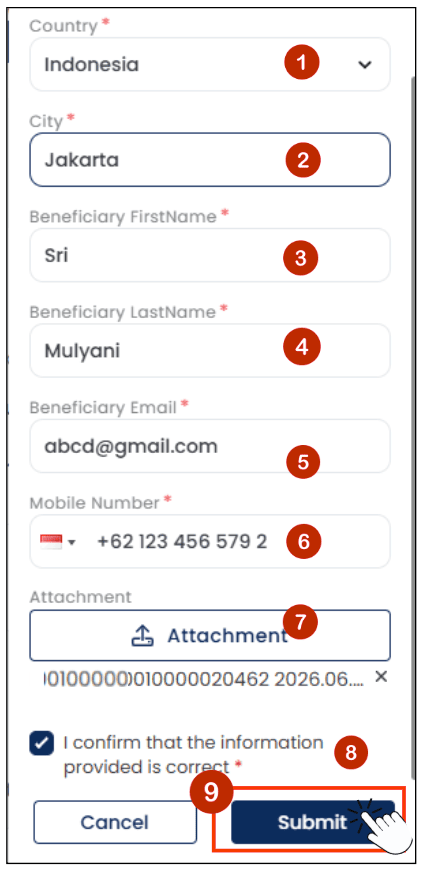
- Country: Select Indonesia from the dropdown list.
- Country: Select Indonesia from the dropdown list.
- City: Enter the city where you currently reside.
- Beneficiary First Name: Enter your first name.
- Beneficiary Last Name: Enter your last name (family name).
- Beneficiary Email: Enter your email address.
- Mobile Number: Enter your mobile number.
- Attachment: Upload a bank statement or other proof of bank account ownership. The document must have been issued within the last 6 months.
- Tick the checkbox to confirm that all the information provided above is correct.
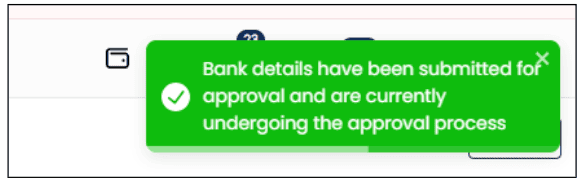
- Click the [Submit] button to add your bank account.
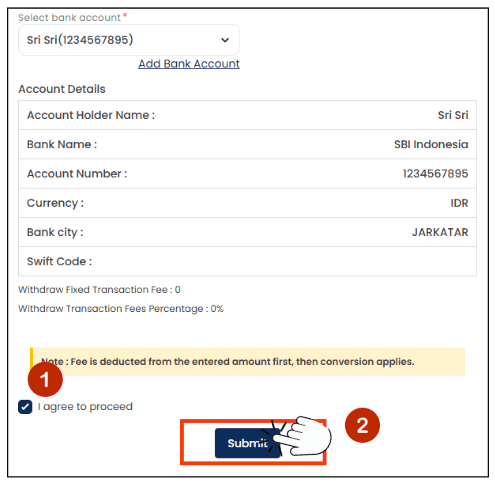
- Tick the box
 to “I agree to proceed”
- Click [Submit] button
Step 11: Confirm Your Withdrawal Request
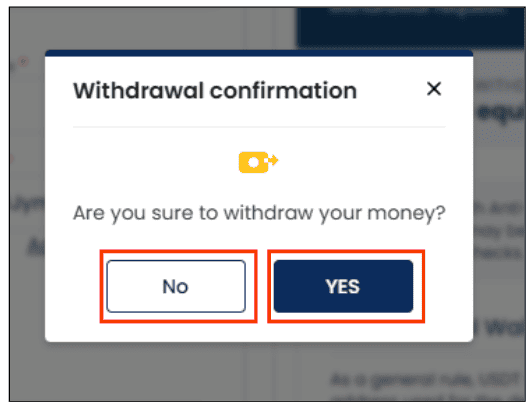
The Withdrawal Confirmation window will appear. Please review and confirm your withdrawal request.
- If you wish to proceed with the withdrawal, click the [YES] button.
- If you would like to make changes to your request or are not ready to proceed, click the [NO] button to return to Step 10.
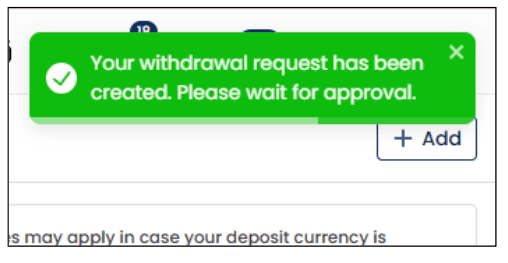
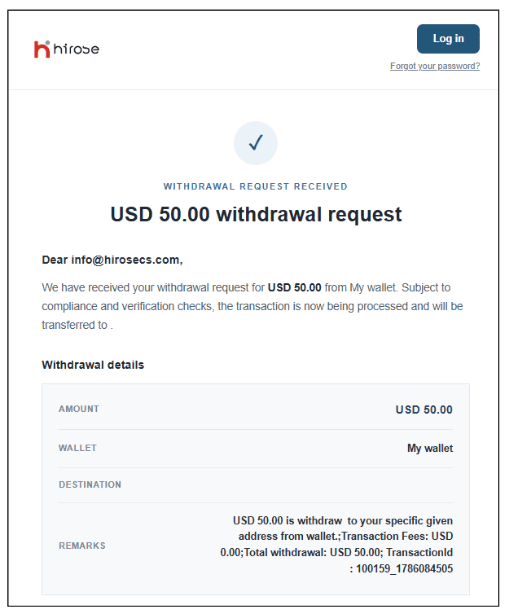
A confirmation email will also be sent to your registered email address.
Please wait for the Hirose team to process your request.
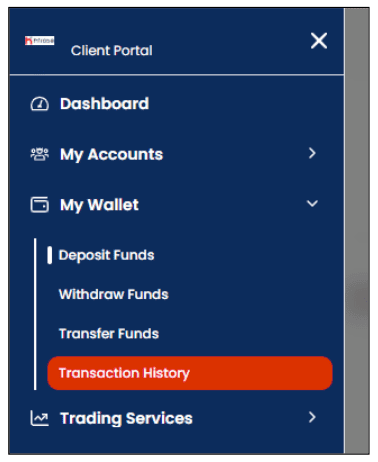
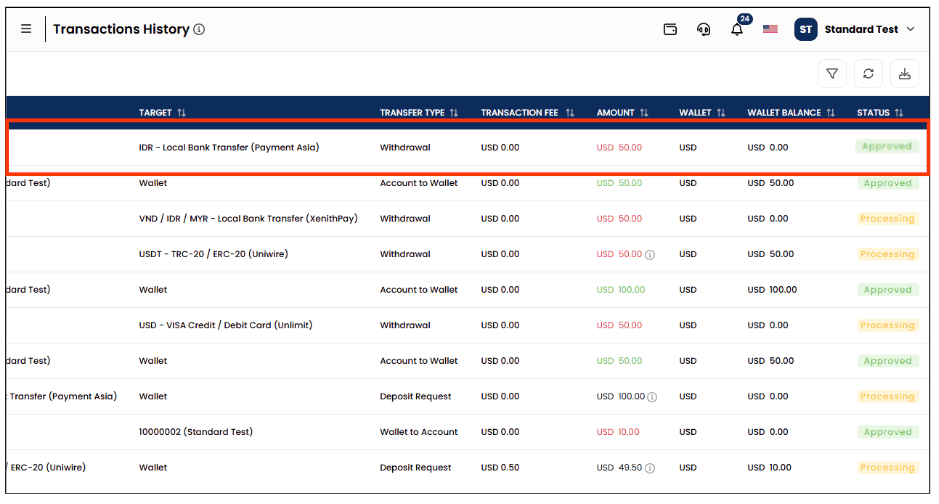
Step 13: You can check the result of your withdrawal from the [My Wallet] > [Transaction History] section.
A notification will also be sent to your registered email address.