How to Make a Withdrawal via Local Bank (Xenith Pay)
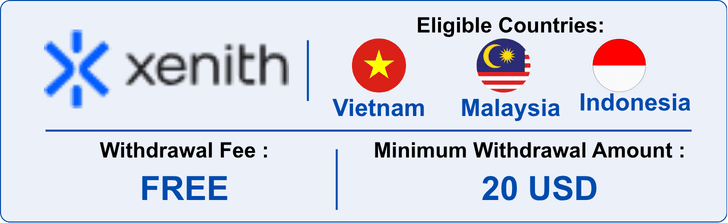
Withdrawal Notes:
1. Withdrawal Process
- Add your withdrawal bank account details. (First withdrawal only)
- Hirose will review and approve the bank information.
- Your withdrawal will be processed after approval.
2. Processing Time
- Processing Hours: 00:00–08:00 GMT
Vietnam: 07:00–15:00 ICT
Indonesia: 07:00–15:00 WIB
Malaysia: 08:00–16:00 MYT
Note: Requests are generally processed within one business day. Requests submitted outside processing hours will be handled on the next business day.
3. Important Conditions
- Withdrawals should normally be made to the same bank account used for your deposit.
- The bank account holder’s name must match your trading account name.
- Third-party withdrawals are not accepted.
- Currency conversion or bank charges may apply.
Note: VND deposits: Deposits made via Internet Banking, MoMo, ZaloPay or VietQR can only be withdrawn through VND Internet Banking. Supported banks may be limited.
Hirose does not charge a withdrawal fee. However, banks may apply handling or currency conversion fees. Hirose is not responsible for third-party bank charges.
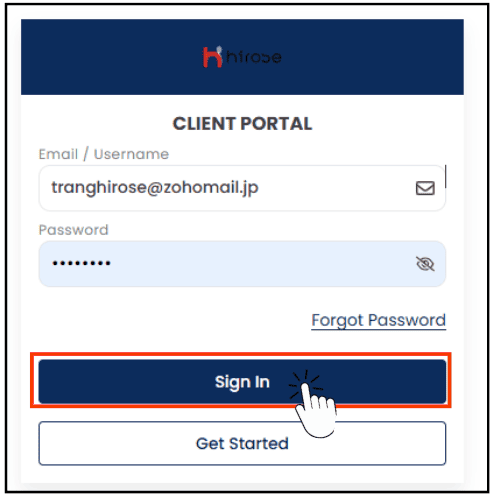
Step 1: Login to the Client Portal
Enter your Email and Password (the same ones you used during registration).
Click 
Click the
 icon button to open the left-hand menu.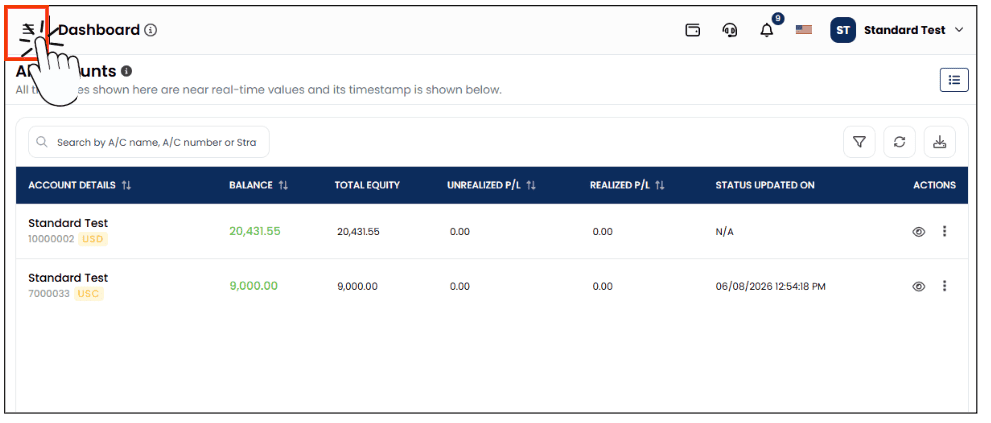
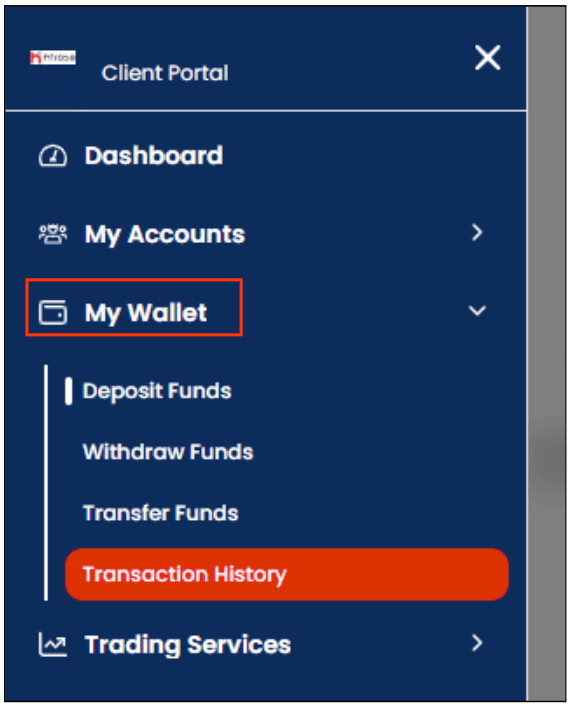
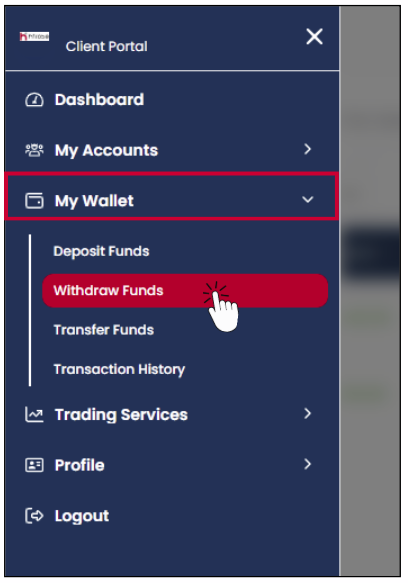
From the left-hand menu, click [My Wallet], then click the [Withdraw Funds] button located below your balance.
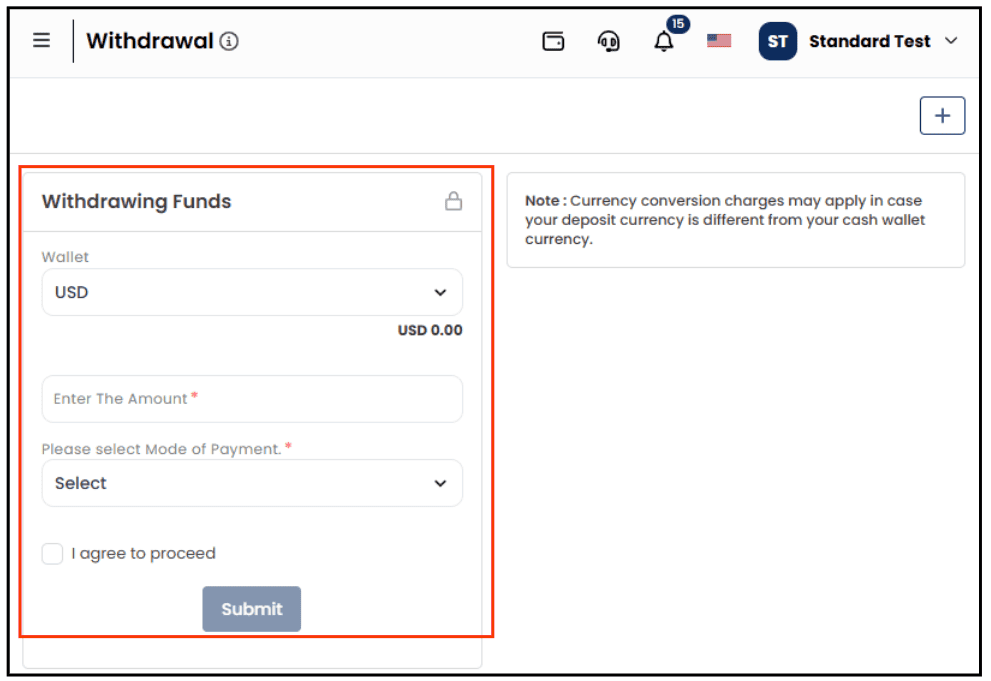
You will be redirected to the Withdrawal page. On this page, you can access all available withdrawal methods.
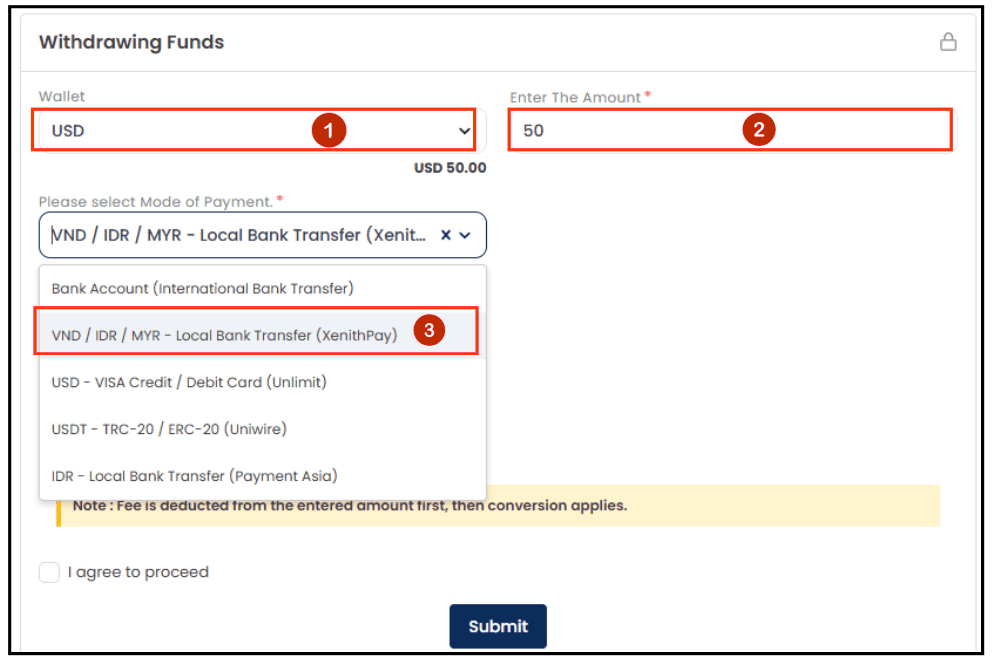
Step 5: Start the Withdrawal Process
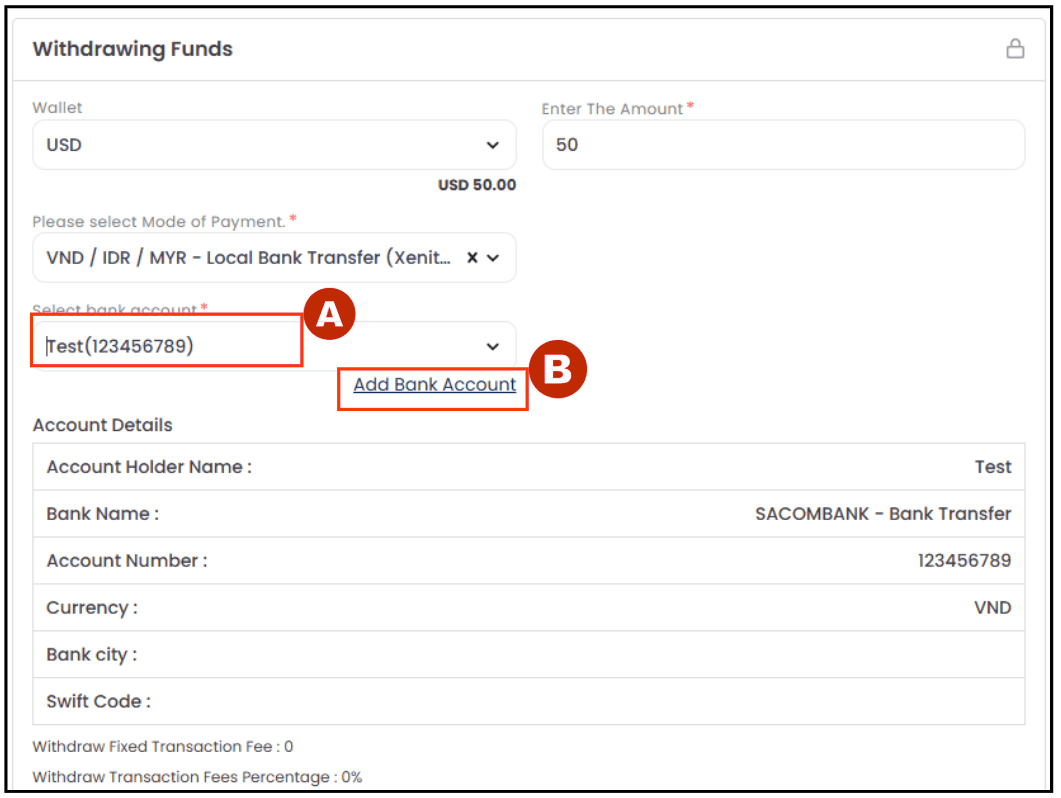
- Wallet: Select USD
- Enter your withdrawal amount
- Select the Mode of Payment: VND/ IDR / MYR – Local Bank Transfer (XenithPay )
- Start the Withdrawal Process
Step 6: The Bank Account field will appear in the form.
Step 7: Add your Bank Account
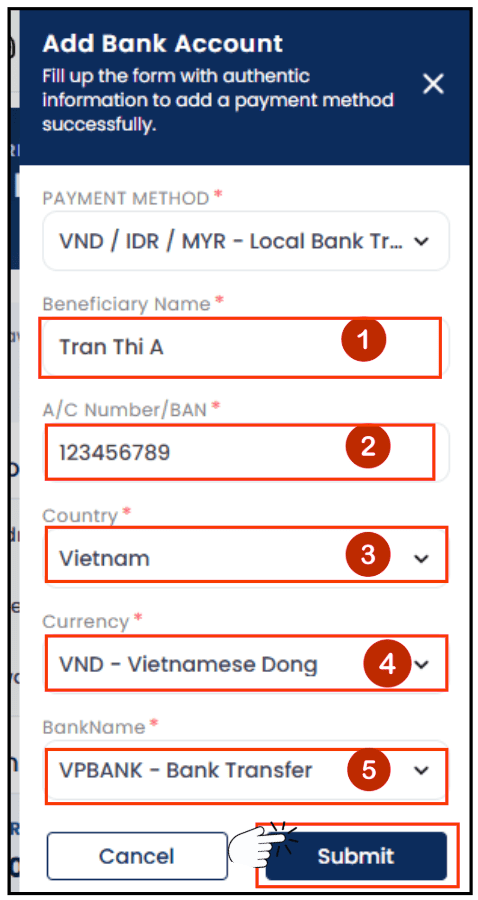
Complete the required bank account information:
- Beneficiary Name*: Enter the account holder’s full name. The name must match the name registered on your Hirose account.
- A/C Number / BAN*: Enter your bank account number.
- Country*: Select the country where your bank account is registered.
- Currency*: Select the currency of your bank account:
- IDR – Indonesian Rupiah
- MYR – Malaysian Ringgit
- VND – Vietnamese Dong
- Bank Name*: Select your bank name from the available list.
Note: Please ensure all bank account details are entered accurately to avoid delays or rejection of your withdrawal request.
Click [Submit]
Step 8: Bank Information Added
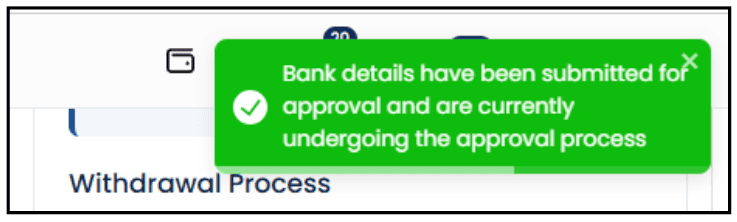
A green notification message will appear to confirm that your bank account has been added successfully.
Note: Please wait for approval from the Support Team before using this bank account for withdrawals.
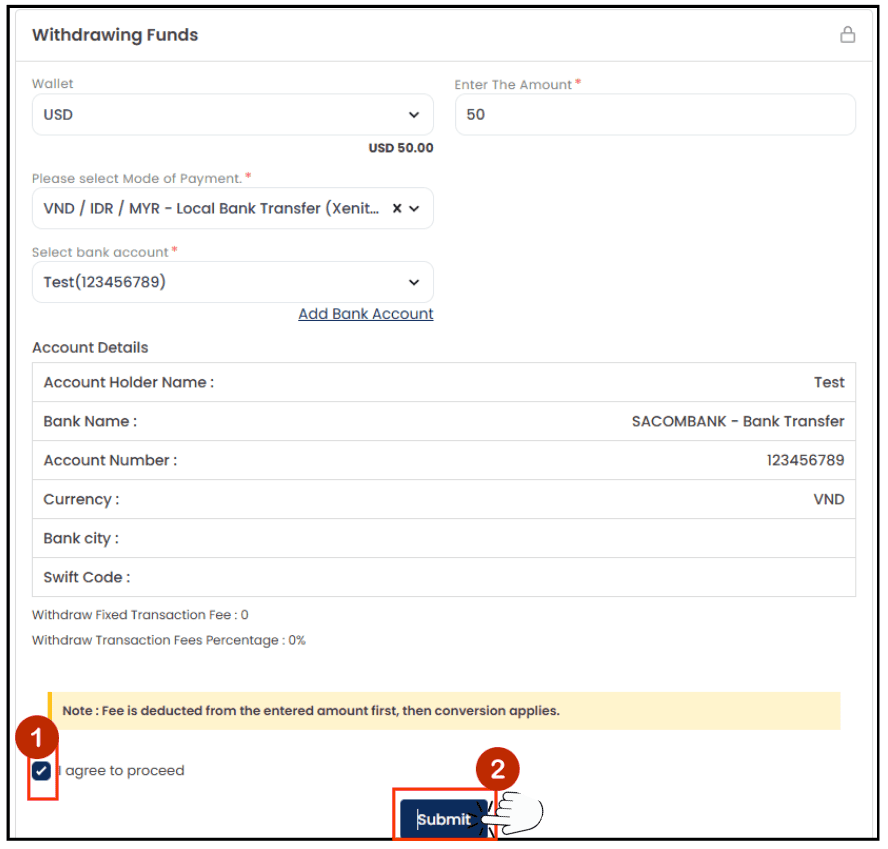
- Tick the box
 to “I agree to proceed”
 - Click [Submit] button
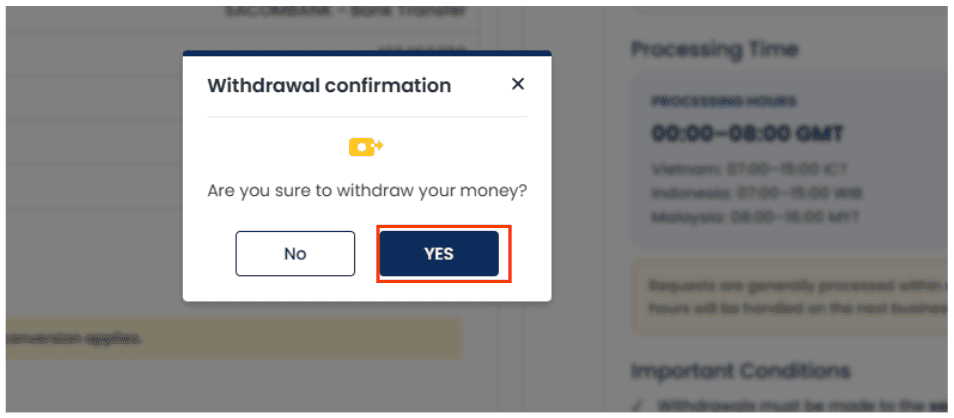
Step 10: Confirm Your Withdrawal Request
The Withdrawal Confirmation window will appear. Please review and confirm your withdrawal request.
- If you wish to proceed with the withdrawal, click the [YES] button.
- If you would like to make changes to your request or are not ready to proceed, click the [NO] button to return to Step 9.
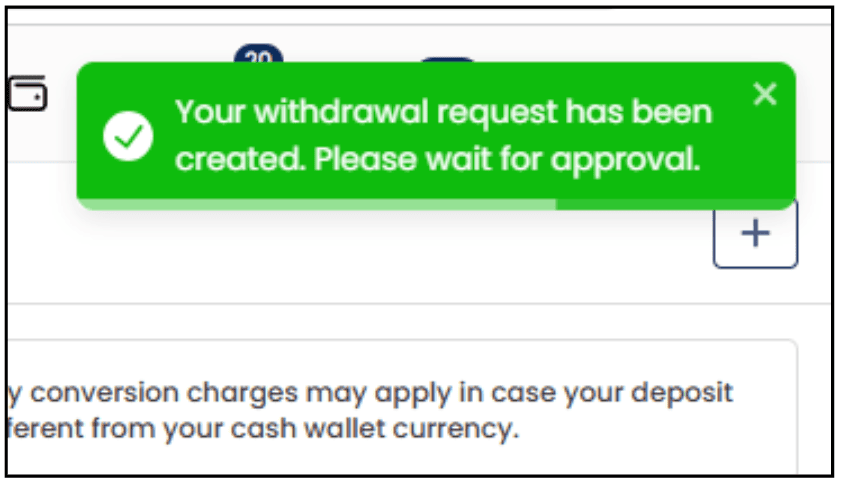
A green push notification will appear to confirm that your Withdrawal Request has been raised successfully.
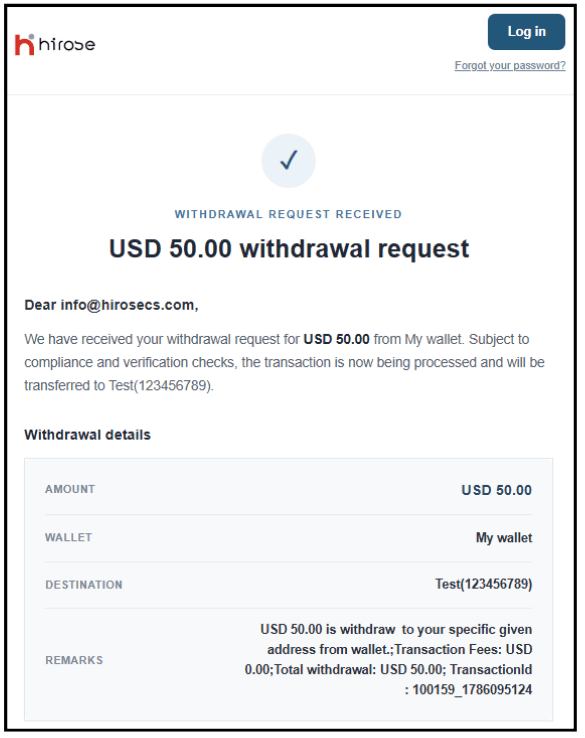
An email also sent to your email address for your reference.
Please wait for the Hirose team to process your request.
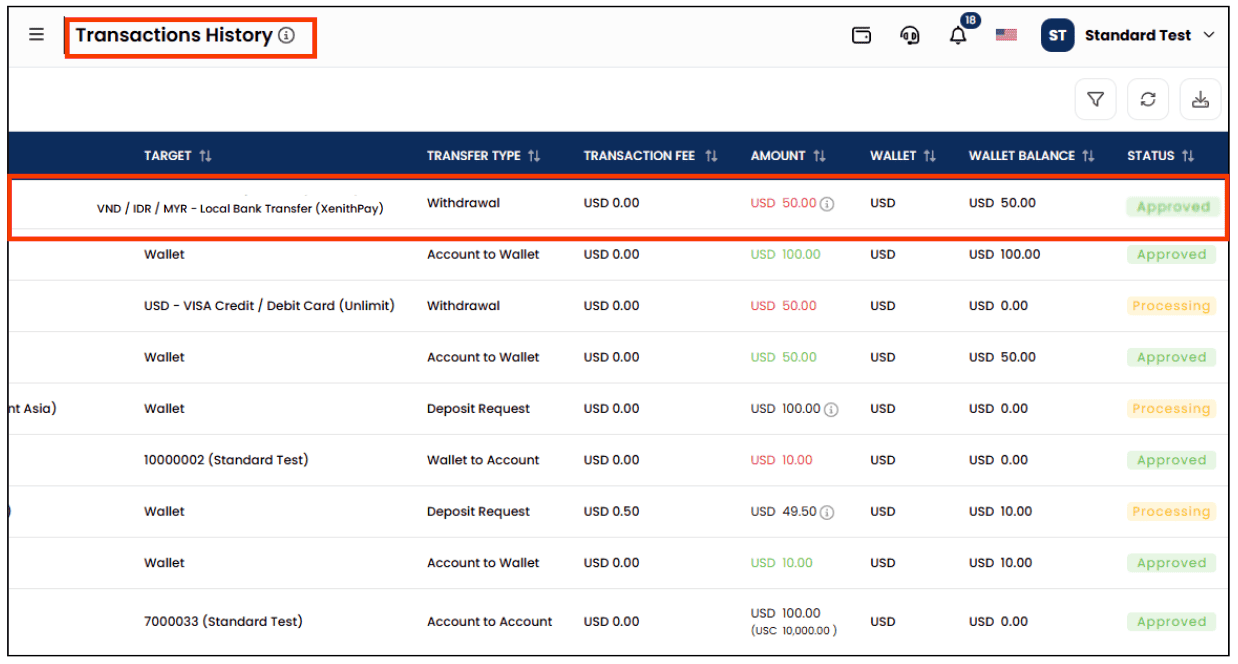
Step 12: You can check the result of your withdrawal from the [My Wallet] > [Transaction History] section.
A notification will also be sent to your registered email address.