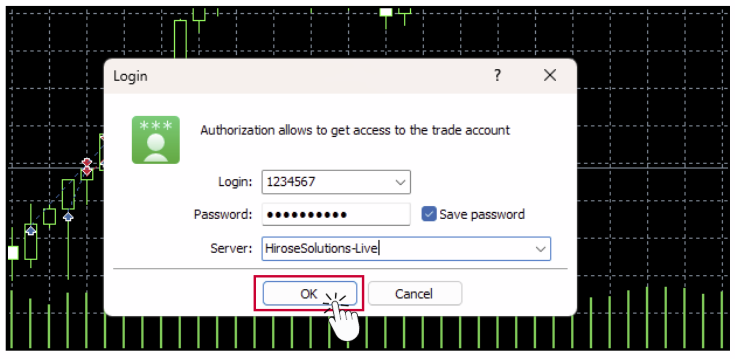
How to Create a Live Trading Account
To create a Live Trading Account, please complete the following three steps:
• Part 1: Fill Out the Client Application Form
• Part 2: Verify Your Email
• Part 3: Onboarding Process
Follow the instructions in each section to complete your account setup.
Part 1:
Fill Out the Client Application Form
Step 1: Sign Up
Create a live account from this link:
https://client.hiroseag.com/Home/Signup
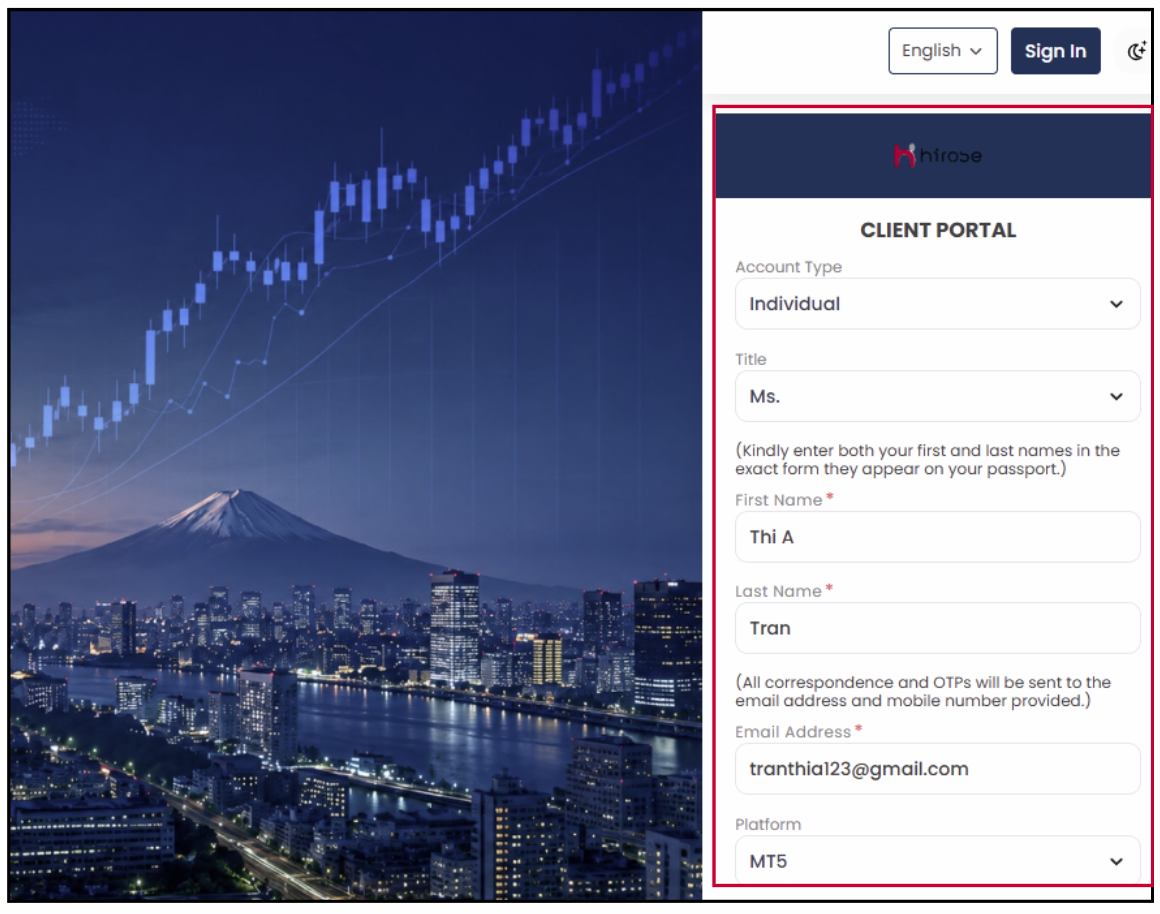
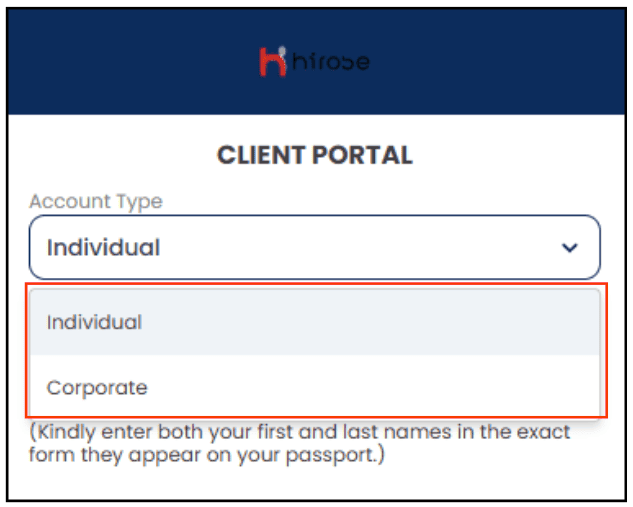
Step 2: Select Account Type: Choose the account type that matches your profile:
Individual Account: Select Individual if you are opening an account under your personal name.
Corporate Account: Select Corporate if you are opening an account on behalf of a company or organization.
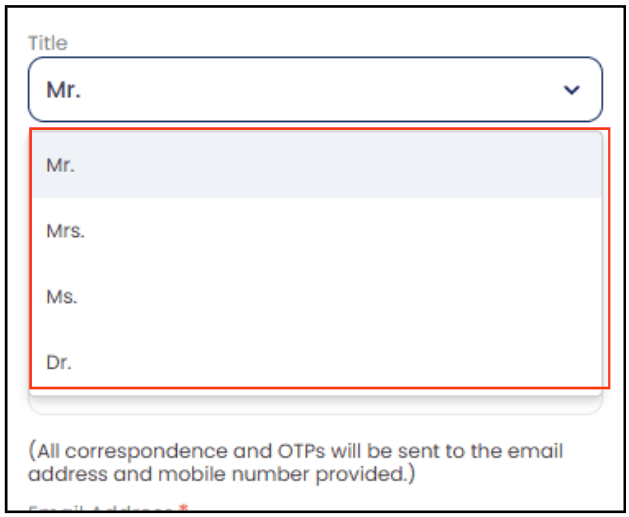
Step 3: Complete Profile Information
Fill in all required details, including:
- Title (Salutation): Mr. , Mrs. , Ms. , Dr.
- USD ($) → Standard Account
A regular trading account denominated in USD, suitable for standard trading volumes. - USC → Cent Account
A cent account where 1 USD = 100 cents, allowing you to trade with smaller position sizes and lower risk compared to a standard USD account.
Must include uppercase letters, lowercase letters, numbers, and special characters
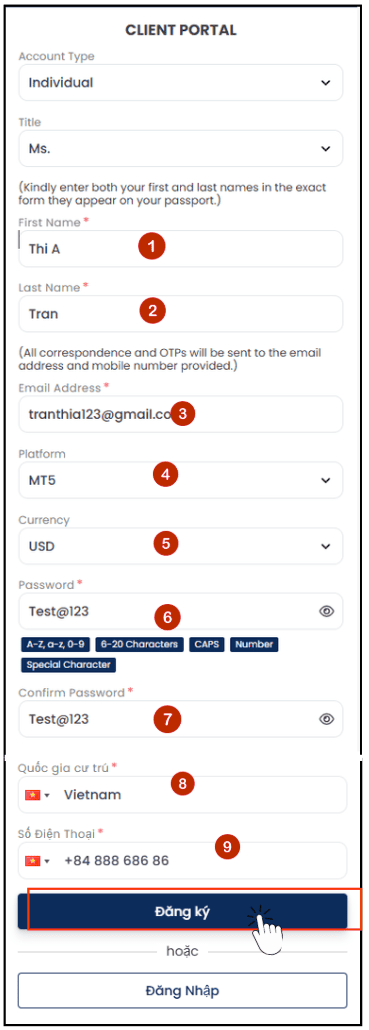
Step 4: Click [Sign Up]
Part 2: Verify your Email
Step 1: Check your inbox for an email with the subject line:
“Hirose Trader’s Room – Verify Your Email”
If you cannot find the email, please check your Spam/Junk folder as well.
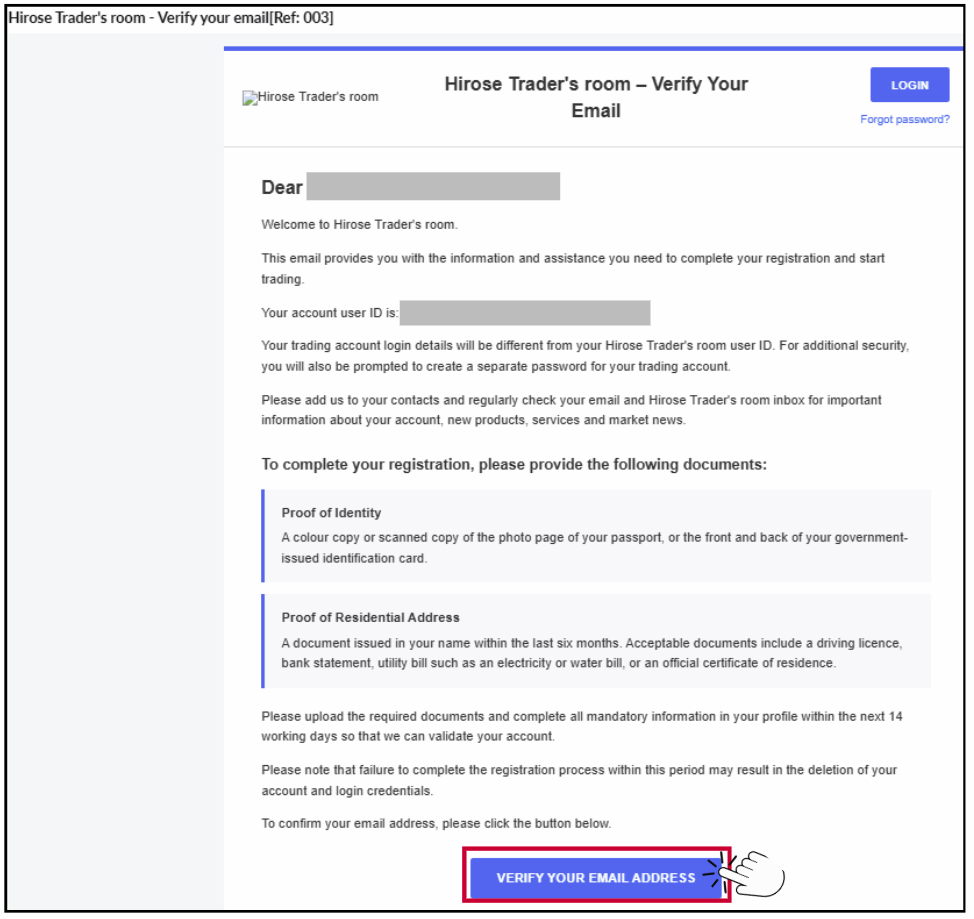
Click “Verify Your Email Address” to verify your email address.
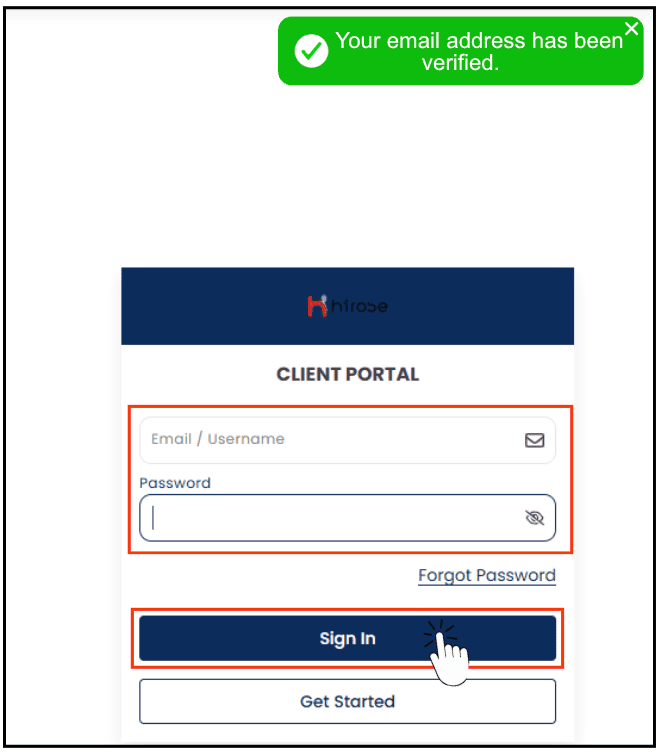
Step 2: Log in by entering your Email/Username and Password, then click the [Sign In] button.
Access the Client Portal using the following link: https://client.hiroseag.com/Home/Login
Part 3: Onboarding Process
To complete your Live Trading Account application, please follow the steps below and provide all required information and documents.
This part consists of:
- Part 3.1: Account Information
- Part 3.2: Financial Information
- Part 3.3: Declaration Information
- Part 3.4: Upload Documents
- Part 3.5: Application Status
Part 3.1: Account Information
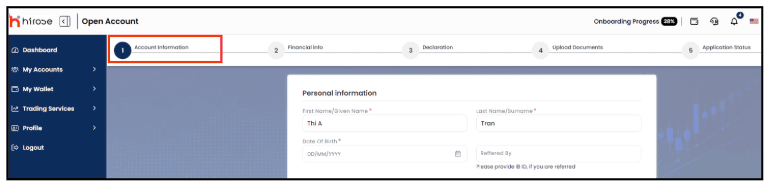
Step 1: Complete Your Personal Information
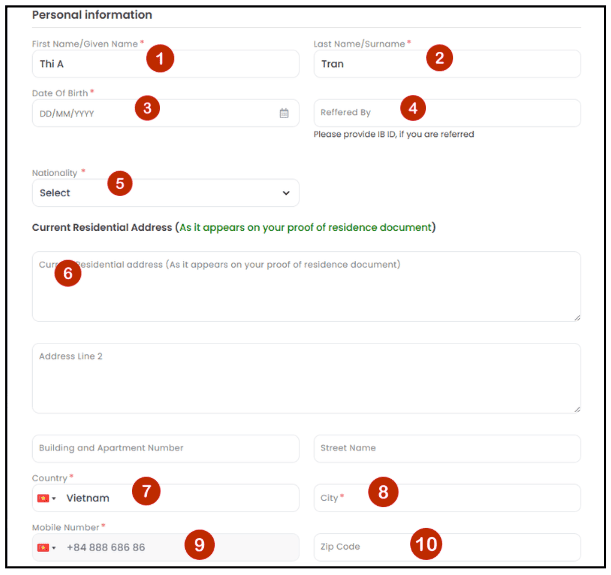
1 First Name*: Enter your given name as shown on your official ID.
2 Last Name*: Enter your family name/surname as shown on your official ID.
3 Date Of Birth*: Choose your date of birth (DD/MM/YYYY).
4 Referred By: Enter the IB ID if you were referred by an IB.
5 Nationality*: Select your nationality as shown on your passport or national ID card.
6 Current Residential Address: Please enter your current residential address exactly as it appears on your proof of residence document.
7 Country*: Select your country of residence.
8 City*: Enter the city where you currently reside.
9 Mobile Number*: Enter your mobile phone number, including the country code.
10 Zip Code: Enter the ZIP Code or Postal Code for your current residential address.
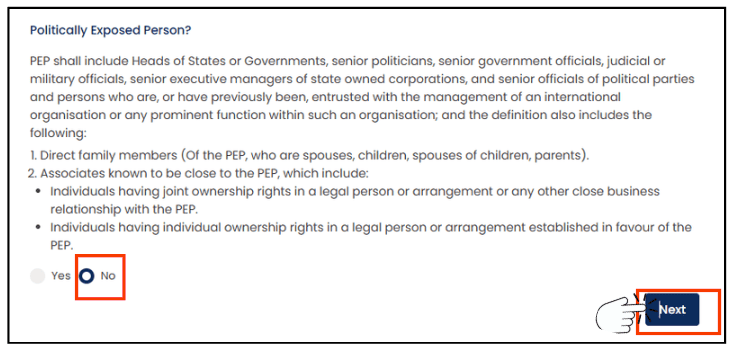
Step 2: Politically Exposed Person (PEP)?
Select “No” → Click “Next”
Part 3.2: Financial information
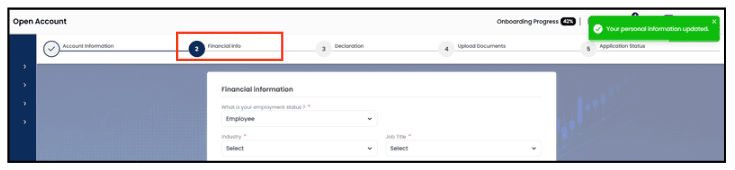
Step 1: Please complete the questionnaire by providing your financial and employment details.
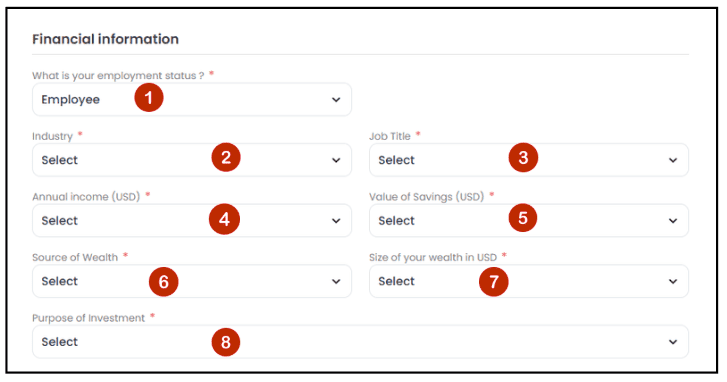
1 Employment Status*: Select your current employment status.
2 Industry*: Select the industry you work in.
3 Job Title*: Select your job title.
4 Annual Income (USD)*: Select your annual income range.
5 Value of Savings (USD)*: Select the total value of your savings.
6 Source of Wealth*: Select the primary source of your wealth.
7 Size of Your Wealth (USD)*: Select your estimated net worth range.
8 Purpose of Investment*: Select your main investment objective.
Step 2: For products 1-3 below, please select both your trading experience (how many times you have traded) and (your level of understanding).
1 Spot & Forward Foreign Exchange / Bullion
2 Shares / Bonds
3 CFDs (Contracts for Difference)
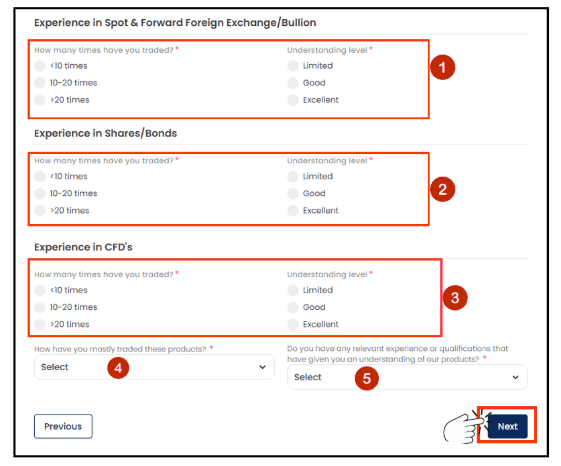
4 Select the option that best describes your trading method.
5 Experience & Qualifications: Select whether you have any relevant experience or qualifications.
Click “Next” to proceed.
Part 3.3: Declaration information

Step 1: Review the declaration information and disclosure requirements.
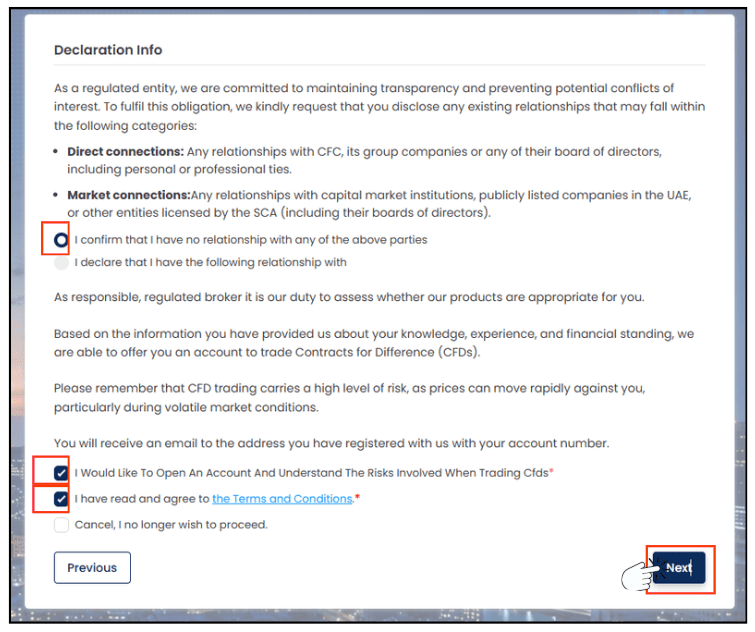
Tick “I confirm that I have no relationship with any of the above parties” if you do not have any relationship with the organizations or individuals mentioned above.
Tick “I Would Like To Open An Account And Understand The Risks Involved When Trading CFDs” to confirm that you wish to open an account and understand the risks associated with CFD trading.
Tick “I have read and agree to the Terms and Conditions*” to confirm that you have read and accepted the Terms and Conditions.
Click “Next” to proceed.
Part 3.4: Upload Documents

To complete compliance, you are required to upload valid identification and Proof of Residence (POR) documents.
- National ID card (front and back)
- Passport (photo page)
- Driver’s License (front and back)
2. Proof of Residence (POR)* (choose one)
- Utility bill (electricity, water, gas, internet, etc.)
- Bank statement
- Government-issued residence certificate
Step 1: Upload Your Proof of Identity* Document.
- Select the document type.
- Click “Browse” to upload your document.
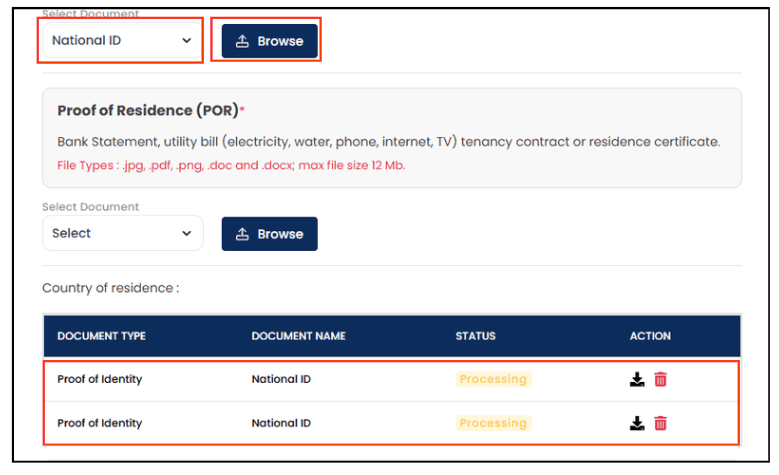
Step 2: Upload Your Proof of Residence (POR)
- Select the document type.
- Click “Browse” to upload your document.
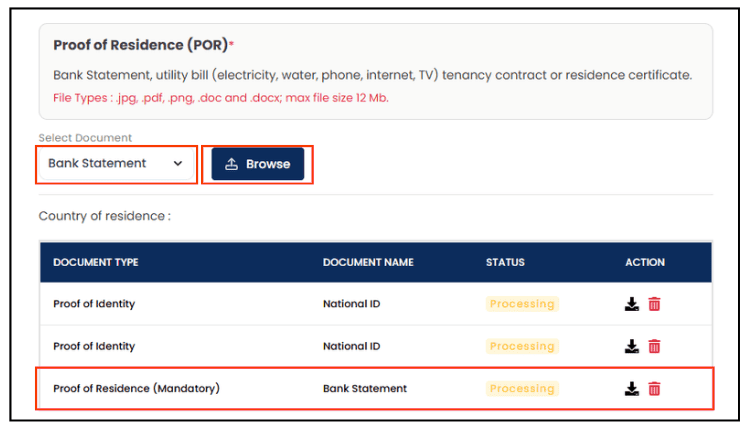
Your uploaded document will appear here.
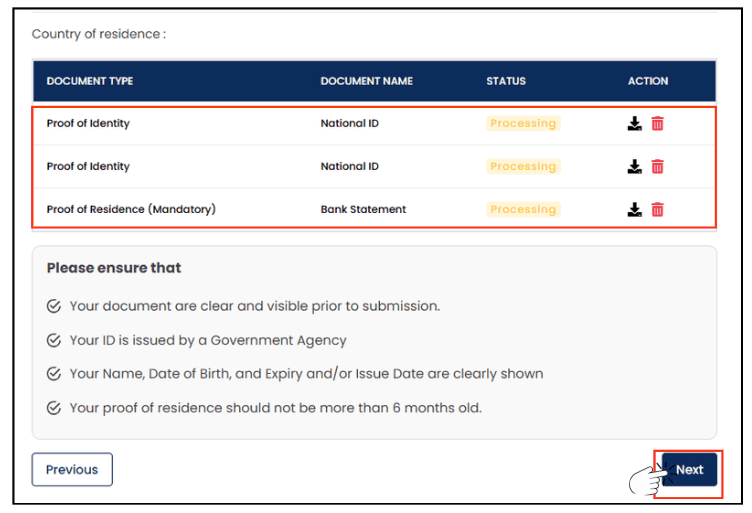
Click “Next” to proceed.
Part 3.5: Application Status
Your Live Trading Account application will be reviewed by us, and this normally takes 1-2 business day.
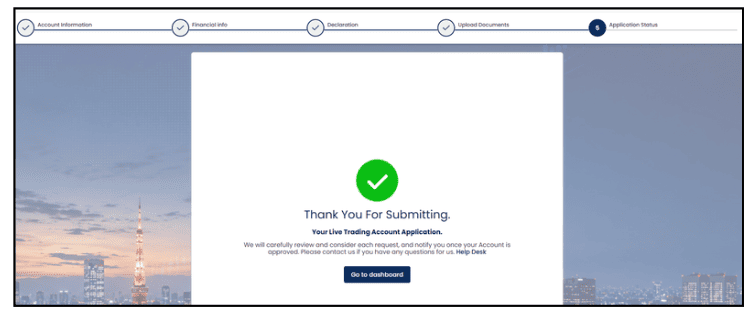
After approval, you will receive a confirmation email.
Check Your Email
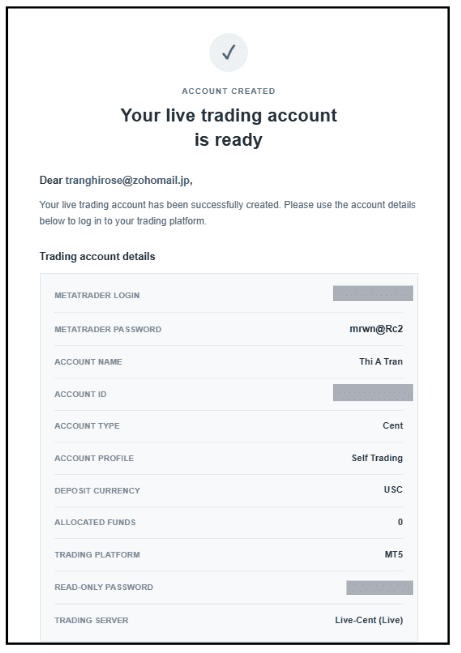
1. For Desktop version, click ‘Download MT5 for Windows’.
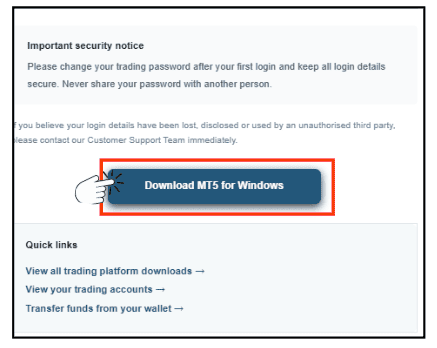
2. Launch the MT5 platform and go to File ⟶ Login to Trade Account.
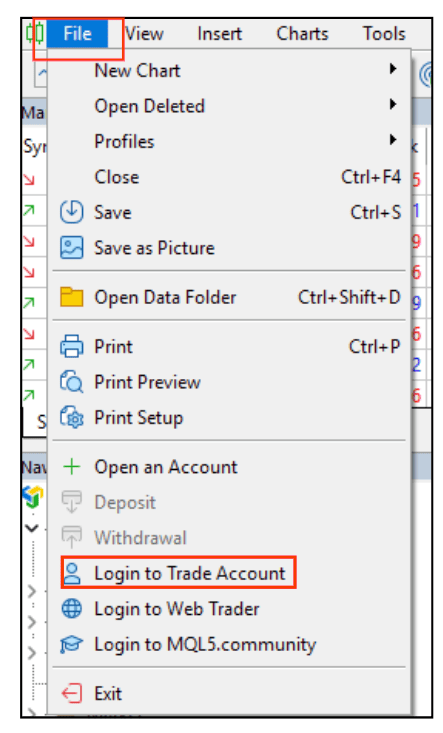
3. Enter your login details and click OK.