
How to Complete Account Verification
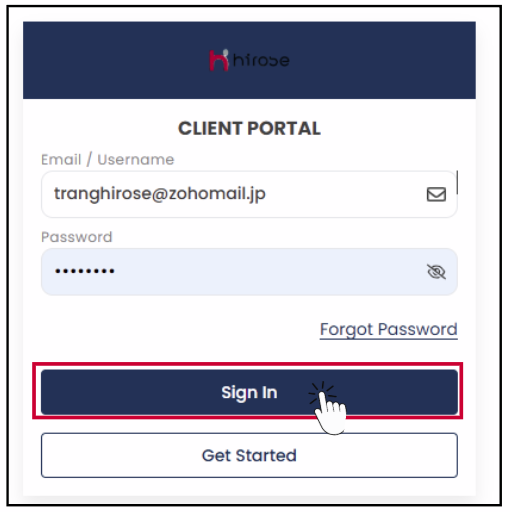
Step 1: Login to the Client Portal
Enter your Email and Password (the same ones you used during registration).
Click https://client.hiroseag.com/Home/Login
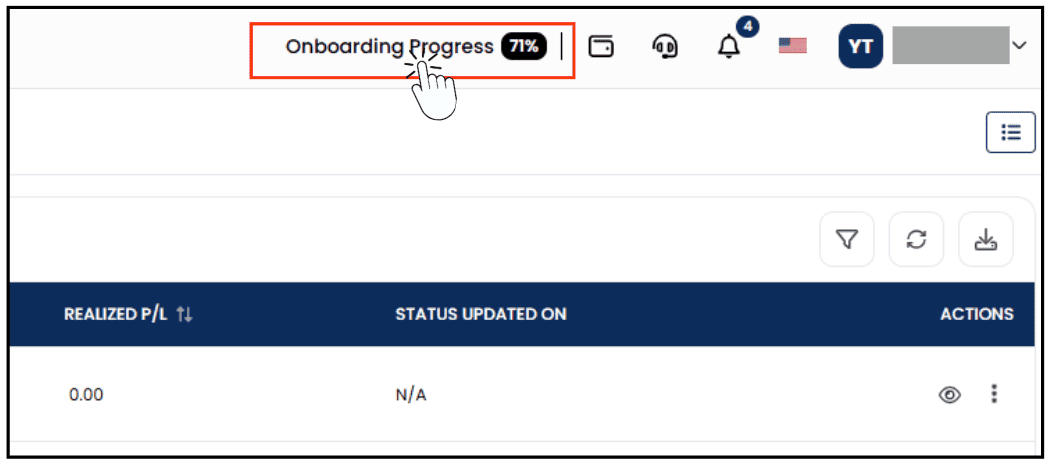
Step 2: On the right side of the screen, click Onboarding Progress.
Step 3: You will be redirected to the Upload Documents page.
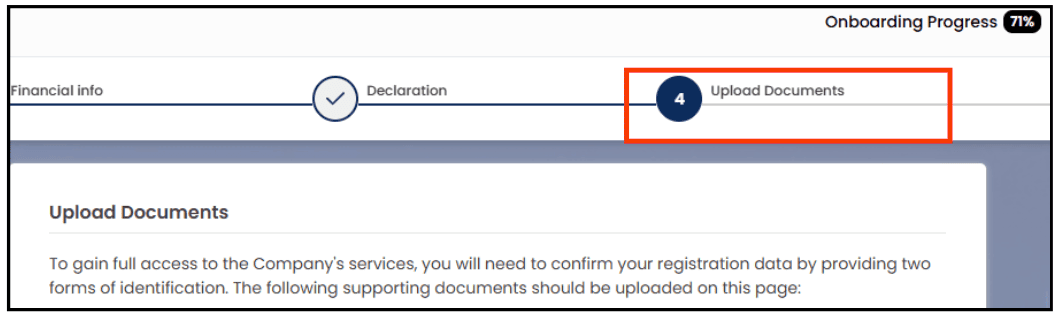
To complete compliance, you are required to upload valid identification and Proof of Residence (POR)
1. Proof of Identity* (choose one)
- National ID card (front and back)
- Passport (photo page)
- Driver’s License (front and back)
2. Proof of Residence (POR)* (choose one)
- Utility bill (electricity, water, gas, internet, etc.)
- Bank statement
- Government-issued residence certificate
Step 4: Upload Your Proof of Identity (POI)
- Select the document type.
- Click “Browse” to upload your document.
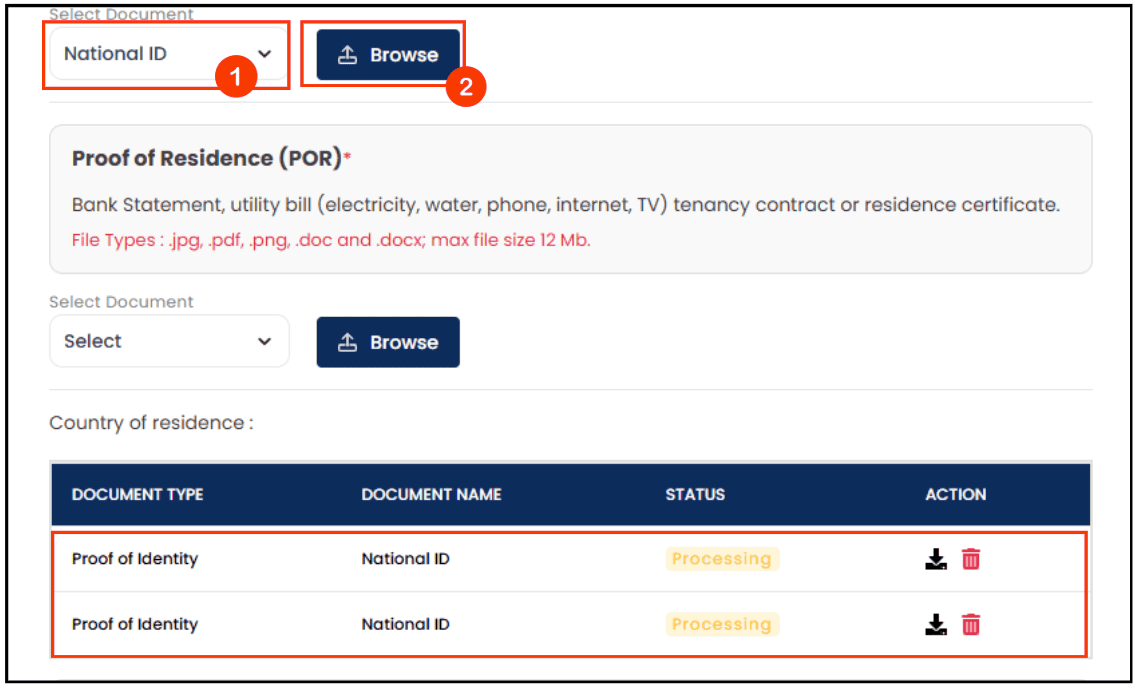
Step 5: Upload Your Proof of Residence (POR)
- Select the document type.
- Click “Browse” to upload your document.
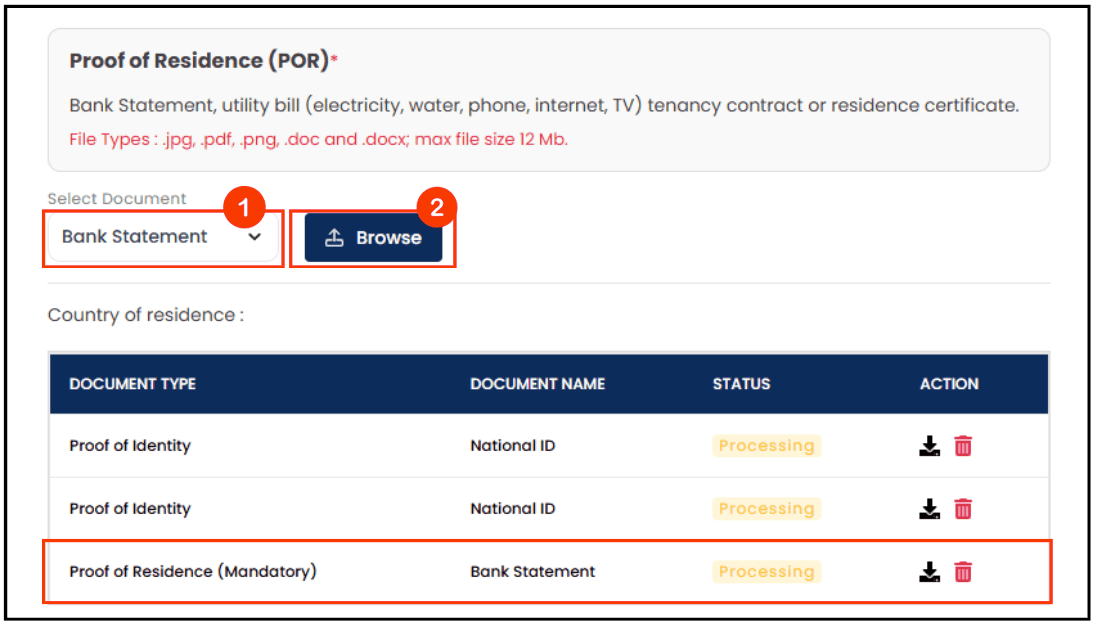
Your uploaded document will appear here.
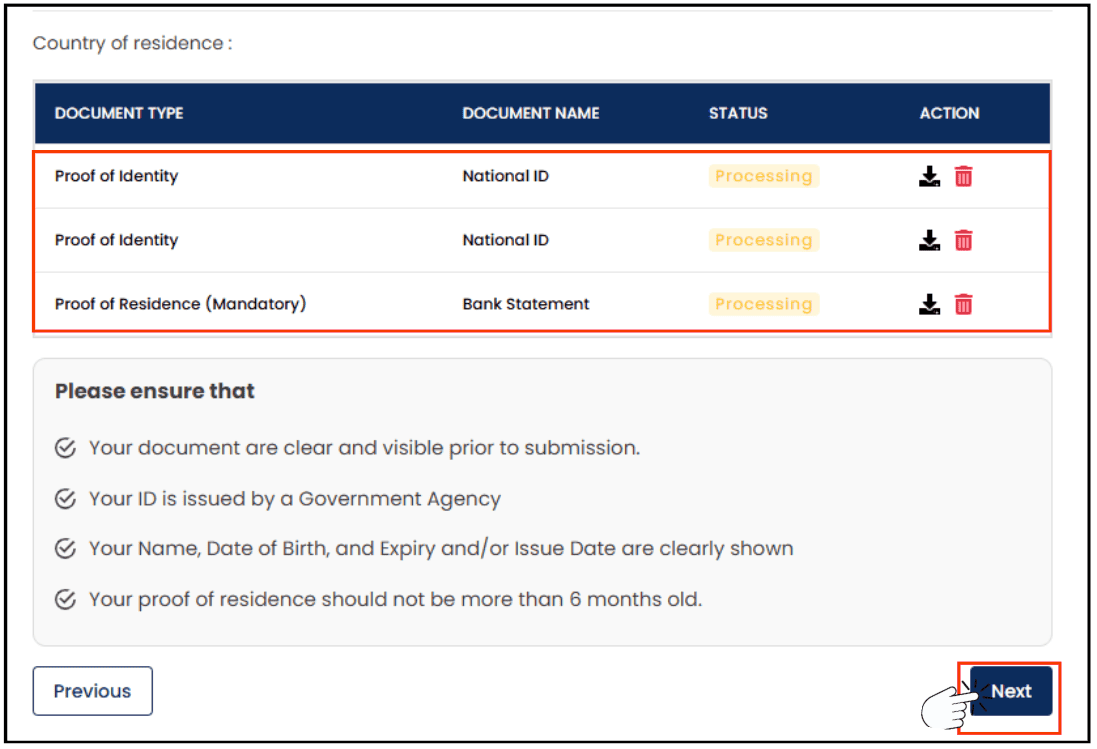
Click “Next” to proceed.
Step 6: Awaiting Approval
Your Live Trading Account application will be reviewed by us, and this normally takes 1–2 business days.
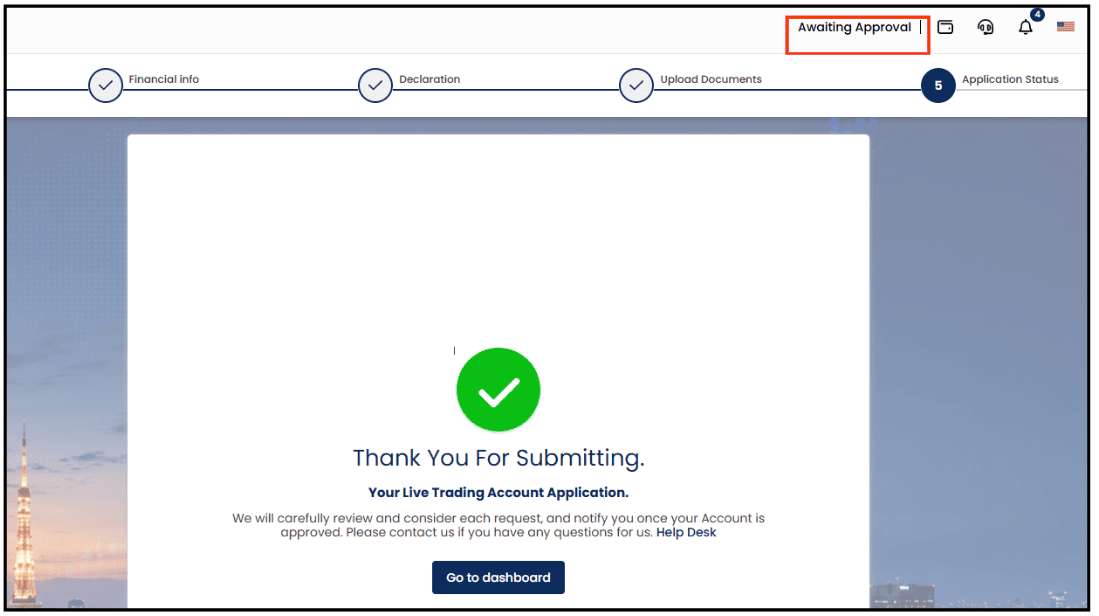
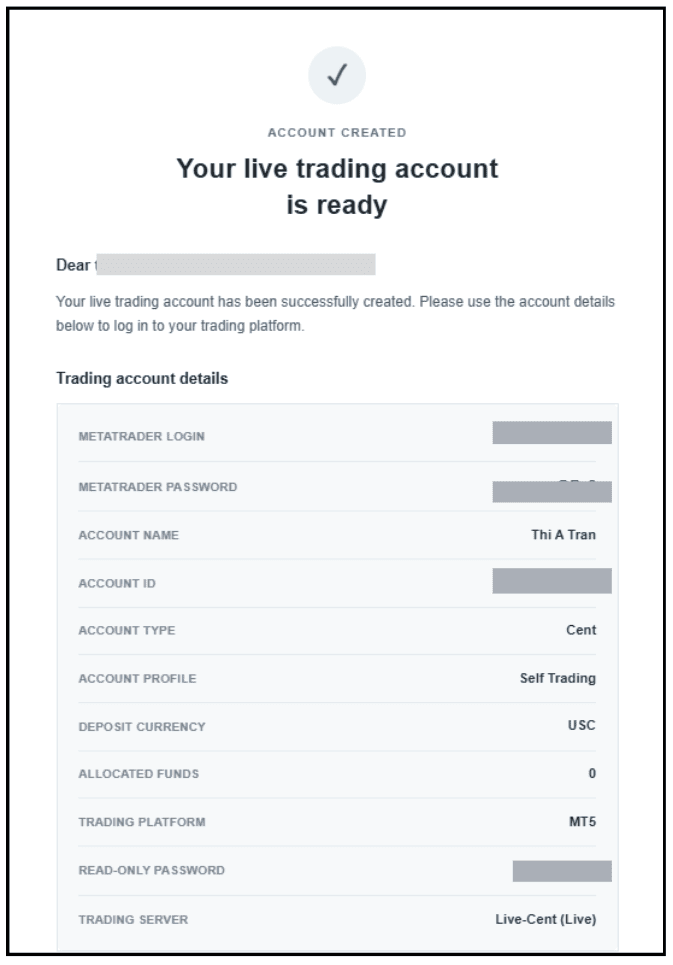
After approval, you will receive a confirmation email.
Check Your Email
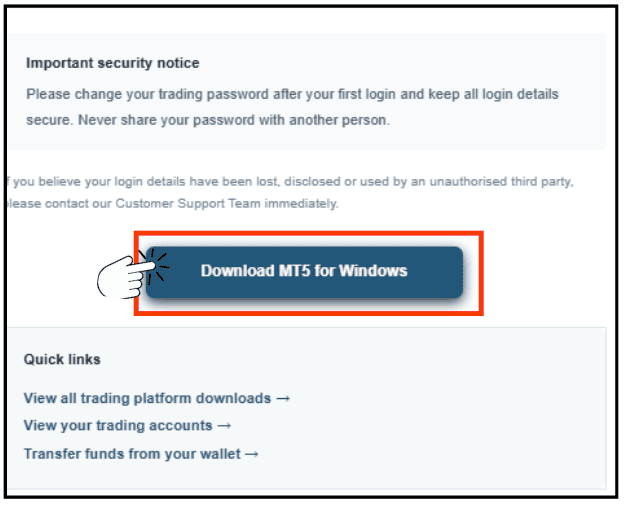
1. For Desktop version, click ‘Download MT5 for Windows’.
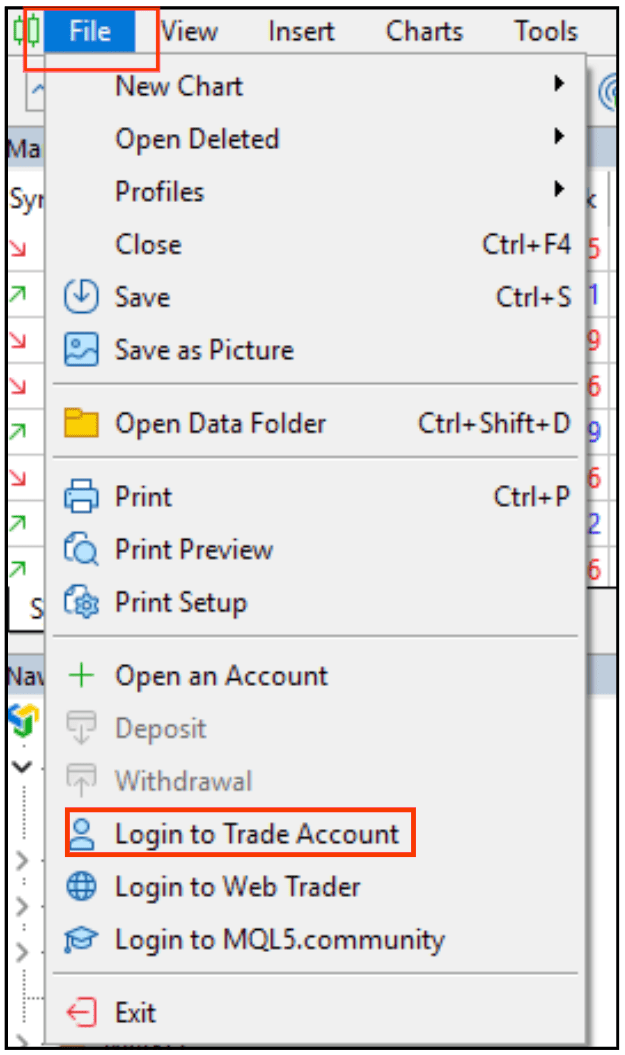
2. Launch the MT5 platform and go to File ⟶ Login to Trade Account.
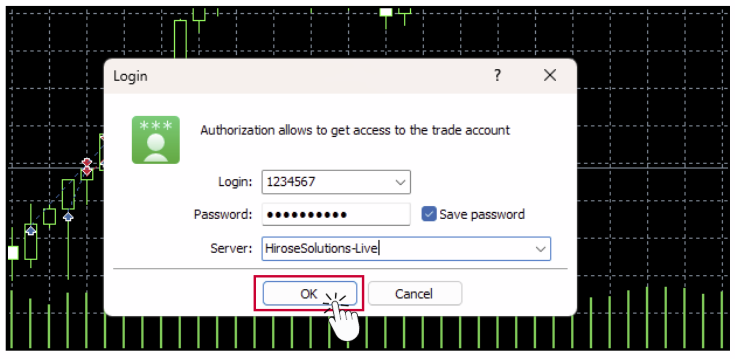
3. Enter the login details from the email you received when registering your account, then click [OK].
- Login ID: Your MetaTrader login ID
- Password: Your MetaTrader password
Note: You can place orders once your Onboarding application has been approved.