
How to Partially Close a Position on MT5 iOS App
1. Open the MT5 App
– Launch the MT5 app on your iOS device.
– Log in to your trading account.
– Launch the MT5 app on your iOS device.
– Log in to your trading account.

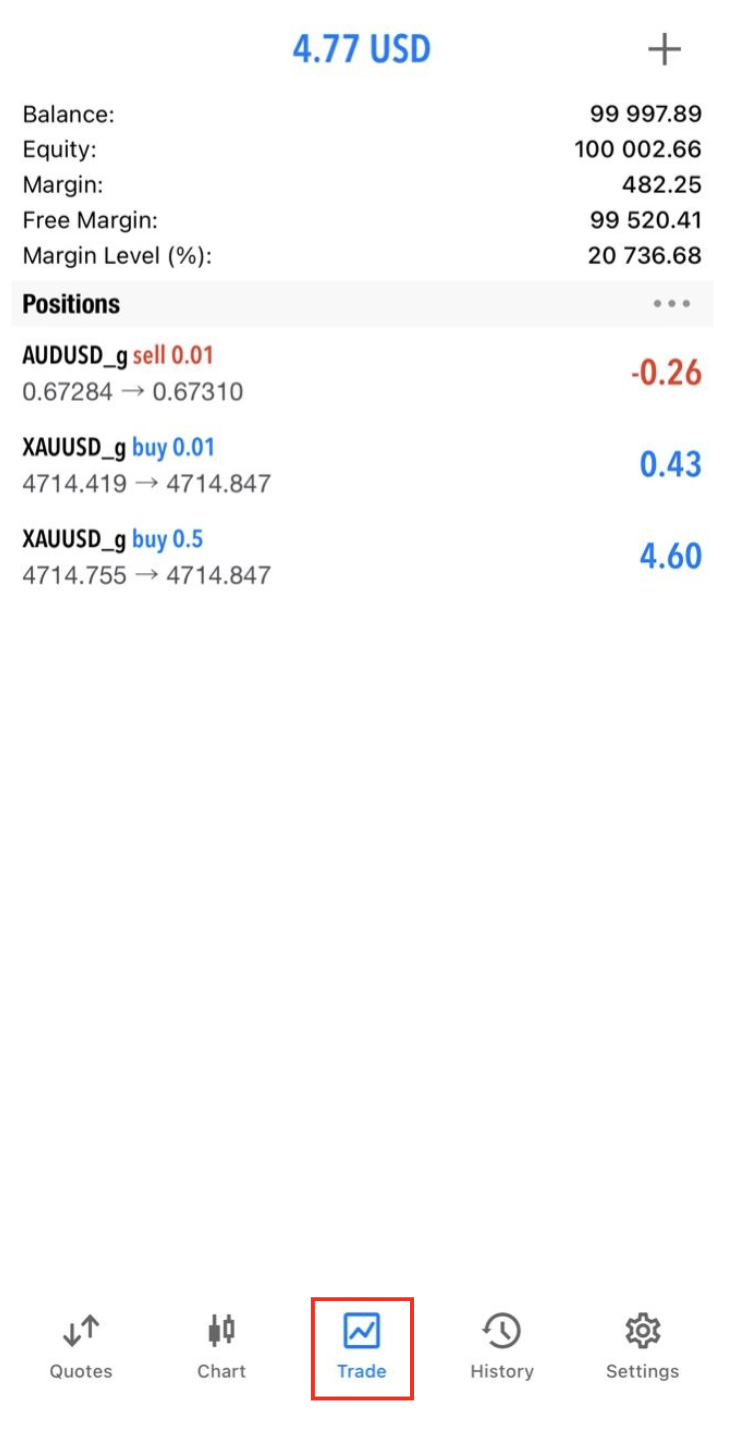
2. Go to the Trade Tab
– Tap Trade at the bottom menu.
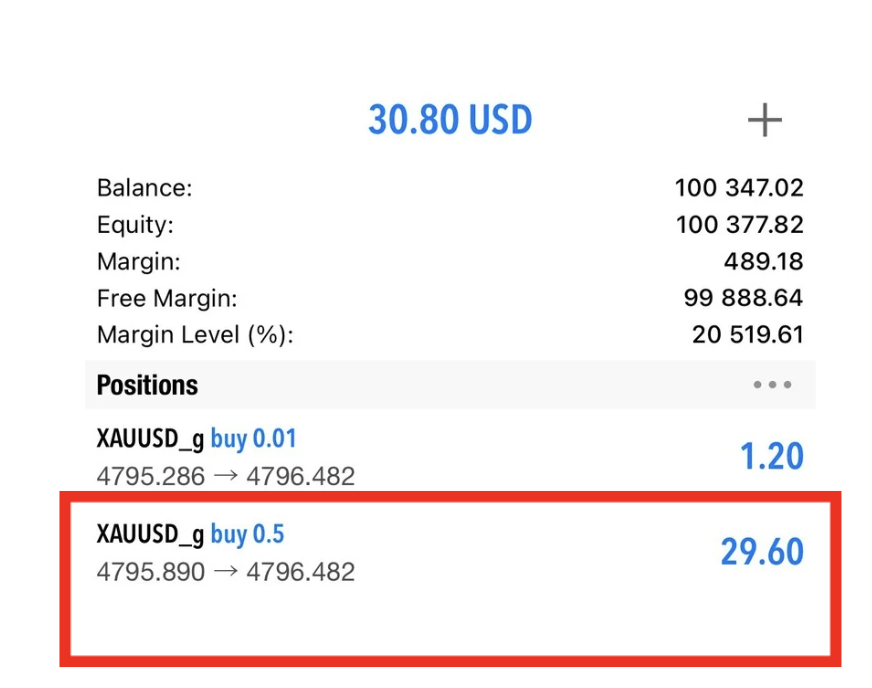
– You will see all open positions with:
– Symbol
– Volume (lot size)
– Buy/Sell price
– Profit / Loss
– Tap Trade at the bottom menu.
– You will see all open positions with:
– Symbol
– Volume (lot size)
– Buy/Sell price
– Profit / Loss
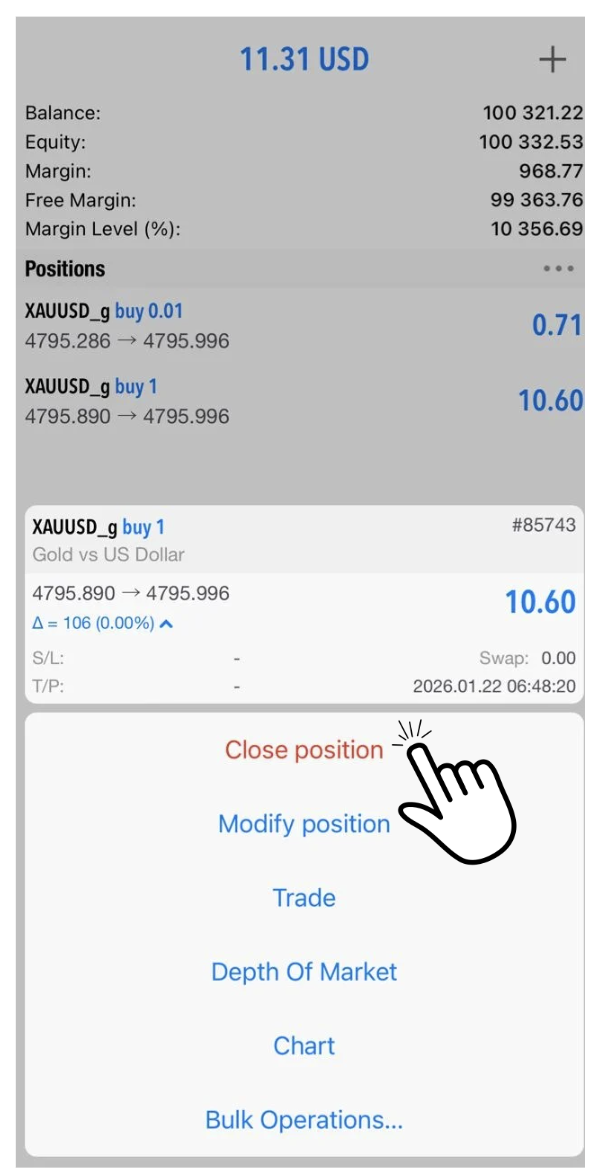
3. Select the Position
– Tap on the position you want to partially close.
– Tap Close Position.
– The order screen will open.
– Tap on the position you want to partially close.
– Tap Close Position.
– The order screen will open.
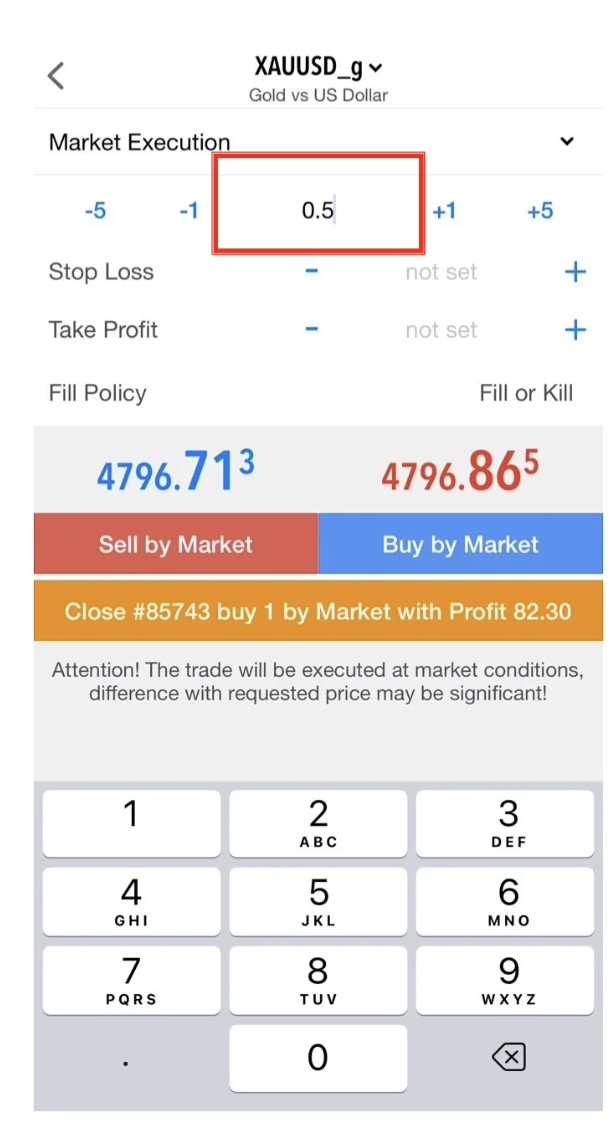
4. Set the Partial Volume
– In the Volume field, change the lot size to the amount you want to close
👉 Example:
– Open position: 1.00 lot
– Partial close: enter 0.50 lot
– Remaining position: 0.50 lot
– In the Volume field, change the lot size to the amount you want to close
👉 Example:
– Open position: 1.00 lot
– Partial close: enter 0.50 lot
– Remaining position: 0.50 lot
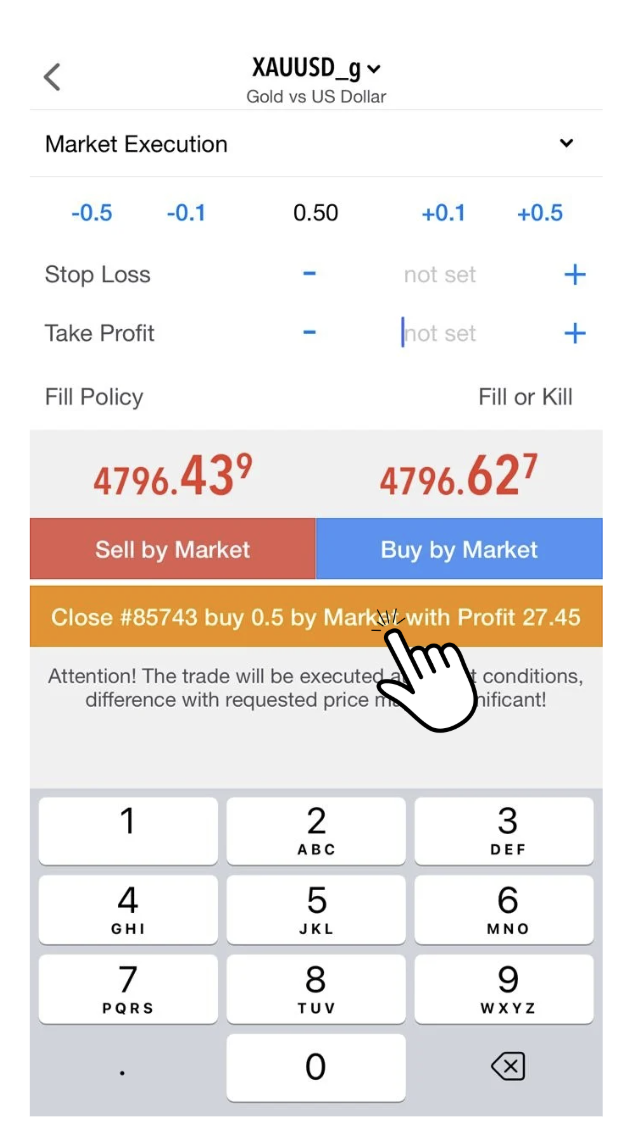
5. Execute Partial Close
– Tap Close with Market.
– Confirm by tapping Close.
The system will:
– Close the entered volume
– Leave the remaining volume open as a new position
6. Check Your Positions
– Go back to the Trade tab.
– You will see:
– A new reduced lot position
– The partially closed trade in History
– Go back to the Trade tab.
– You will see:
– A new reduced lot position
– The partially closed trade in History
Pro Tips
– Always check minimum lot size before partial close.
– Partial close helps lock in profit while keeping trades running.
– Use History tab to track closed portions.
– Always check minimum lot size before partial close.
– Partial close helps lock in profit while keeping trades running.
– Use History tab to track closed portions.