Modifying or Cancelling Pending Orders on MT5 (iOS Version)
✅ Part 1 – Access Pending Orders
- Step 1 – Open MT5 App
- – Tap the MetaTrader 5 icon on your iPhone/iPad.

Step 2 – Go to the Trade Tab
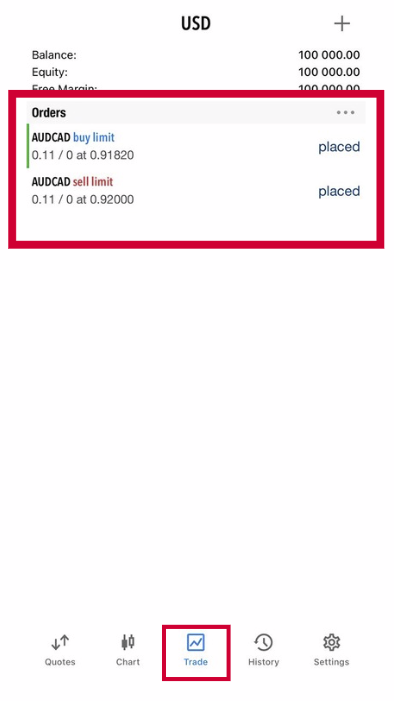
Tap Trade at the bottom of the screen.
You will see:
Positions (active trades)
Orders (pending orders)
✅ Pending orders appear under Orders.
Tap Trade at the bottom of the screen.
You will see:
Positions (active trades)
Orders (pending orders)
✅ Pending orders appear under Orders.
✅ Part 2 – Modify a Pending Order
Step 1 – Select Pending Order
Step 1 – Select Pending Order
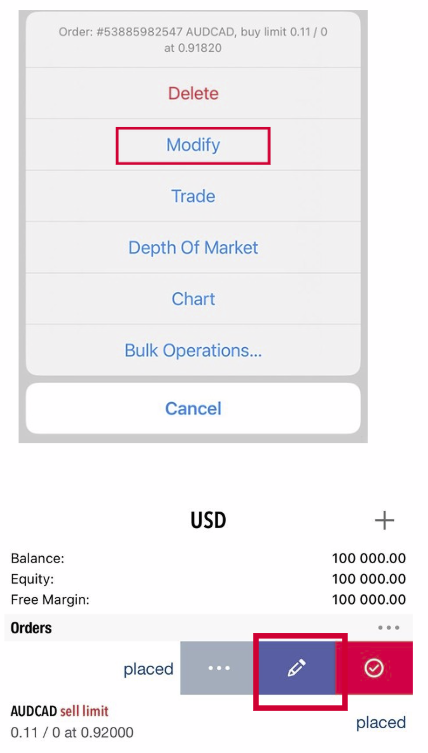
- – In the Trade tab, find your pending order.
- – Tap and hold the order (or swipe left depending on your iOS version).
Step 2 – Choose Modify
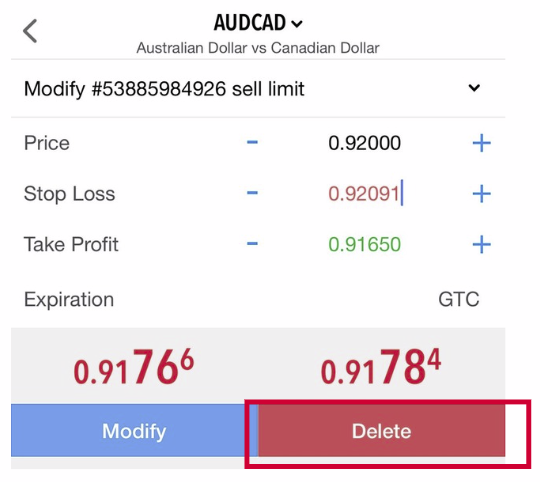
- – Tap Modify
Step 3 – Edit Order Settings
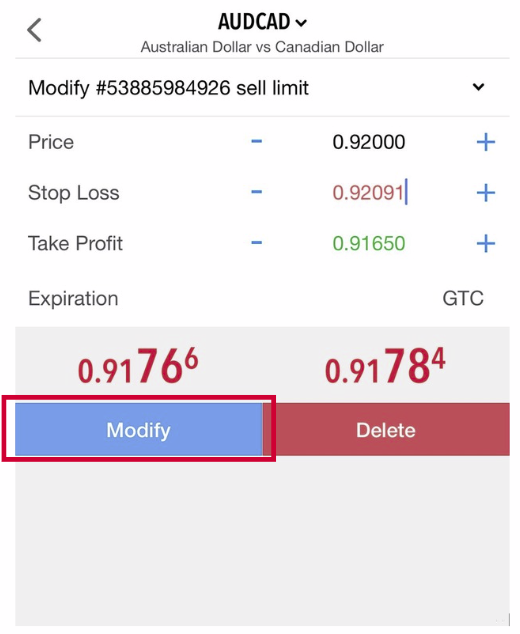
- You can change:
- – Entry price

- – Stop Loss (SL)
- – Take Profit (TP)
- – Expiration time (if enabled)
Step 4 – Save Changes
- – Tap Modify again to confirm
✅ Pending order updated successfully.
✅ Part 3 – Cancel/Delete a Pending Order
Step 1 – Select the Pending Order
Step 1 – Select the Pending Order
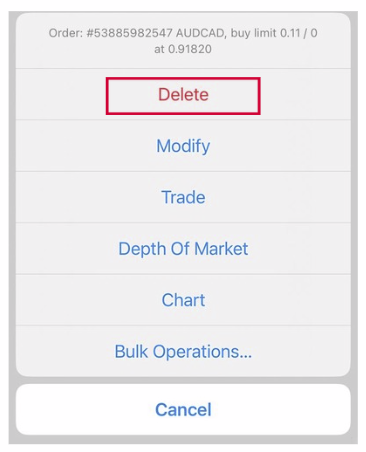
- – Tap & hold the order OR swipe left
Step 2 – Delete Order
- – Tap Delete
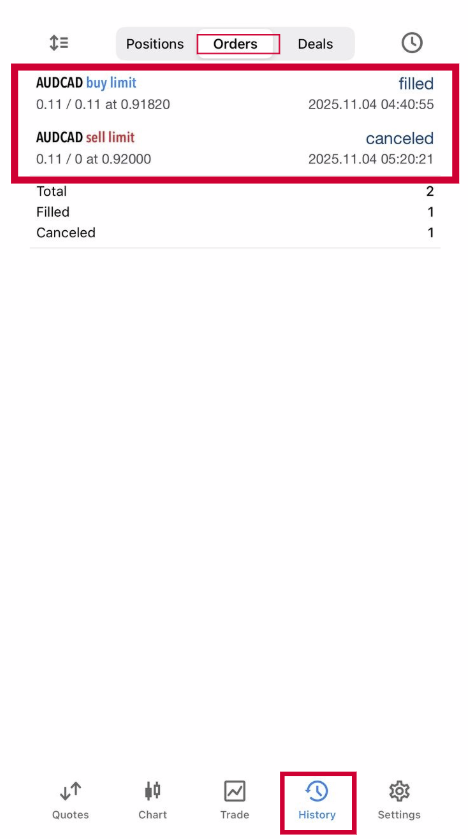
Step 3 – Check in the history
- – You can check all deleted order in the History tab → Orders