
Market Watch Panel – MT5 iOS Guide
The Market Watch panel lets you see real-time prices of currency pairs, metals, and other instruments.
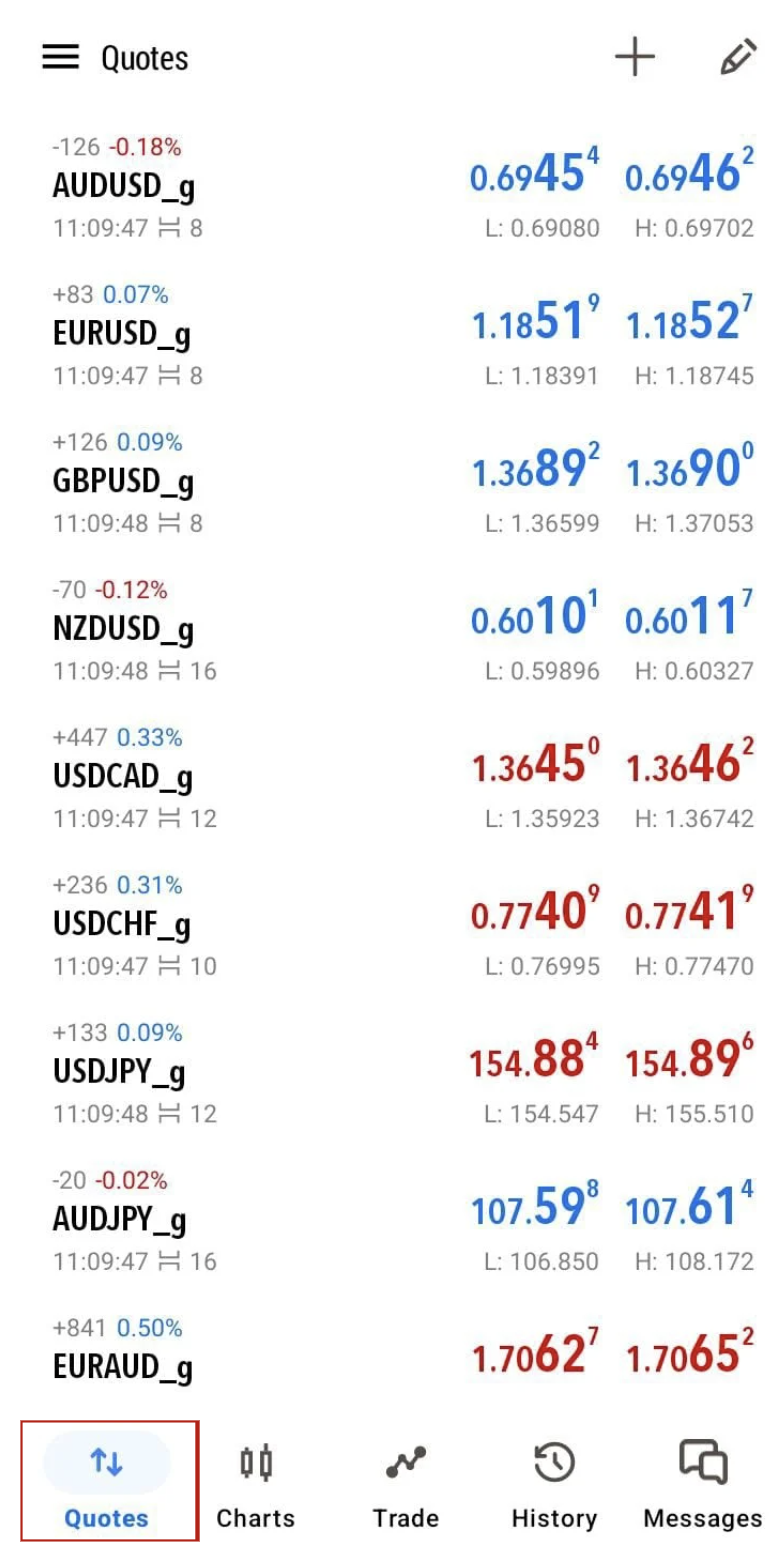
How to Access Market Watch:
1. Open MT5 App on your iPhone or iPad.
2. Tap the “Quotes” tab at the bottom left — this is your Market Watch screen.
You will see a list of instruments with their Bid and Ask prices.
2. Tap the “Quotes” tab at the bottom left — this is your Market Watch screen.
You will see a list of instruments with their Bid and Ask prices.
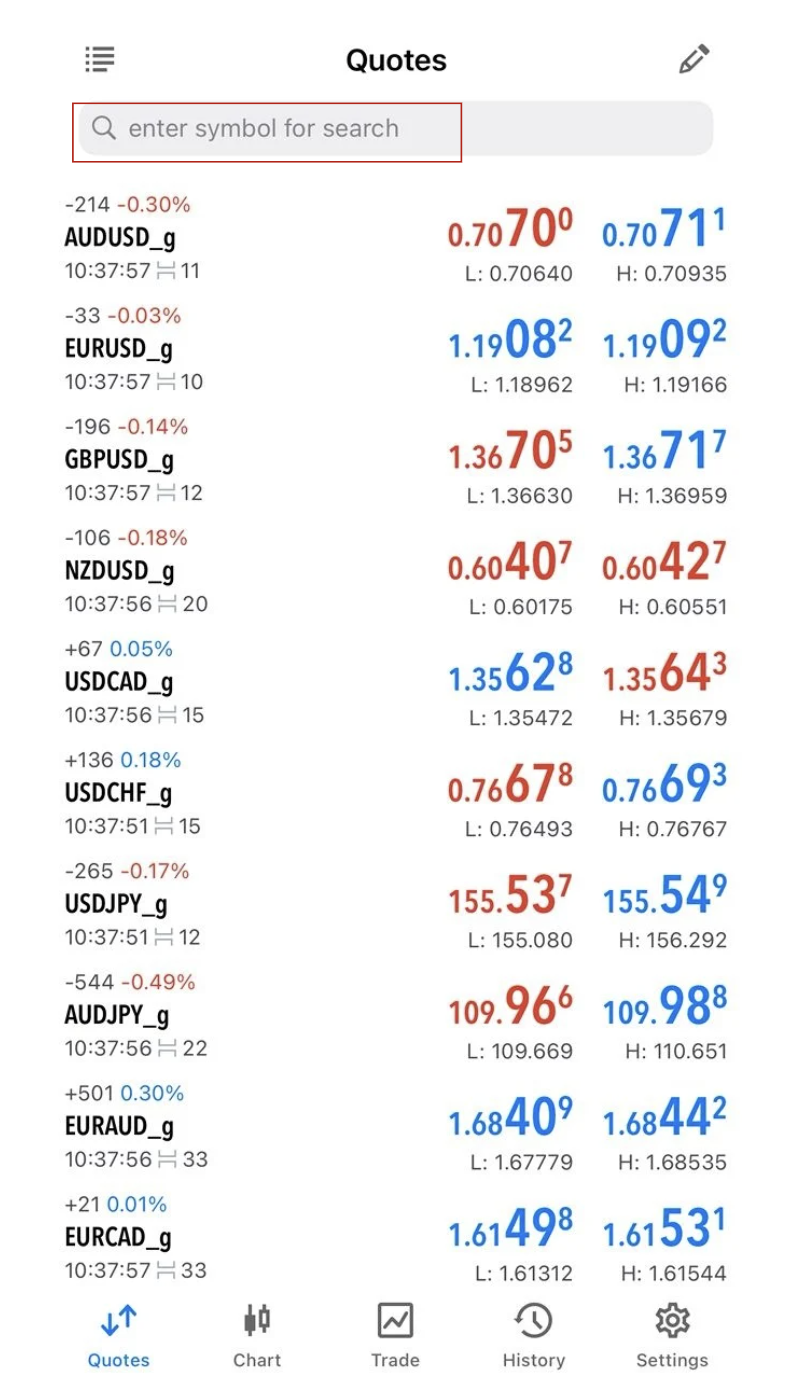
How to Customize Market Watch:
1. Tap the “enter symbol for search” box.
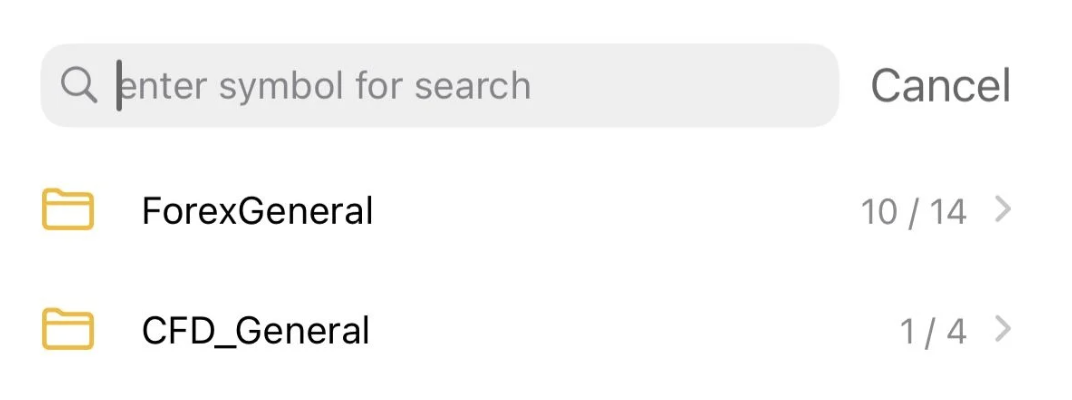
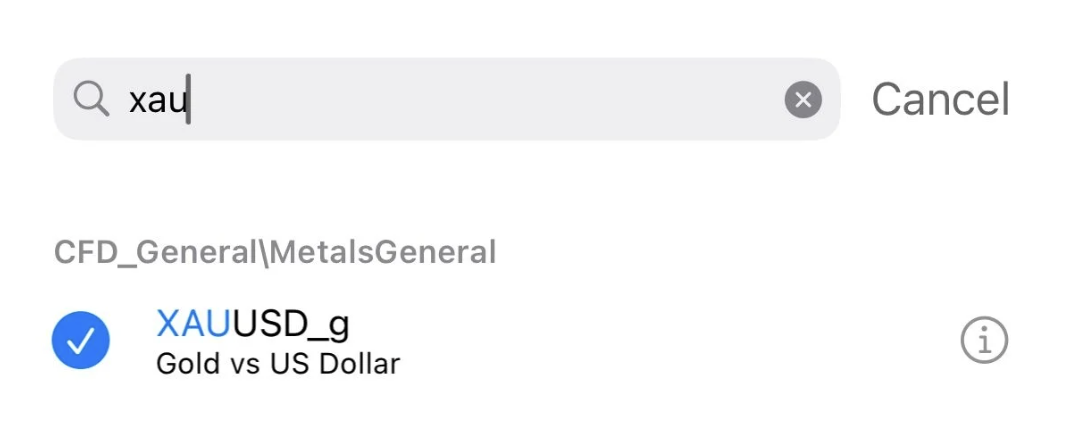
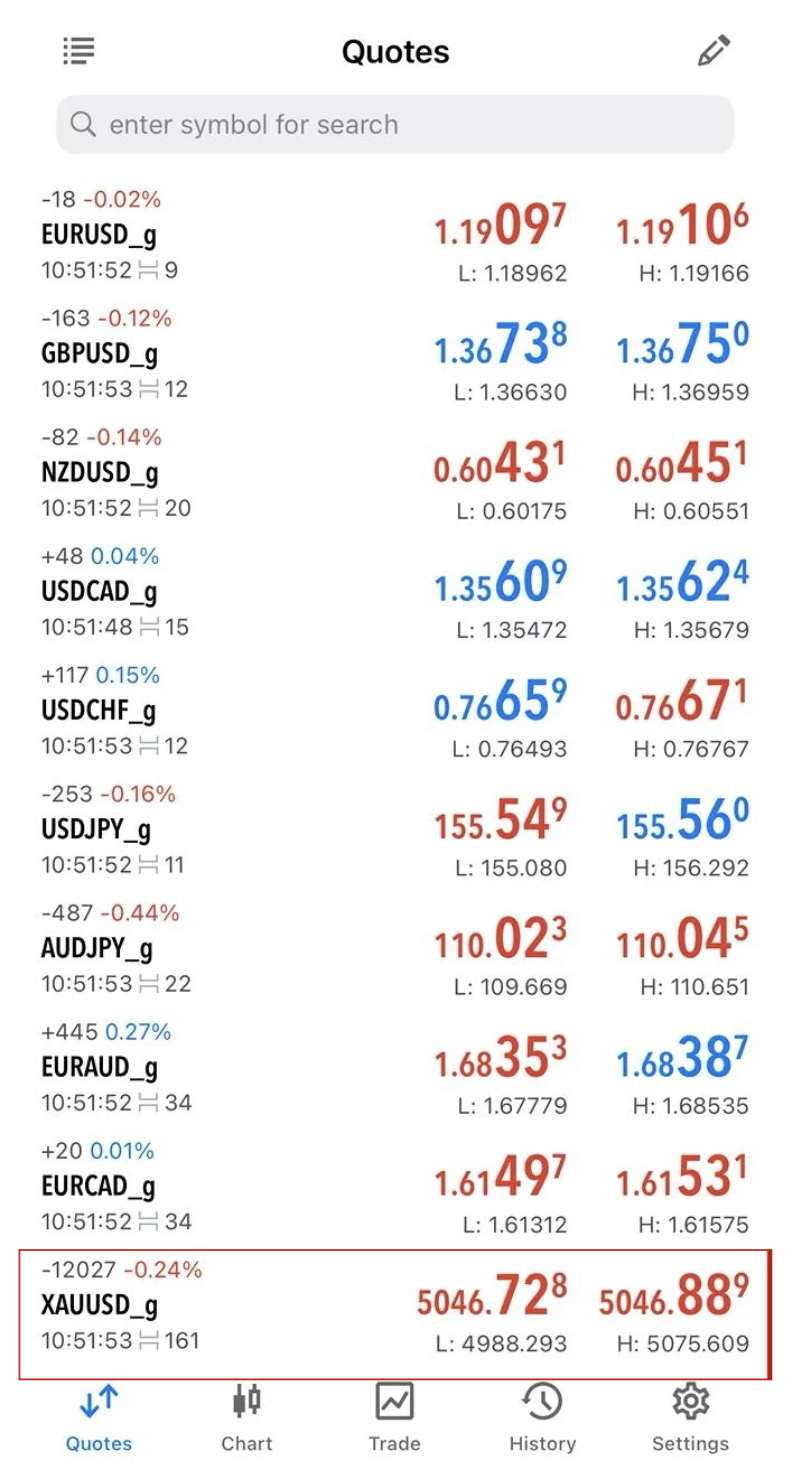
2. Search the symbol (e.g XAUUSD).
3. Tap on the instrument you want to add (e.g., XAU/USD or EUR/USD).
4. It will be added to your Quotes list.