HIROSE MT4 Original Indicators
Enhance Your Trading Experience!
Get Our Exclusive Original MT4 Indicators Today and Take Your Strategy to the Next Level
How to Install EAs, Custom Indicators, and Scripts
How to Easily Install Indicators and Tools to Customize Your Trading Environment in MT4 and Enhance Your Trading Efficiency
1. Prepare the Files You Want to Install
If the file is a compressed file, unzip it first.
2. Save the Files to MT4
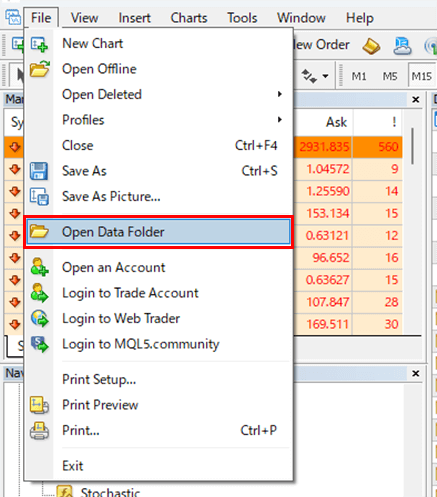
Launch MT4 and click on “File,” then select “Open Data Folder” to open the data folder.
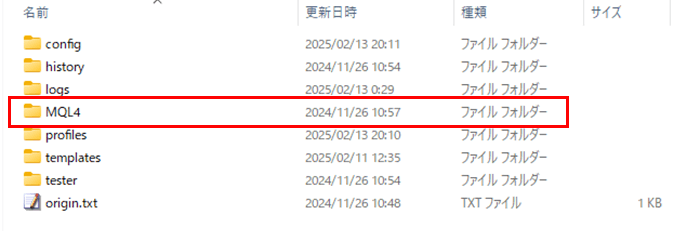
Once the data folder is open, navigate to the “MQL4” folder.
Inside the MQL4 folder, open the appropriate folder depending on the type of file you downloaded:
– “Experts” for Expert Advisors (EAs)
– “Indicators” for Custom Indicators
– “Scripts” for Scripts
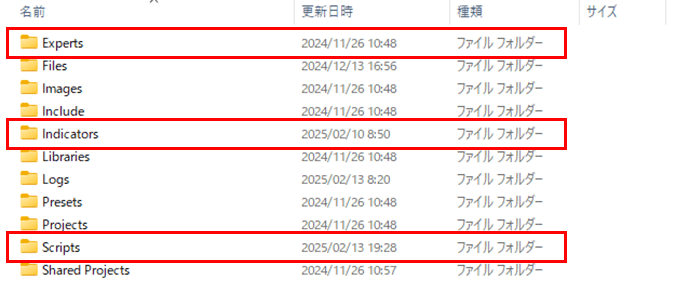
Copy and paste the downloaded file, or drag and drop it into the corresponding folder.
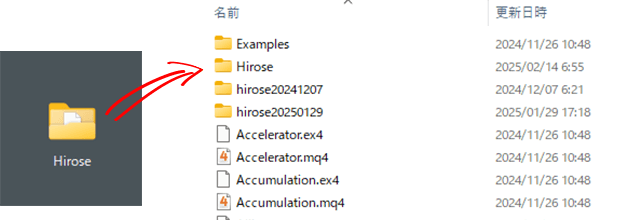
3. Restart MT4
Restart MT4 to apply the changes.
4. Display the Indicator on the Chart
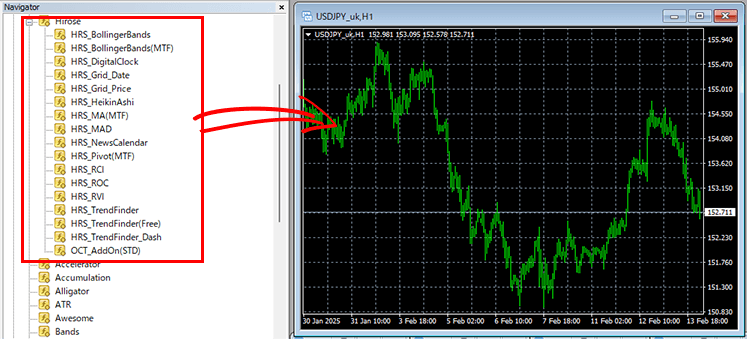
Verify that the installed external indicator appears under “Indicators” in the Navigator window.
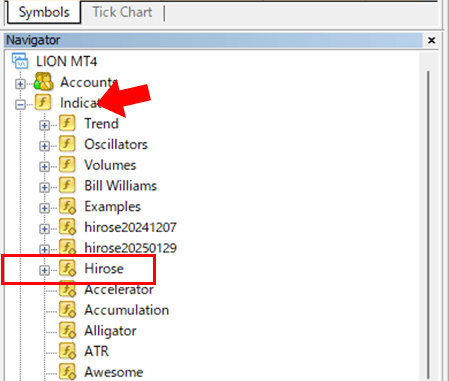
Drag and drop the external indicator onto the chart. The settings window will open, allowing you to configure the indicator’s parameters, colors, and other settings. Once you’re done, click “OK” and the external indicator will appear on the chart.