How To Make Deposit Using Wire Transfer
 Please note that Hirose will not process third-party deposits. Please ensure that any deposits made to us are from a bank account with the same name as your trading account at Hirose and not from a third party. If a third-party deposit is credited to your account it will be returned to the original source and you will be liable for any associated costs that may be incurred.
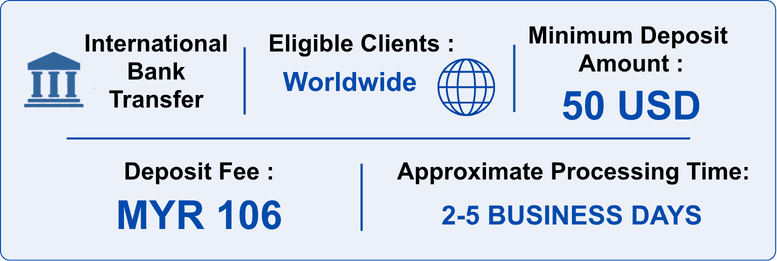
Hirose does not charge additional fees for deposit. However, you should be aware that additional fees may occur at some banking institutions. Hirose is not responsible for any additional bank charges. Fees will vary by country and bank, so please check directly with your bank.
When transferring money to our account, please ensure that you enter your “Login ID” in the Notes section. If you could not enter your Login ID, please inform us by e-mail of your name, Login ID and the deposit amount. We will not be able to process your deposit unless you provide us with this information.
Funds will be credited to your Wallet once receipt of the bank transfer has been confirmed.
Hirose may need the bank statement when reflecting your deposit, so please keep the proof of payment / transfer receipt in a safe place until the deposit has been fully credited to your wallet.
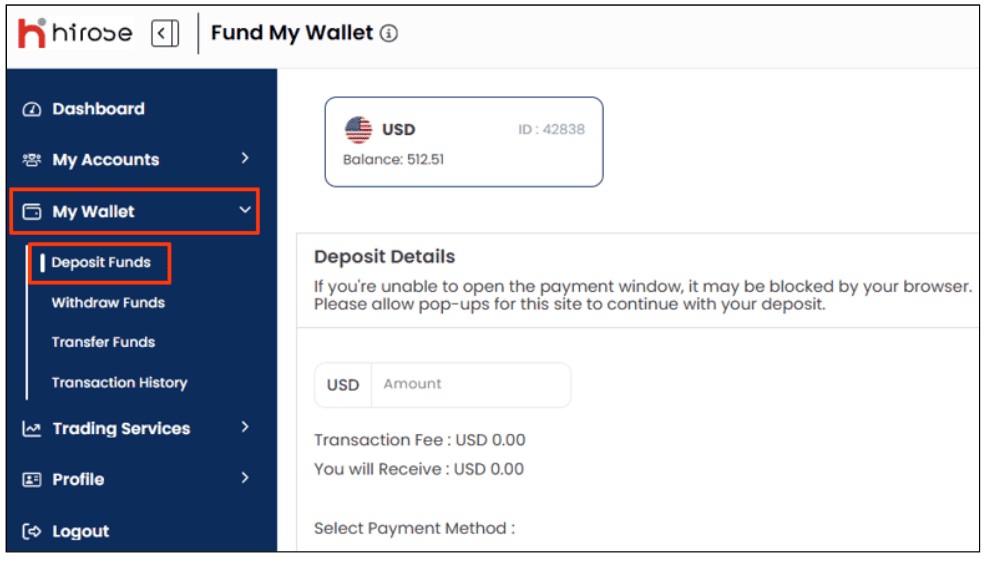
From the left-hand menu, click My Wallet, then choose Deposit Funds
Under Deposit Details, enter the deposit amount and select WIRE TRANSFER
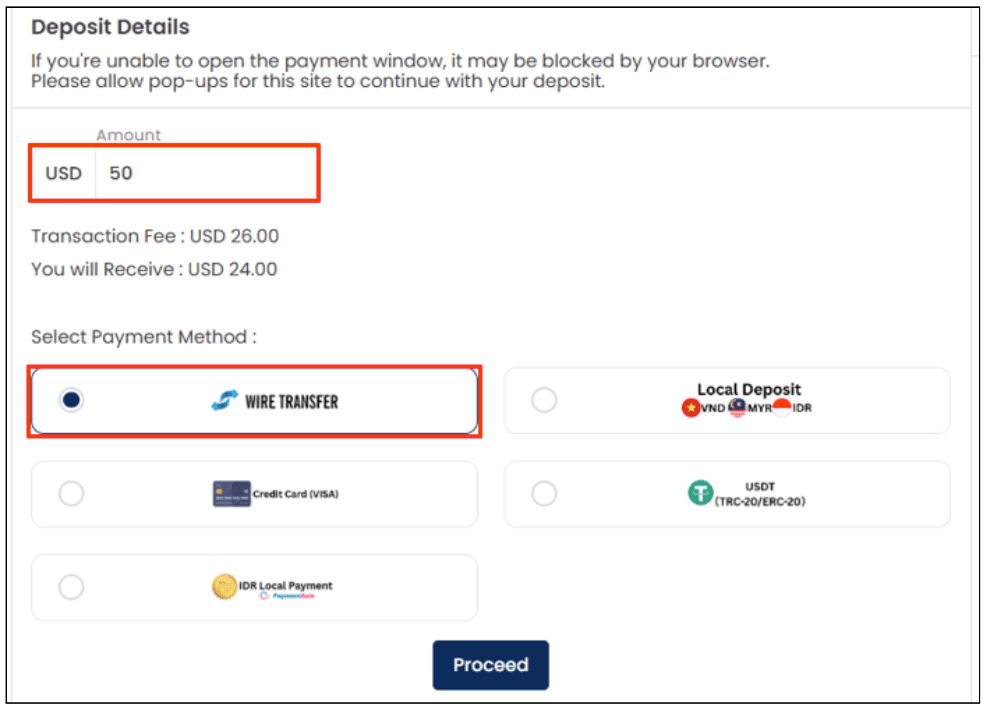
*Bank Transfer Fee: MYR 106 (approx. USD 26)
Hirose does not charge an additional deposit fee. However, bank transfer and intermediary bank charges may apply.
On the right side, croll down to check the bank details provided.
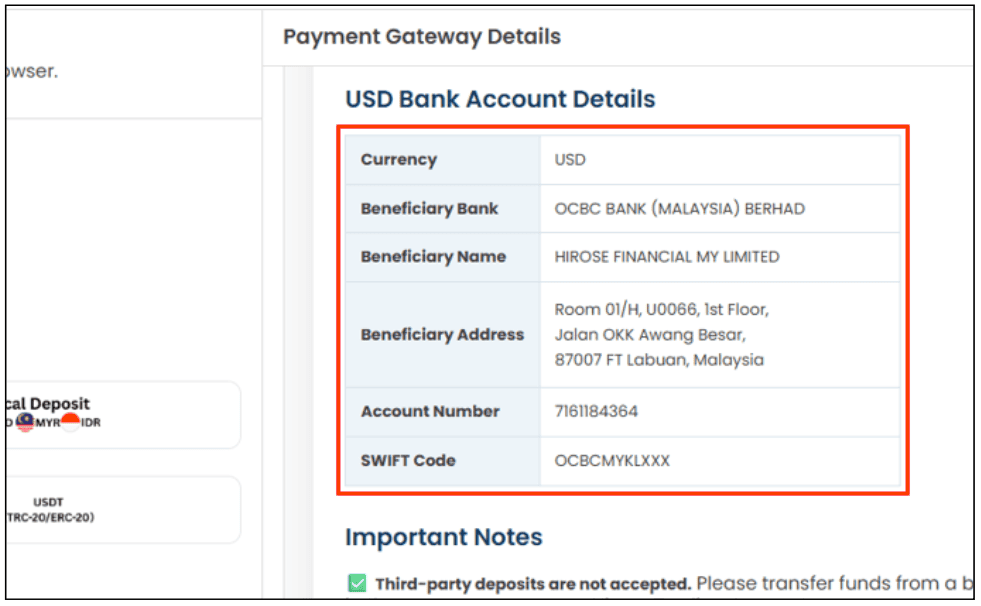
**Please transfer funds only to the bank account details displayed in the Client Portal.
Make the bank transfer (minimum transfer amount: 50 USD). Please make sure to save the transfer receipt after completing the transaction.
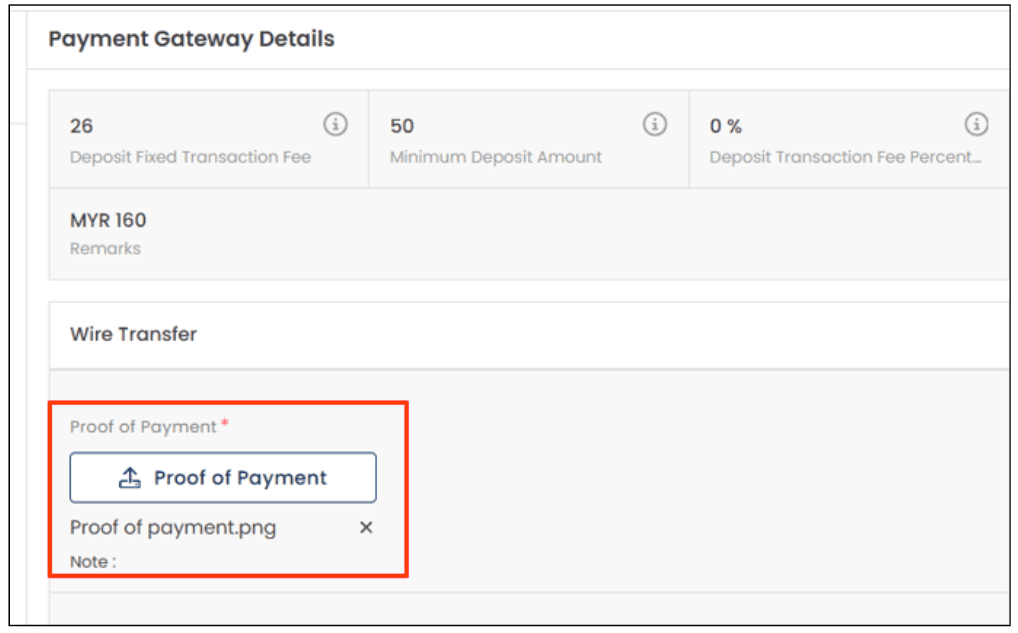
On the right side, scroll up and click on Proof of Payment to upload the transfer receipt that you saved when making the bank transfer, then click Proceed
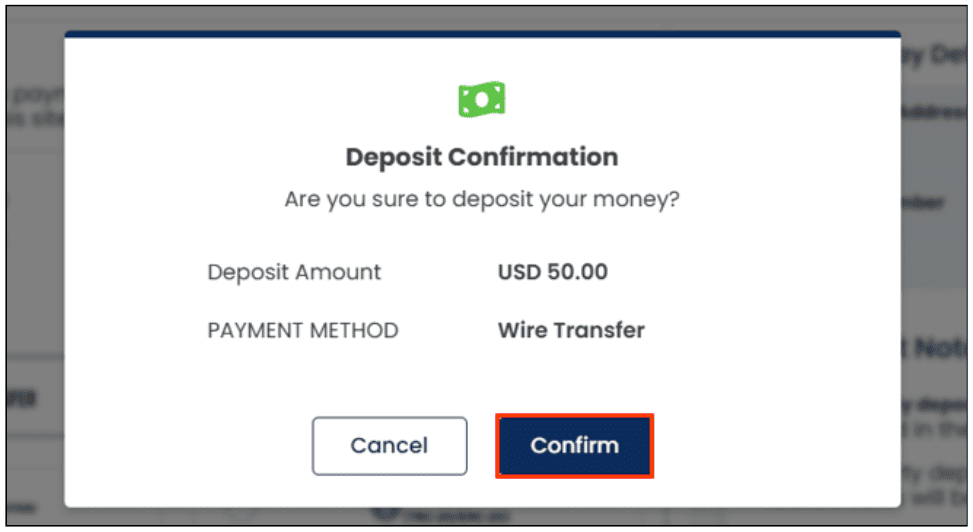
Click Confirm
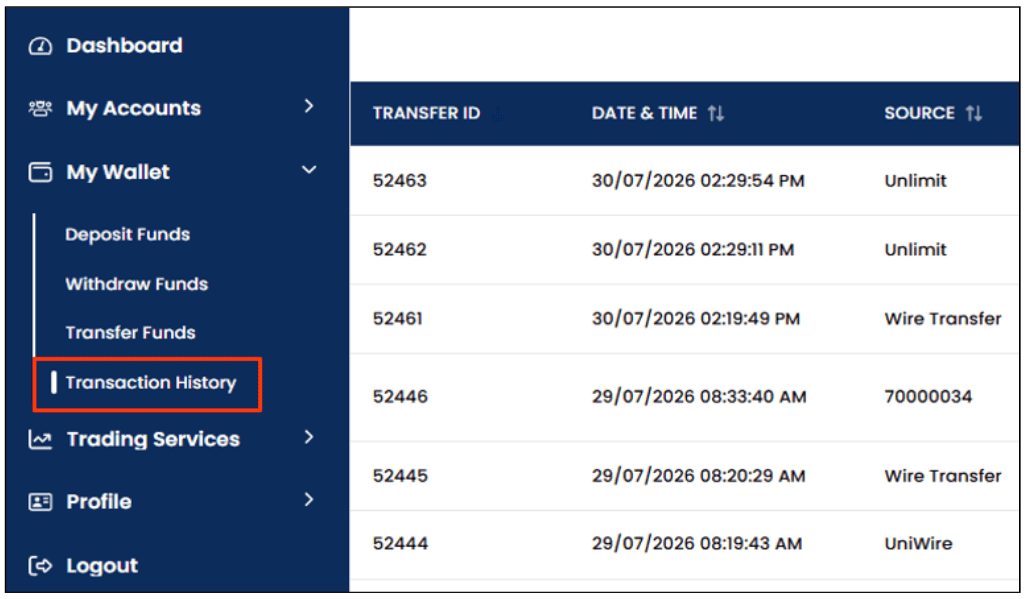
You can check the result of your deposit from the Transaction History section.
A notification will also be sent to your registered email address.