
Forex Academy:
Middle School
5 minutes
Lesson 11
Overnight interest for holding positions – Swap?
- What is a swap fee?
- When is the swap fee applied?
- How can I check swap fees?
What is a swap fee?

A swap fee is the interest you either receive or pay when you hold a position overnight.
If you do not hold a position overnight, no swap fees will be applied.
In daily life, you’ve probably heard about “earning interest” and “paying interest”!
For example:
・When you deposit money in a bank, you earn interest on that amount.
・When you borrow money, you have to pay interest on the borrowed amount.
How Does This Relate to Forex?
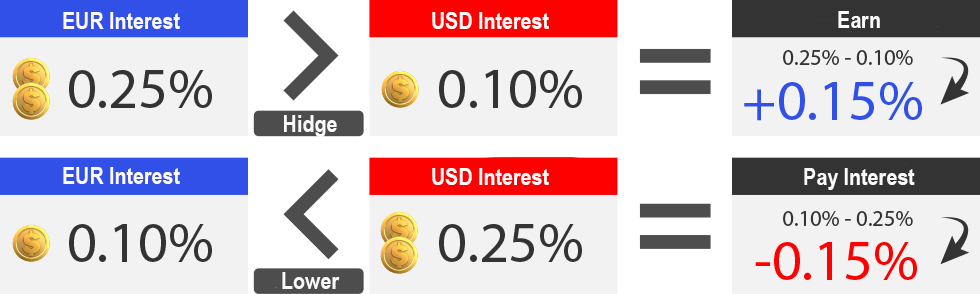
In Forex, when you place a Buy order for EUR/USD, it means you are exchanging (selling) USD to buy EUR.
However, in Forex, you are not actually owning the currencies—you are simply trading the exchange rate of currency pairs.
So, your EUR/USD Buy order can be understood as borrowing USD to buy EUR.
Therefore, if you hold a EUR/USD Buy position overnight, you will:
・Pay interest on USD (since you are borrowing USD).
・Earn interest on EUR (since you are buying and holding EUR).
Swap = EUR Interest Rate – USD Interest Rate
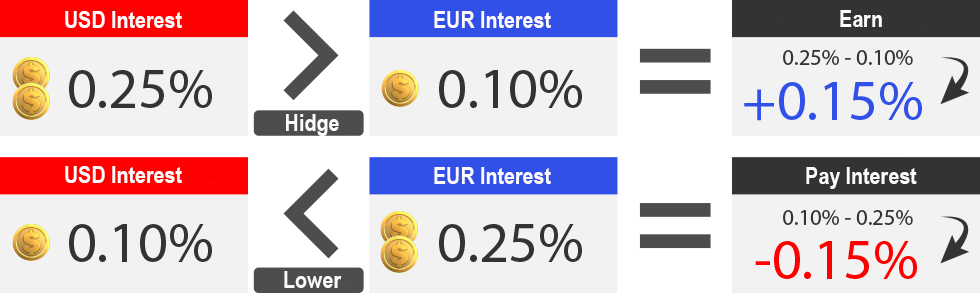
Similarly, when you place a Sell order for EUR/USD, it means you are exchanging (selling) EUR to buy USD.
So, your EUR/USD Sell order can be understood as borrowing EUR to sell and buy USD.
Therefore, if you hold a EUR/USD Sell position overnight:
・You will incur interest on EUR (since you are borrowing EUR).
・You will earn interest on USD (since you are holding USD).
Swap = USD interest rate – EUR interest rate
After that, the swap fee will be either added to or deducted from your account balance.
To avoid swap fees, make sure to close your trades before 22:00 GMT on the same day!
(During Daylight Saving Time, close your trades before 21:00 GMT.)
Swap fee checking method
Case 1
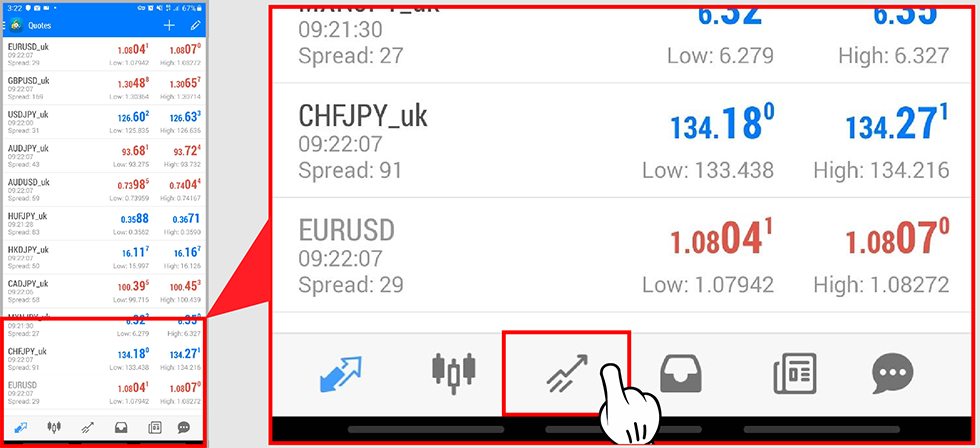
With existing trade orders, you can check swap fees on the MetaTrader 4 trading platform.
Step 1: Tap the icon
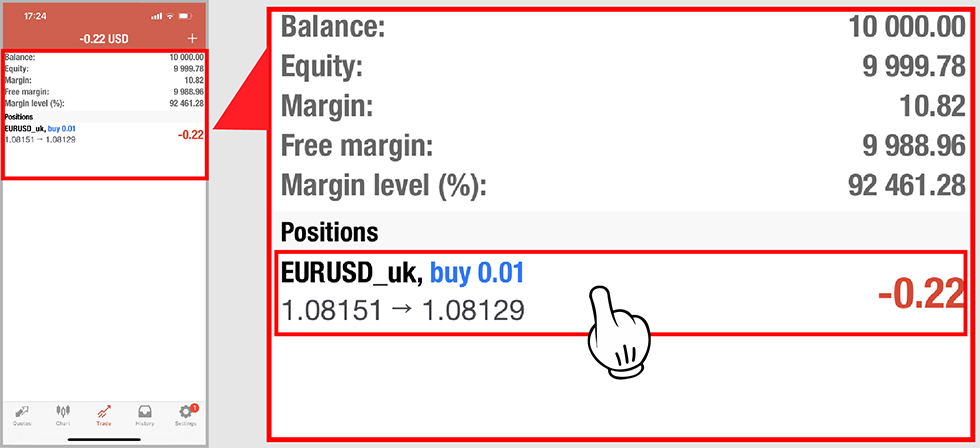
Step 2 : Tap the transaction order you have placed.
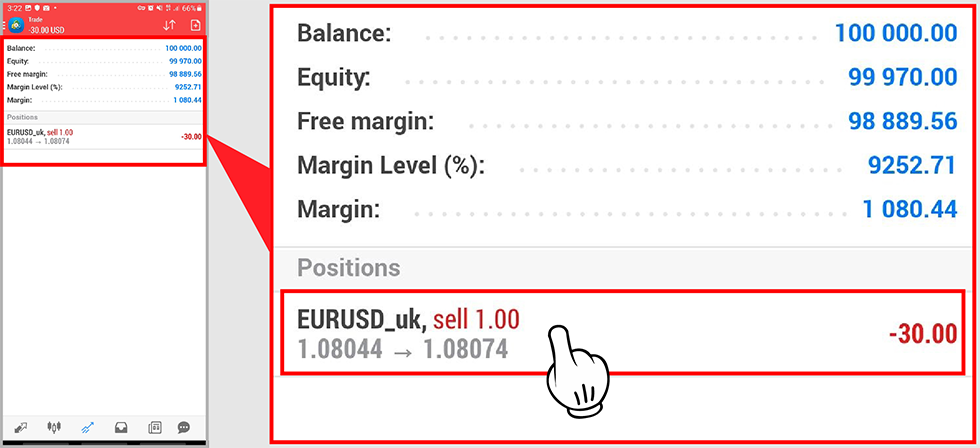
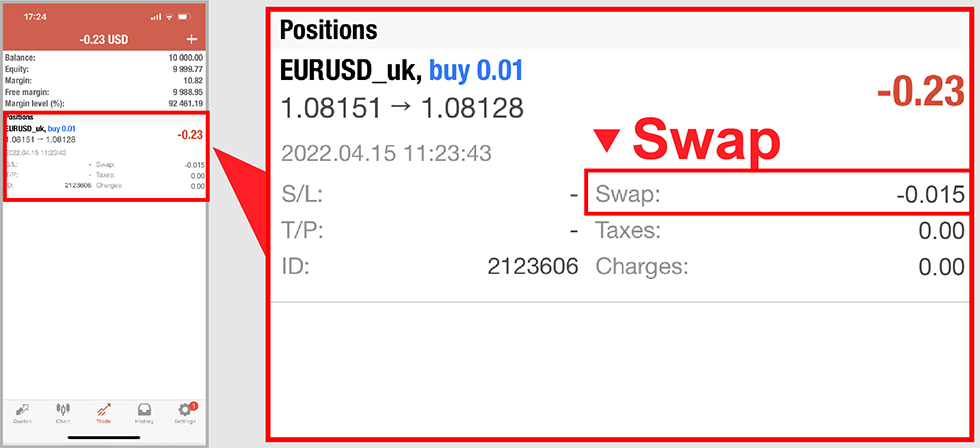
Step 3 : Check swap fee
- ・ In case of 0, swap fee is not calculated
- ・ In case of positive number (+), you will receive interest
- ・ In case of negative number (-), you have to pay interest.
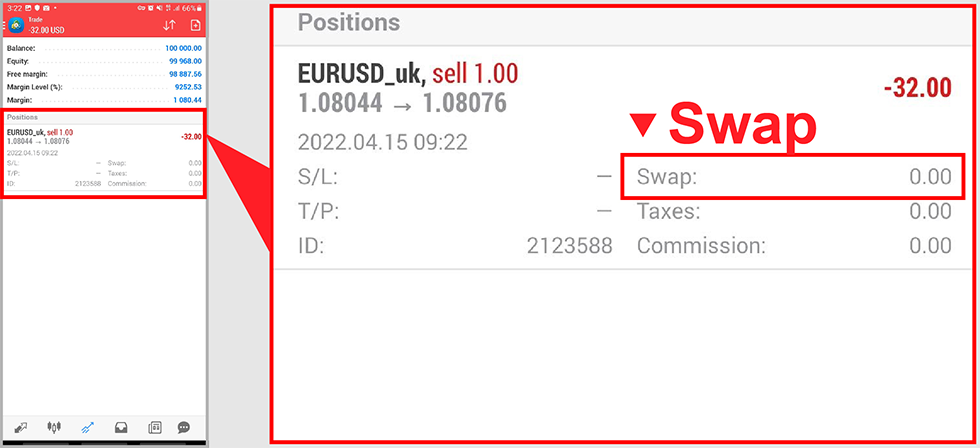
Step 1: Tap the icon
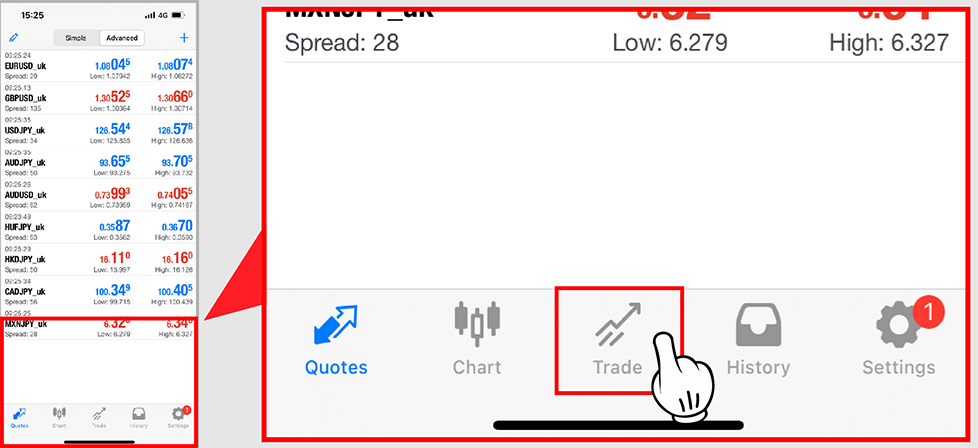
Step 2 : Click on the transaction order you have placed.
Step 3 : Check swap fee
- ・ In case of 0, swap fee is not calculated
- ・ In case of positive number (+), you will receive interest
- ・ In case of negative number (-), you have to pay interest.
Step 1 : Select the Trade tab in the Terminal window located at the bottom of the platform interface screen.
(Press Ctrl + T if you don’t see the Terminal window on your screen)
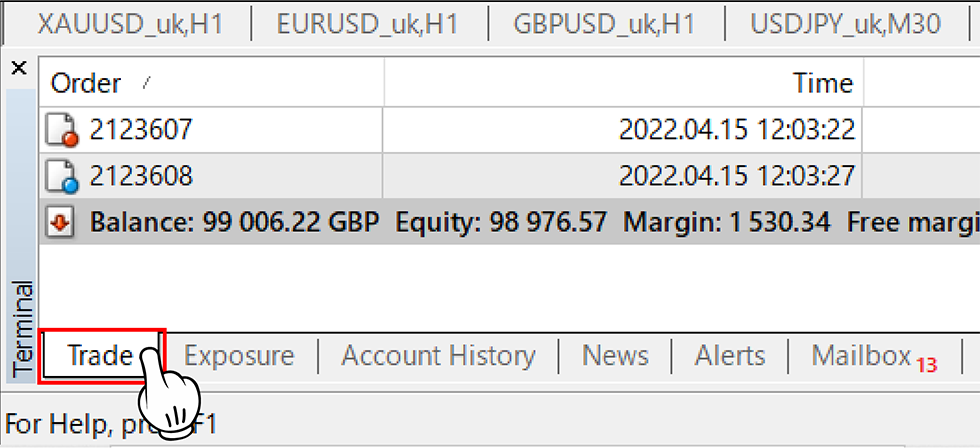
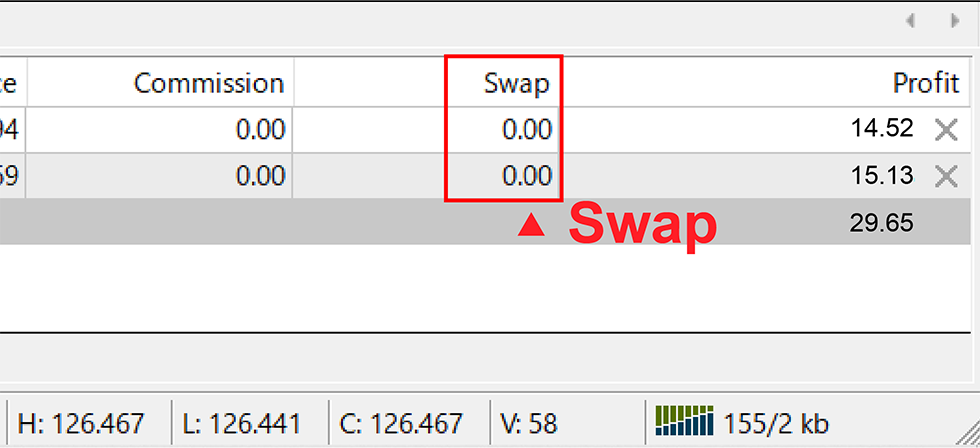
Step 2 : Check your open orders (orders above the account balance bar)
- ・ In case of 0, swap fee is not calculated
- ・ In case of positive number (+), you will receive interest
- ・ In case of negative number (-), you have to pay interest.
Case 2
Before placing an order, you can check the swap fee on Hirose’s website.
Swap fees will be updated by us every day.
How to check Swap fees on Hirose website
The lesson on “Overnight interest for holding positions – Swap?” ends here.
Let’s check to see if you understand the lesson!

The “Middle School” level lesson series ends here!
We will continue to guide you on how to make more profits in the “High School” level lesson series.
Please continue to follow.